MontyDraws
Known Participant
November 14, 2019
Answered

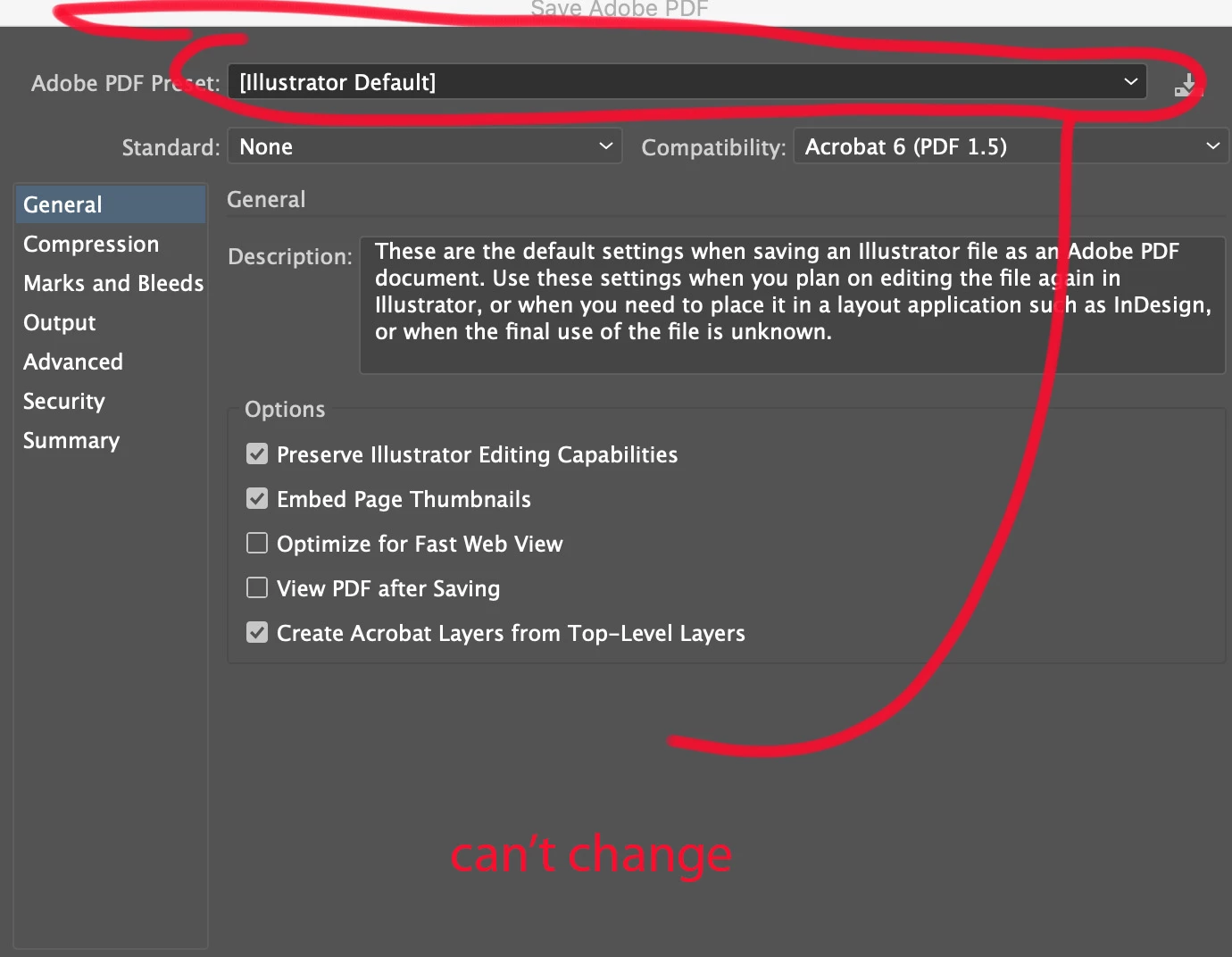
Unable to change Default Settings while saving as PDF in Illustrator 24.0 on macOS Catalina

  • November 14, 2019
  • 2 replies
  • 1888 views

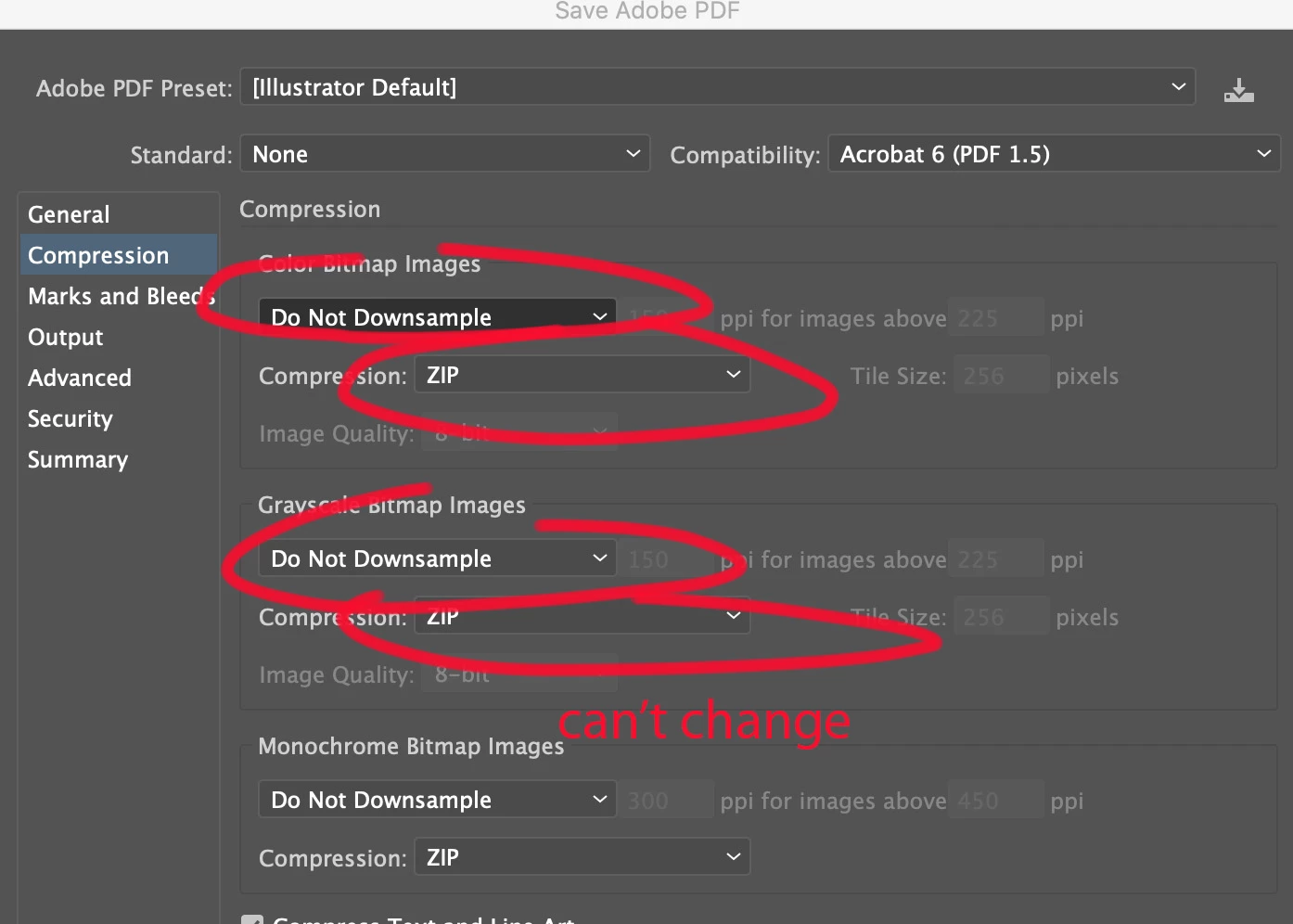
When I choose to save a illustrator file as a PDF I am unable to select any settings. Such as "adobe pdf presets" or "compression" setttings. Calling customer support leads me down the usual trash all the preferences and reset things (which we did just last week for another issue which also did not resolve). Restartings, resetting, new files make no difference and the issue continues. This is feature I use often and need help.


Brand new imac 10.15.1 and Illustrator version 24.0.


Any ideas? Catalina issue maybe?
 

{Renamed By MOD}

This topic has been closed for replies.
Correct answer Rishabh_Tiwari

Thanks for trying that. Could you please also try the steps below:


  1. Try booting the system into Safe Mode (https://helpx.adobe.com/in/x-productkb/global/start-safe-boot-mode-mac.html) and check how it works there. It starts your system so that it performs certain checks and prevents third party software/ services from automatically loading or opening. If it works fine in Safe mode, then there is some third party service or application like antivirus, plugins or web extensions which are conflicting with the Illustrator.

  2.   If that doesn't help, log in to root account (https://support.apple.com/en-in/HT204012). Check how the application works there. If it works fine there, then it could be related to permission errors. Follow these steps to repair permission errors: https://helpx.adobe.com/in/illustrator/kb/preferences-folder-read-only-error.html 

  3. If nothing helps, then we need to troubleshoot this on a live session. Please head here (https://helpx.adobe.com/support.html) and select the chat button in the lower-right corner of the page. We can help on a live session that way. 

2 replies

Rishabh_Tiwari
Legend
November 14, 2019

Hi there,


We're so sorry to hear this that's definitely not what should be happening. Would you mind trying the steps below to manually reset the preferences for Illustrator:


  • Close Illustrator.
  • Click on the Finder icon on the dock, choose Go on the top> Go To Folder.
  • In the Go To Folder dialog box, type "~/Library". Click Go.
  • Open the Preferences Folder > rename the Illustrator  24 Settings folder to Illustrator  24 Settings folder.old
  • Under Preferences, Open Adobe folder and rename Adobe Illustrator folder to Adobe Illustrator.old
  • Go back to library->open caches->rename  com.adobe.illustrator to com.adobe.illustrator.old
  • Go back to library->open application support-> open adobe->rename the Illustrator  24 folder to Illustrator  24 folder.old

Let us know if this helps or if you need any further assistance.


Regards

Rishabh


MontyDraws
Known Participant
November 14, 2019

Rishabh,

I've already done that today, but I went throught he steps again. The problem is still there. I can not open any drop down menus in preferences or save as PDF dialog box.


Rishabh_Tiwari
Rishabh_TiwariCorrect answer
Legend
November 14, 2019

Thanks for trying that. Could you please also try the steps below:


  1. Try booting the system into Safe Mode (https://helpx.adobe.com/in/x-productkb/global/start-safe-boot-mode-mac.html) and check how it works there. It starts your system so that it performs certain checks and prevents third party software/ services from automatically loading or opening. If it works fine in Safe mode, then there is some third party service or application like antivirus, plugins or web extensions which are conflicting with the Illustrator.

  2.   If that doesn't help, log in to root account (https://support.apple.com/en-in/HT204012). Check how the application works there. If it works fine there, then it could be related to permission errors. Follow these steps to repair permission errors: https://helpx.adobe.com/in/illustrator/kb/preferences-folder-read-only-error.html 

  3. If nothing helps, then we need to troubleshoot this on a live session. Please head here (https://helpx.adobe.com/support.html) and select the chat button in the lower-right corner of the page. We can help on a live session that way. 
MontyDraws
Known Participant
November 14, 2019

Update: Trashed all preferences and completely uninstalled Illustrator app. Wiped all the libraries. Reinstalled and problem persists.

MontyDraws
Known Participant
November 14, 2019

UPDATE 2.... now, no drop down menus inside illustrator work at all! Even the one's inside preferences.