

Question
Unable to delete AI files downloaded from Adobestock that have recently been opened in 26.3.1
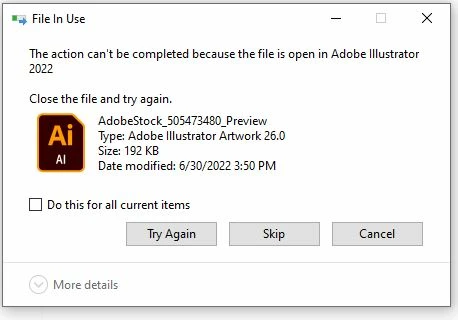
Hi - I cannot delete any "preview" files downloaded from Adobestock in Illustrator format unless I first quit Illustrator. I've attached a screen capture of the error message. I've tested other Illustrator files on my hard drive and on our cloud server (that had not been downloaded recently) and I can open, save, and delete those with no problem. I tried uninstalling AI and reintalling it. Any ideas? Thanks in advance!


 AdChoices