

Unable to edit text in Illustrator
- December 19, 2025
- 2 replies
- 438 views
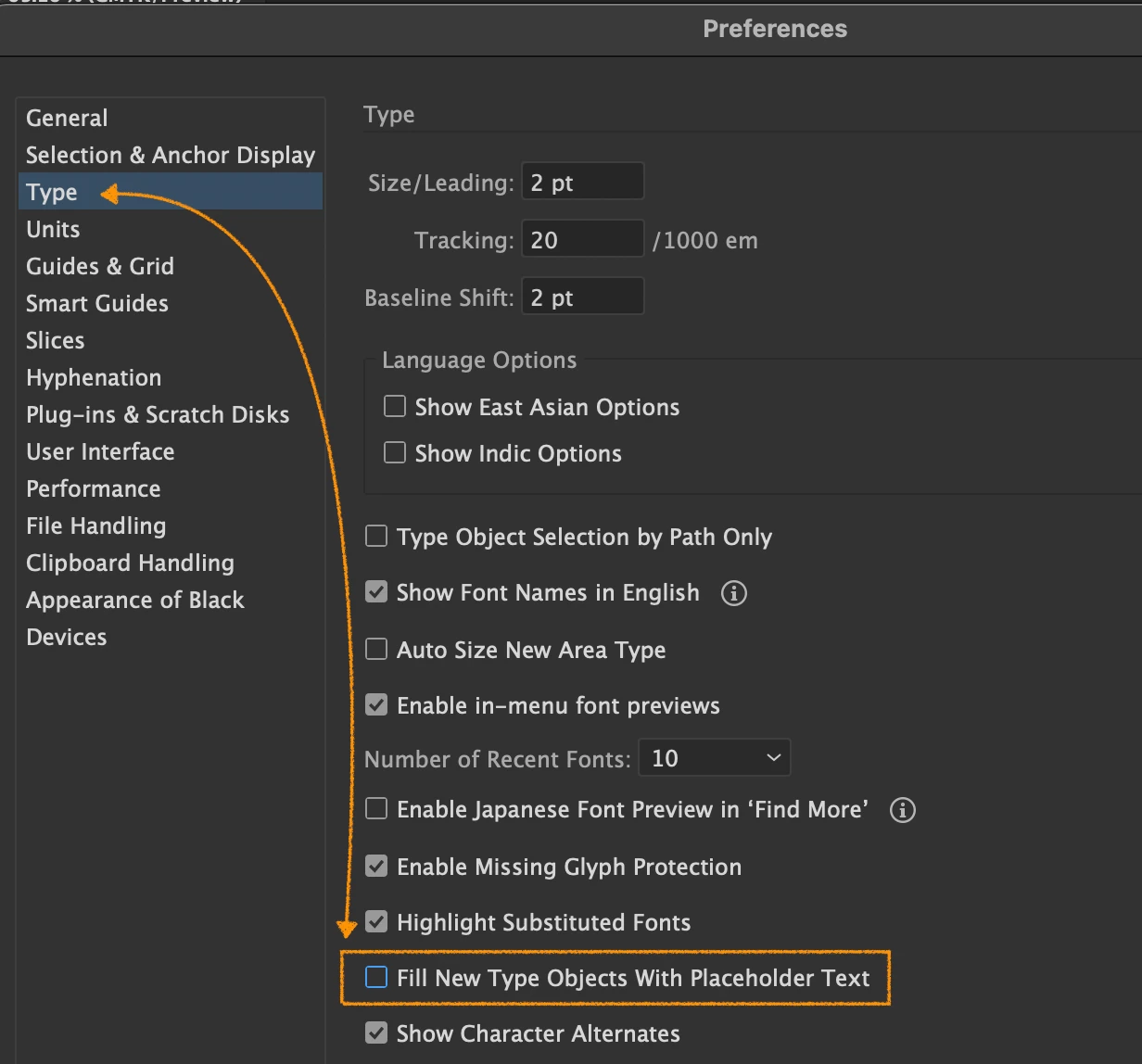
I'm having a lot of issues with making changes to text within an existing text box. I used to be able to just select the text box (with existing text in it), click the text tool and insert it anywhere in the text paragraph to make changes but now, I'm having issues just trying to select the text box ( I have "show edges" selected) even when it's on the top layer (and the layer is selected) and then, after multiple "clicks" and it's finally selected, every time I use the text tool, when I click where I want to insert or update text, I get the default new text box with the large "Lorem Ipsum" greek text in it. I can't insert the text tool within an existing text box to edit the words! This is unreal! There was never an issue with editing text in the past. Any suggestions?
I'm using an iMac M3, using macOS 15.7.1 and Illustrator 30.1. This started when I updated Illustrator about a week ago. HELP PLEASE.


 AdChoices