
Answered
Unable to hide Layer > Path
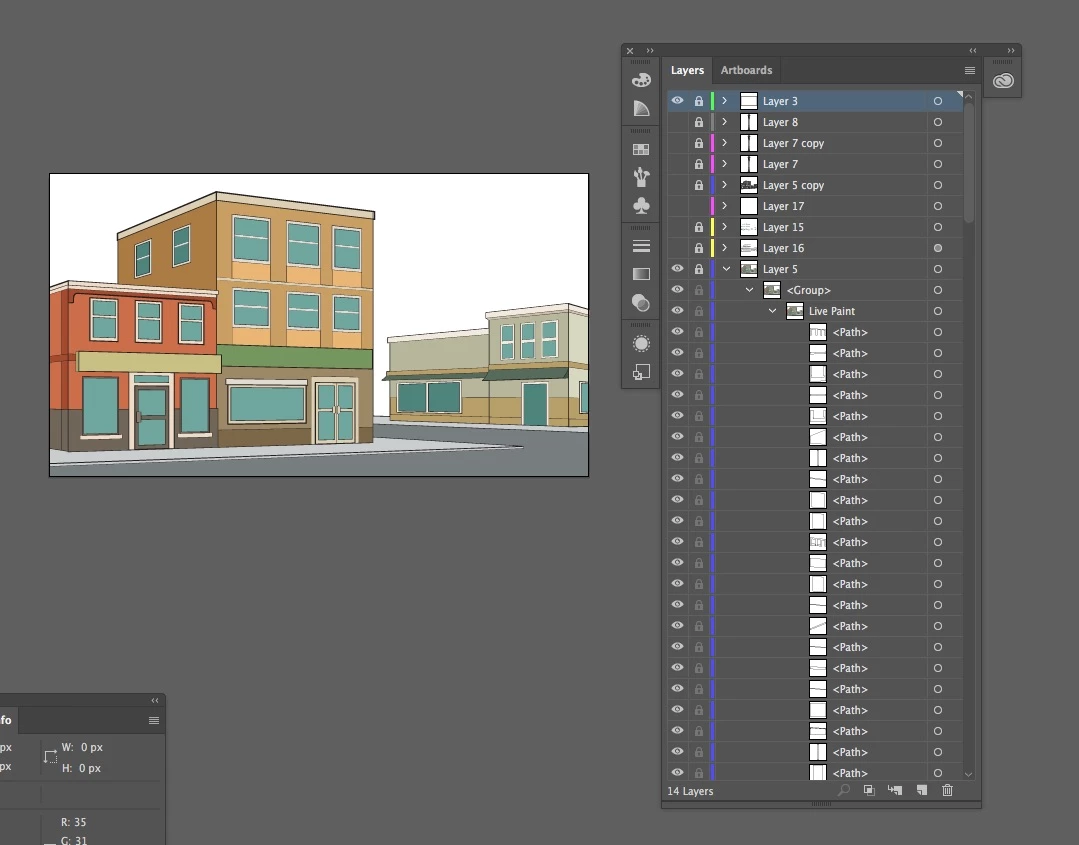
I am trying to remove all black outlines from this pic, leaving only the color. (I did not create the pic.)
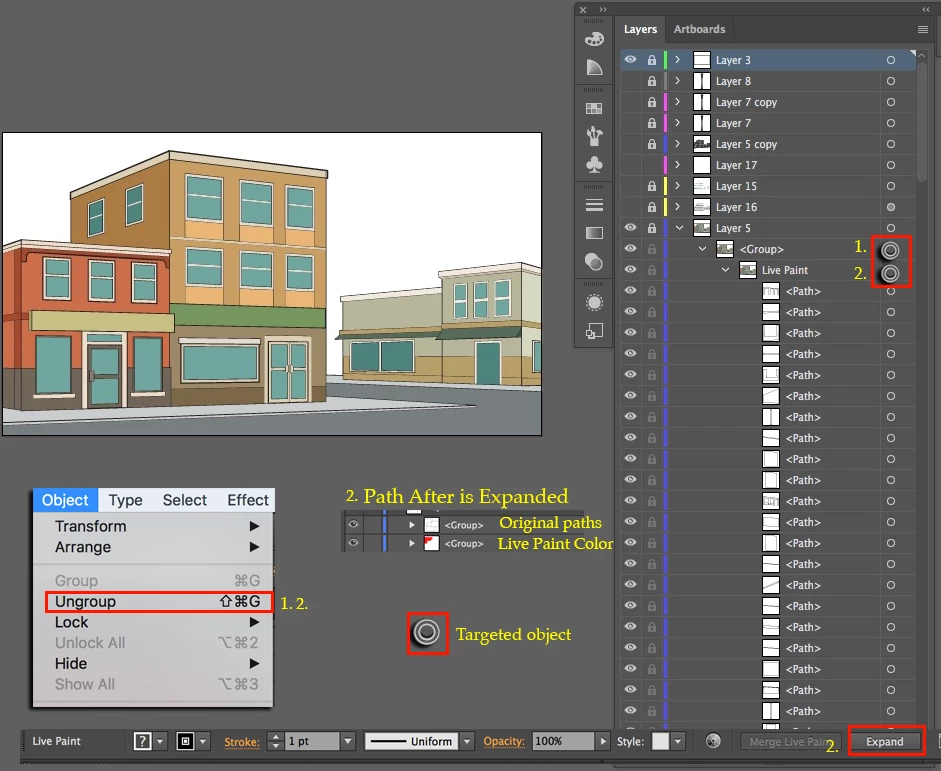
So, that would be Layer 5 > Group > Live Paint > Path, Path, etc. I need to hide one or more of these "Paths."
Pressing the eyes of the individual Paths don't work. Unlocking Layer 5 then pressing eyes doesn't work. Object > Unlock All doesn't work.
How do I hide one or more of the "Paths?"
Screenshot below. Actual doc is here:
Dropbox - a-block-of-low-rise-buildings-background a.pdf


 AdChoices