Participant
April 11, 2023
Question

Unable to join segments

  • April 11, 2023
  • 1 reply
  • 831 views

Hello everyone,

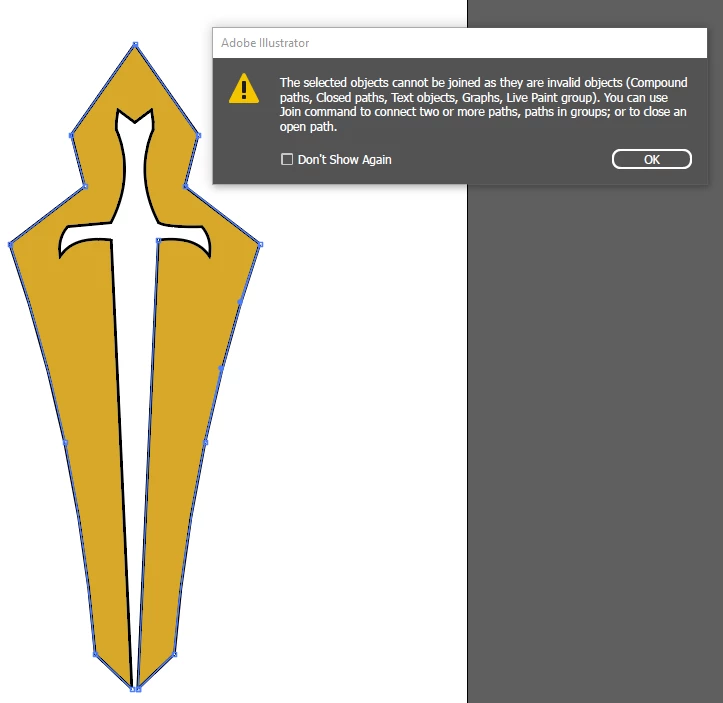
I'm super new to Illustrator and having a hard time making my line segment path into one solid line. When I select between 2 different paths and hit join I get this error.


Any help is appreciated.
 

This topic has been closed for replies.

1 reply

Jacob Bugge
Community Expert
Community Expert
April 11, 2023

Joshua,


The error message is simply telling you that the Join command fails to work with the kinds of paths you have chosen.


If you make a new screenshot with the Insert Photos and include the expanded layer in the Layers panel, I believe one of us can help you further (maybe the first one that sees it).


Participant
April 11, 2023

As requested, hopefully this is what you were talking about, still barely understand layers etc and the 100s of windows lol.


Jacob Bugge
Community Expert
Community Expert
April 11, 2023

Joshua,


What happens if you collapse the Live Paint part (clicking the down arrow), then copy it in front of itself (Ctrl/Cmd+C+F), then expand the Live Paint group, then try to join the paths?

https://helpx.adobe.com/illustrator/using/live-paint-groups.html


The copying bit is for you to keep a backup of the Live Paint group to fall back on.


If more help is needed, please make a screenshot with the two paths you wish to join selected, including the Appearance panel and Document Info; you can only join two open paths (and other limitations).
