
Participant
April 9, 2020
Answered

Unable to launch Illustrator CC2020

  • April 9, 2020
  • 10 replies
  • 5080 views

This just started to happen. I didn't add any new software, I didn't install any new fonts. I could use it fine until today. I can use the previous version (23.1.1) without any problem.


I've unstalled/reinstalled, rebooted uninstall/reinstall (no import of preferences etc), reboot, reinstall. I've tried opening it by opening a file on my desktop and not opening the app directly. I deleted the wacommultitouch.framework file.


Literally just started today. It was working fine a couple of days ago (last time I opened it). 


Anyone having a similar issue?


{Renamed by MOD}
Correct answer Srishti Bali

Hi,


We're extremely sorry to hear about this issue. I can cmpletely understand the frustration at this point. I would request if you could try following these steps and share your observations:

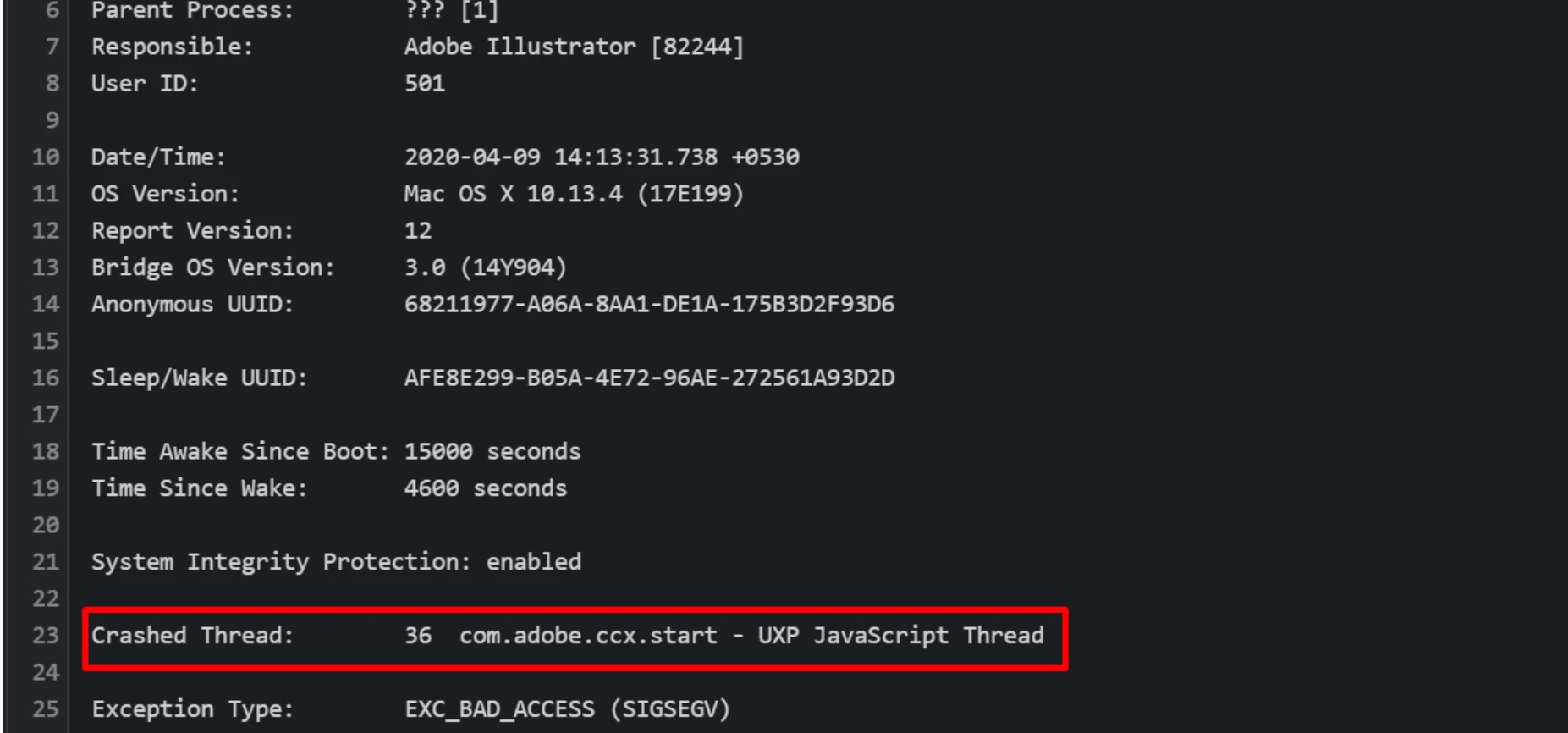
  • Open the crash report given by Illustrator.
  • If you see anything like 
    Faulty module path: Module/Library : OffsetPDFSuite.aip
    Crashed Thread:   36 com.adobe.ccx.start - UXP JavaScript Thread
     
  • Go to following locations and rename "extentions" to "extensions_old"
    Windows:  Program files /common files /Adobe /UXP /extensions
    MAC: /library > application support > Adobe > UXP > extensions


Looking forward to your response.


Regards,

Srishti

10 replies

Participant
April 30, 2020

I was having the same issue and this application worked for me... 😉

Participant
April 10, 2020

That worked on my Mac. I also tried closing and reopening the program, which went well.


It also booted up a lot faster, which is nice. Is there an explanation for why that may be?

Participant
April 10, 2020

Hello all, so far the fix Srishti suggested seems to be working for me.


Thanks, 


CT


Participant
April 9, 2020

On my system there is no Adobe>UXP.

Live in the Netherlands. Any idea?

Participant
April 10, 2020

sorry found it

Participant
April 10, 2020

And it worked

Participant
April 9, 2020

Sleep/Wake UUID: 400BD748-90CA-4E43-9077-6819D4B1021A

Time Awake Since Boot: 51000 seconds
Time Since Wake: 15000 seconds

System Integrity Protection: enabled

Crashed Thread: 27 com.adobe.ccx.start - UXP JavaScript Thread


so not 36 but 27.


Does your suggested fix still apply?


MacOS 10.13.6

Ashutosh_Mishra
Inspiring
April 9, 2020

It certainly does. Number on thread could be different depending on the user configuration. Please try renaming the suggested folders and see if it helps. Thanks!

Srishti Bali
Community Manager
Srishti BaliCommunity ManagerCorrect answer
Community Manager
April 9, 2020

Hi,


We're extremely sorry to hear about this issue. I can cmpletely understand the frustration at this point. I would request if you could try following these steps and share your observations:

  • Open the crash report given by Illustrator.
  • If you see anything like 
    Faulty module path: Module/Library : OffsetPDFSuite.aip
    Crashed Thread:   36 com.adobe.ccx.start - UXP JavaScript Thread
     
  • Go to following locations and rename "extentions" to "extensions_old"
    Windows:  Program files /common files /Adobe /UXP /extensions
    MAC: /library > application support > Adobe > UXP > extensions


Looking forward to your response.


Regards,

Srishti

Participant
April 9, 2020

After updating my home system to v 24.1.1 (to get the work done), this system also has the same crashes.

Your solution:
Go to following locations and rename "extentions" to "extensions_old"
Windows:  Program files /common files /Adobe /UXP /extensions

Works on my system, thank you!

Participant
April 9, 2020

I'm having the same issue today as well. The application keeps crashing when I try to open a file. I hope this gets resolved soon.

zammachus
Participant
April 9, 2020

I am having exactly this issue. AI will boot fully and then close before I can interact with it.


Started by it crashing and generating an error report dialog whenever I tried to create a new file or save a recovered one. I uninstalled and reinstalled, at which point the current problem started. Currently running v24.1.1 on a Win10 PC. I'll try to record the screen...

zammachus
Participant
April 9, 2020

It's now generating crash reports.

I've tried rolling back to 24.1, but no change. Seems to be stable in 24.0.2.

Participant
April 9, 2020

I rolled back the version to 24.0.2 as well and that seems to be a temporary fix.

Ashutosh_Mishra
Inspiring
April 9, 2020

Hi Charles,


Would you mind sharing version of OS please? Also, are you getting any error message? You may also share a screenshot or a small video of the workflow so that we can understand it better.

Looking forward to your response.


Regards,

Ashutosh

Monika Gause
Community Expert
Community Expert
April 9, 2020

So you only tried double clicking a file? Or do you also try opening the app directly?

Which system is this?