



graphics_4075
Participant
April 9, 2026
Question

Unable to paste in the color value for gradient sliders - Illustrator 30.2.1 on macOS

  • April 9, 2026
  • 1 reply
  • 19 views

I am using Illustrator 30.2.1 on a Mac M1 Ultra.


I have 2 gradients in my file and am trying to copy the value of a slider from one gradient and paste it into a slider in the other gradient. I am able to successfully copy the text to my clipboard, as I am able to paste it anywhere on my artboard as a textbox. However, when attempting to paste the value into the color value box on the gradient menu, nothing happens. I am unable to delete, edit, or paste anything into the text box. 


Is there a known fix so this issue does not repeat or am I forced to use a workaround so I can copy/paste hex values? I assume this is an unintended bug but could be wrong. 
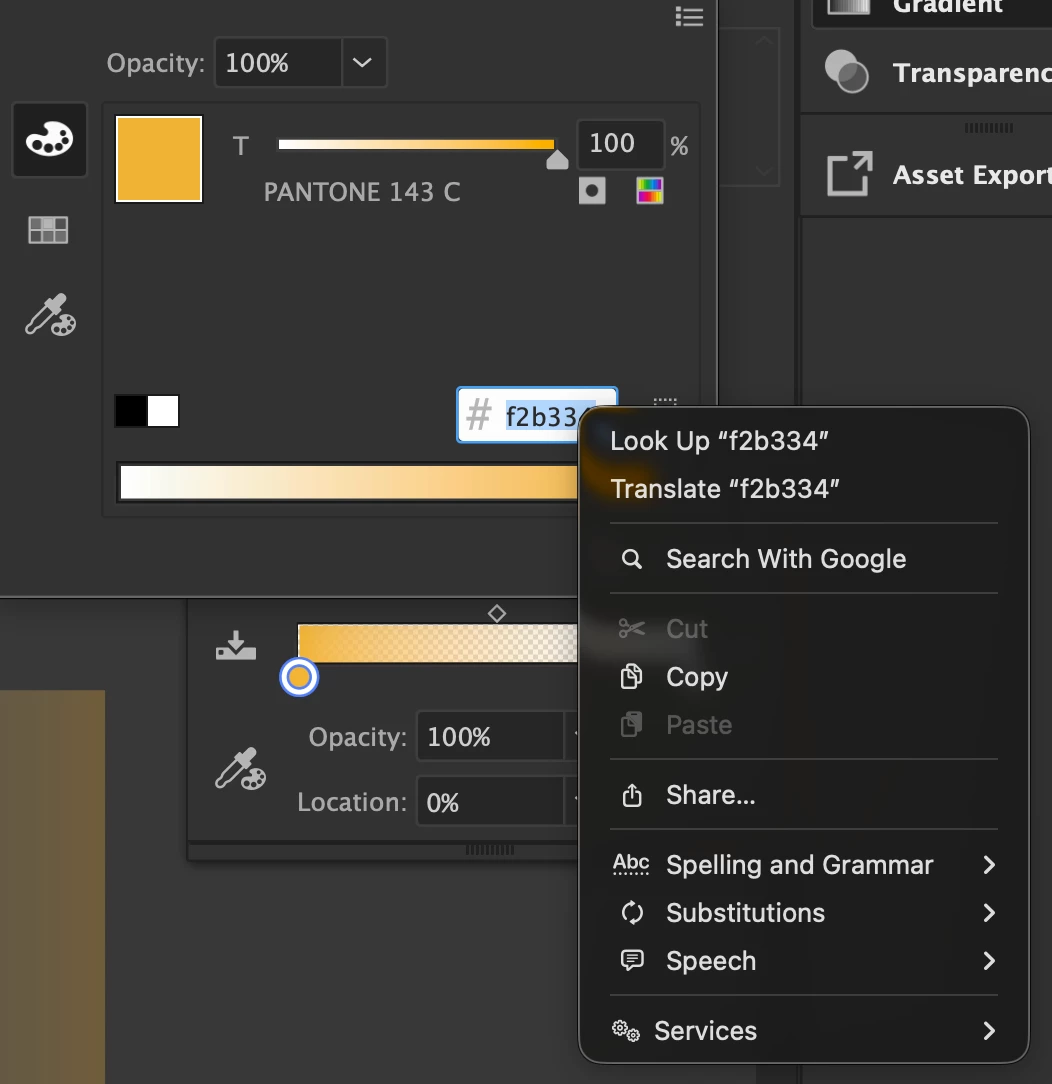


Paste + Cut option greyed out on gradient slider color menu


    1 reply

    Anubhav M
    Community Manager
    Community Manager
    April 13, 2026

    Hello @graphics_4075


    Thanks for reaching out. That does seem strange. Would you mind checking whether any other apps/plug-ins/window managers are running, and temporarily closing them to see if the problem persists? Also, try updating Illustrator and running it in Safe Mode (macOS), and share your observations.


    Looking forward to hearing from you.

    Anubhav

    graphics_4075
    Participant
    April 13, 2026

    Hi Anubhav,


    I luckily/unfortunately am not able to replicate this issue anymore. I would consider it resolved unless/until it happens again, in which case I can post again with more observations. I tested to see if color books might have caused it but I am able to copy and paste Pantone colors as well. 

    I likely only had Adobe Apps + Chrome open at the time, and the only plugin I have installed and active is AstuteManager. Thanks for your help