John_Arneson
Inspiring
July 13, 2021
Question

Unable to save Creative Cloud Libraries assets properly

  • July 13, 2021
  • 1 reply
  • 643 views

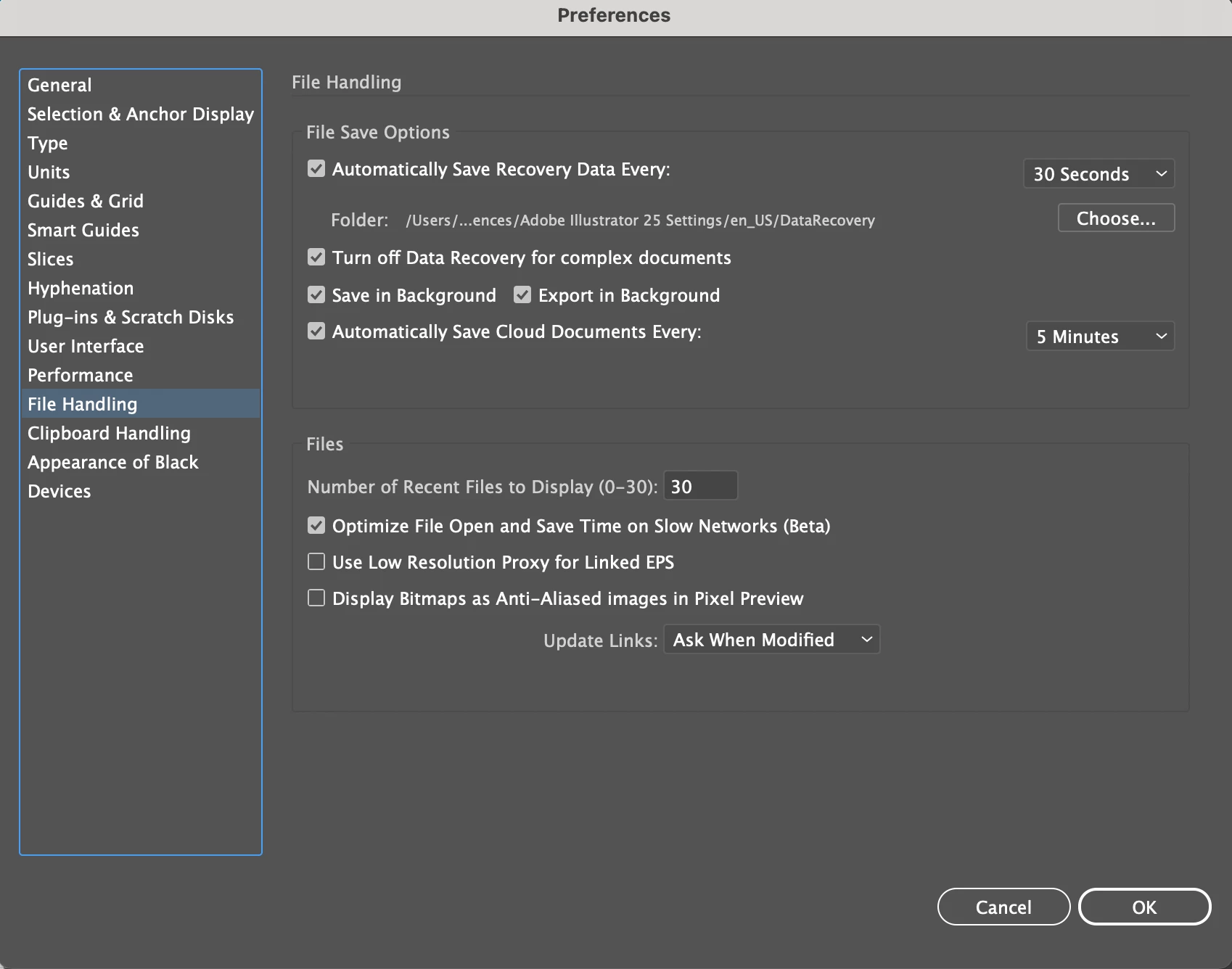
For some reason my Illustrator library hasn't saved files properly a few times over the last week losing loads of work. I have Cloud Doc autosave set up for every 5mn and recovery saves every 30"... any ideas what's happening? There's nothing in my recovery folder and the files have been saved and closed properly....  Any chance there's file versioning in the cloud? (not seeing anything...)


{Renamed by MOD}


This topic has been closed for replies.

1 reply

Anshul_Saini
Community Manager
Community Manager
July 20, 2021

Hi there,


Sorry about the trouble. Could you please share/ confirm/ clarify the few details:

    • OS and version of Illustrator
    • Are you referring to assets saved in the Libraries panel of Illustrator?
    • The recovery folder is used to recover local documents when the Illustrator gets crashed and closes unexpectedly. Are you trying to recover a local file or a document saved on Creative Cloud?
    • Did you try Sign out and Sign in from within the app and Creative Cloud?


I will suggest you to open your browser and login into your Creative Cloud account (https://creativecloud.adobe.com/) and then visit this link (https://assets.adobe.com/cloud-documents); you will be able to locate your Illustrator cloud documents there, which will have the ". AIC" extension. Also, you can see their versioning and revert to an earlier version of the document (https://helpx.adobe.com/creative-cloud/help/open-revert-cloud-document-version.html).


I am looking forward to your response.


Thanks & Regards,

Anshul Saini

John_Arneson
Inspiring
July 26, 2021

Thanks Anshul -

I'm running OSX 11.4 and Illustrator v 25.3.1

Correct, I'm referring to Library items (not .aic Cloud files)

I didn't recall a crash happening, and yeah - nothing in the folder.

I did try signing in / out, reinstalling .AI


I caught up with the support team and learned that 'Library' items aren't versioned or automatically saved (mind blown)

Is it possible to build Library items with Cloud documents?... 


Anshul_Saini
Community Manager
Community Manager
August 4, 2021

Thanks for clarifying that.

I am afraid, this is not possible as of now. I will forward this feedback to the Product team. Also, I would suggest if you could also post it here (https://illustrator.uservoice.com/). This way, you will keep getting all the updates related to this feature and other users can also upvote, which would help us prioritize.


Regards,

Anshul Saini