
Participating Frequently
December 24, 2024
Question

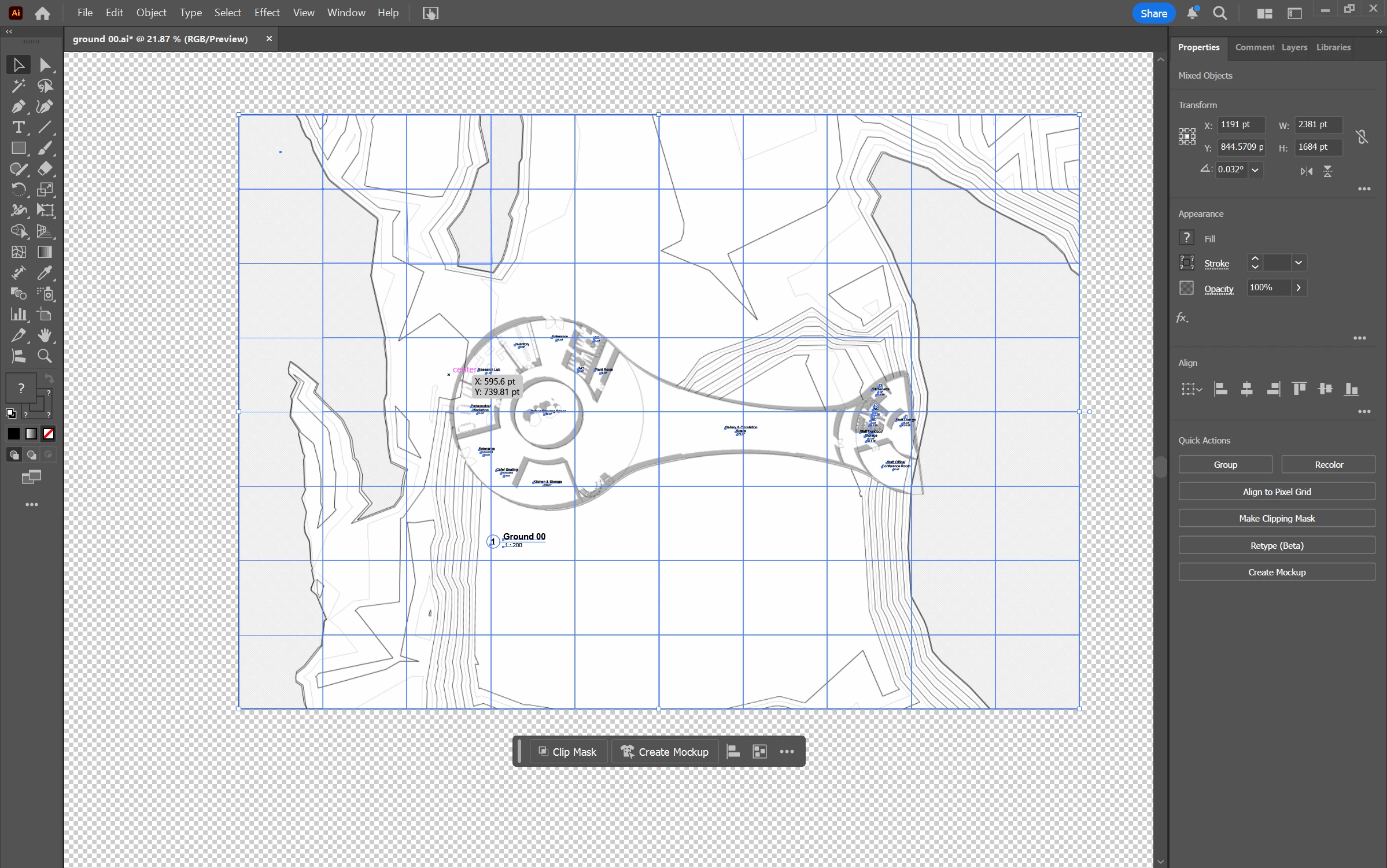
Unable to select anything other than grid squares despite coverting it to an AI format?

  • December 24, 2024
  • 1 reply
  • 2023 views

I am trying to edit this PDF so I converted it into AI format in illustrator however I still can't edit it and the only thing I can select is these grid squares? I have tried everthing to try fixing this but I just cannot find a way to be able to select anything. I can select the individual squares and isolate them but i can only move and delete them not select any lines. Please help 
1 reply

Jacob Bugge
Community Expert
Community Expert
December 24, 2024

Mariyah,


I am afraid it is a raster image; please show a screenshot with everything selected and the (relevant) Layer in the Layers palette expanded, and a screenshot with View>Outline (you can toggle with Ctrl/Cmd+Y).


Participating Frequently
December 25, 2024

 Hi Jacob, thank you for replying, this is it outlined and the layers panel expanded. 

Jacob Bugge
Community Expert
Community Expert
December 25, 2024

Mariyah,


To expand Layer 1 you need to click the arrow beside it so it points downwards, and then the contents will show.


Judging by the Outline there is only little vector artwork including live Type, most of the appearance seeming to be raster artwork.


How did you get by the PDF, and what was it created by, if you know?