

j.khakase
Inspiring
August 30, 2023
Answered

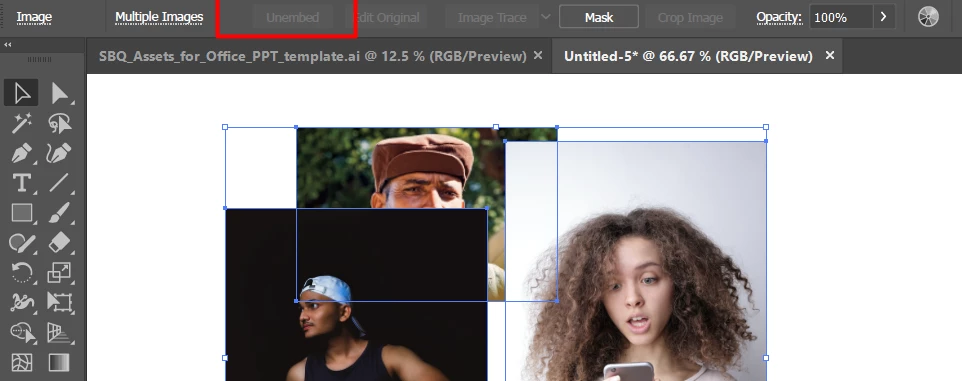
Unembed all the selected images together?

  • August 30, 2023
  • 1 reply
  • 796 views

Hello Friends,

is there a way to unembed all the selected images together. by any trick or Script?

I am in situation: I have compose few images to make a banner in Illustrator but I need to apply some editing on images using Photoshop. for that I need to embed all images at once to process in single psd file.


This topic has been closed for replies.
Correct answer Monika Gause

Situation is I designed a banner with making compositon of 4/5 images in Illustrator with specific artobard size. now for some reason I want to apply some effect on the placed images in Illustrator file through  Photoshop, so that I want to export used images doing unembed to all in a sinble .psd file. to perform some editing in Photoshop. but while unembed the file is creating it should be same size of Artboard and the images should be maintain the compositon,


The only way of achieving that is by exporting the file as a PSD file in the desired resolution.

1 reply

Monika Gause
Community Expert
Community Expert
August 30, 2023

There is a trick that includes Photoshop.

Save the file with PDF compatibility. Then open in Photoshop, go to the Images tab and save all those images.


And you can also check out: https://community.adobe.com/t5/illustrator-discussions/is-it-possible-to-convert-rasteritem-to-placeditem/m-p/13081172#M329044

j.khakase
j.khakaseAuthor
Inspiring
August 31, 2023

Thank you @Monika Gause on repling my need and sharing the great script to help me.

Actually while unembed all the selected images

1. I need all them into single .psd file

2. with the same artboard size which I have in Illustrator,

3. with their scaled size and position.

so that can work with same compositon,

Monika Gause
Community Expert
Community Expert
August 31, 2023

Put them all onto main layers (not subleayers) in Illustrator.

Make sure non of them is transparent.

Export a PSD at the desired resolution.