

Unexpected result when changing the curves of a b/w image with a multitone SVG filter applied to it
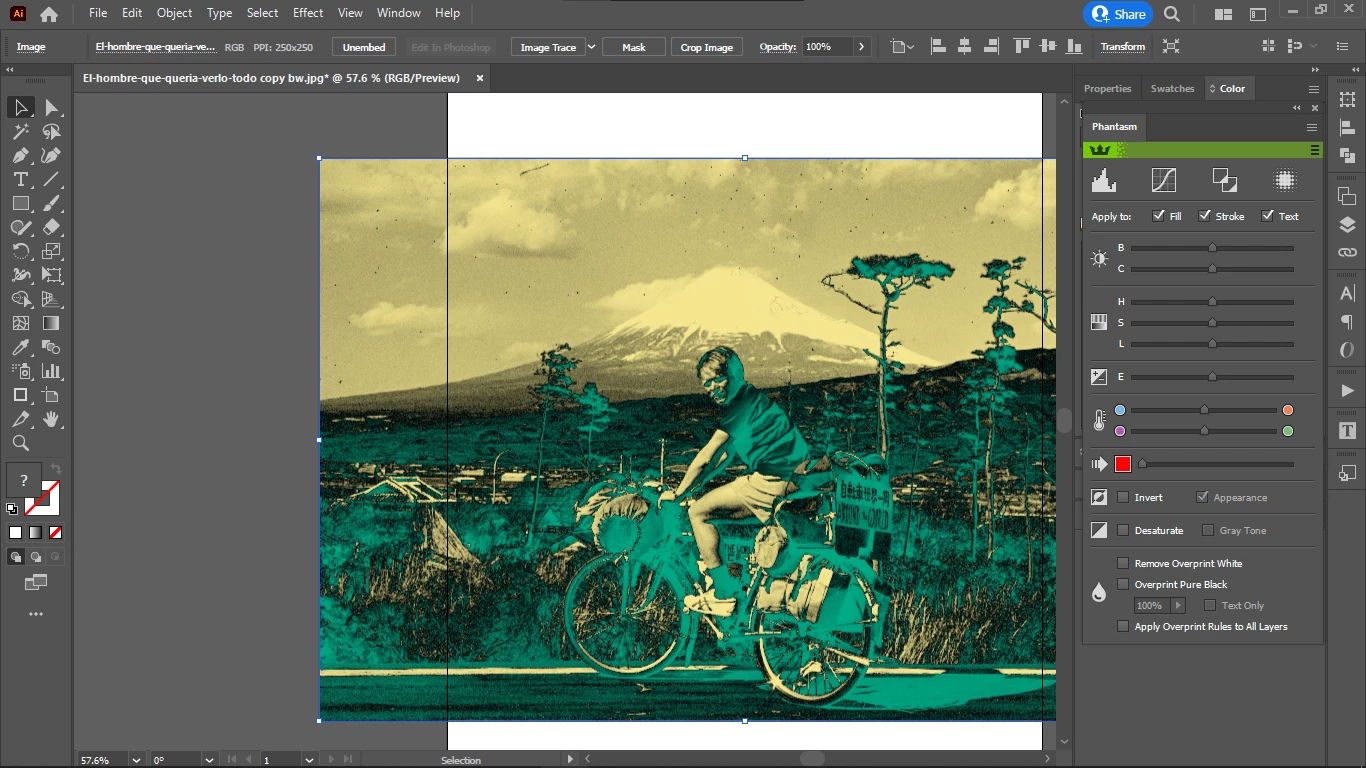
Here is the image with the filter applied, before modifying the curves of the image:
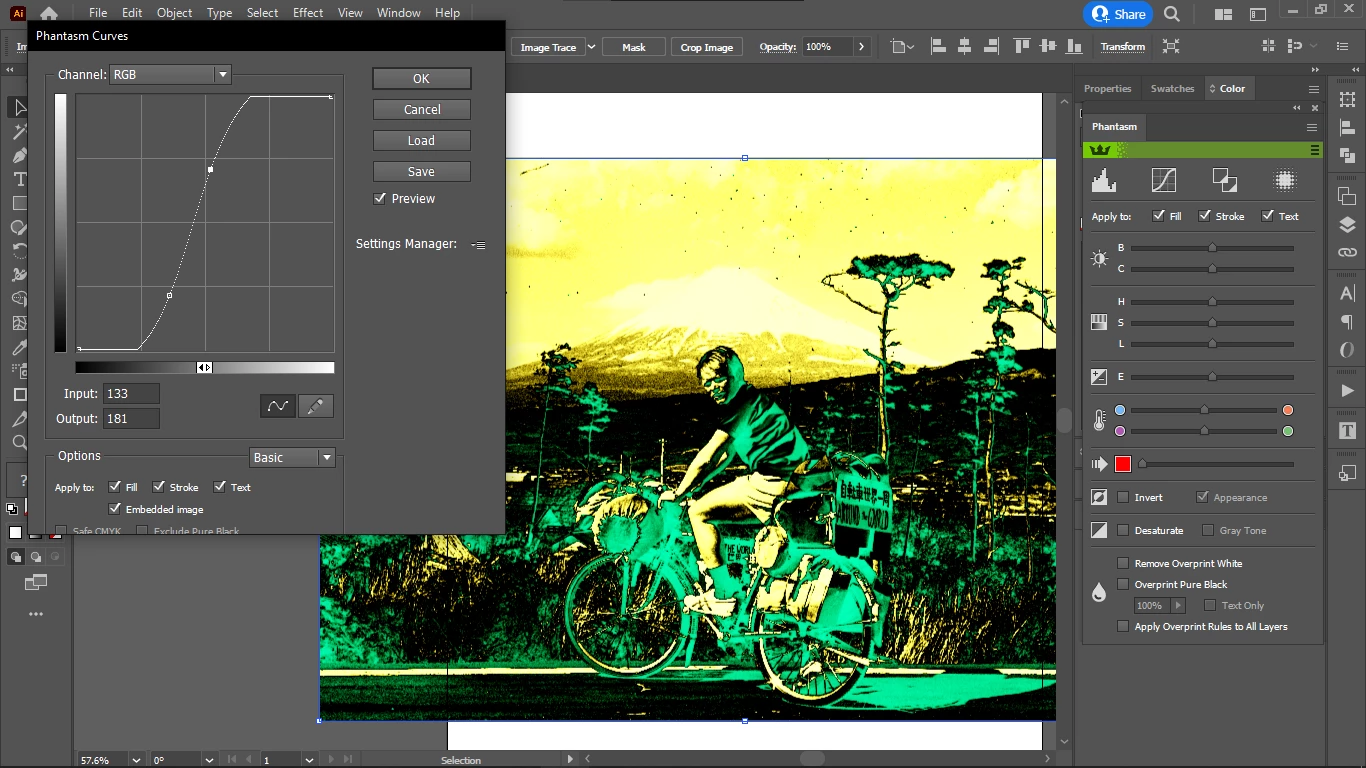
And here is the image after modifying the curves (no matter if the image is rasterized or not):
There are only 3 colors allowed in the multitone filter: buttered, neutral blue and black, so all highlights and shadows are split into 3 ranges, and according to the value one of the 3 colors is mapped to create the multitone image.
Modifying the curves I should be able to modify the distribution of these 3 colors (and that's what happens if I open the same image with the same filter that had its curves modified), but no other colors should ever appear.
But modifying the curves brings in yellow and white.
I suppose this is because the curves are applied to the b/w image + the filter, not only to the b/w image.
How do I apply the curves in Illustrator only to the b/w image?
I also suspect that the image need to be saved with the curves change and the filter re-applied to be able to reflect the changes in the final filtered image: to change the color distribution.
But if that is not the case, then I would like to know how to see the changes live, without saving, while modifying the curve, just like when a multitnone image is created with gradient maps where dragging the highlights / shadows slider the changes of the color distribution of the multitone image can be seen in real time.
SVG filters offer much more flexibility in the workflow (especially for images for the web) than gradient maps because many images can be modified just by modifying one filter.
To resume, there are 2 questions:
- does the image need to be saved and filter re-applied to see the changes in Illustrator, when modifying the curves? And if yes, why?
- how do I change the curves only of the image and not also of the filter, while the filter is applied to the image?
- what actually happened here? were the curves applied to both the image and the SVG filter? i did not save anything after I applied the SVG filter
 AdChoices