

Uniformly "Puff" (Inflate?) Objects
Hey there, Illustrators!
I have a dilemma that has plagued me for a long time now. I'm trying to uniformly "puff" shapes like stars and octogons. To do so, you'd think that Inflate would work well—after all, it works with squares:
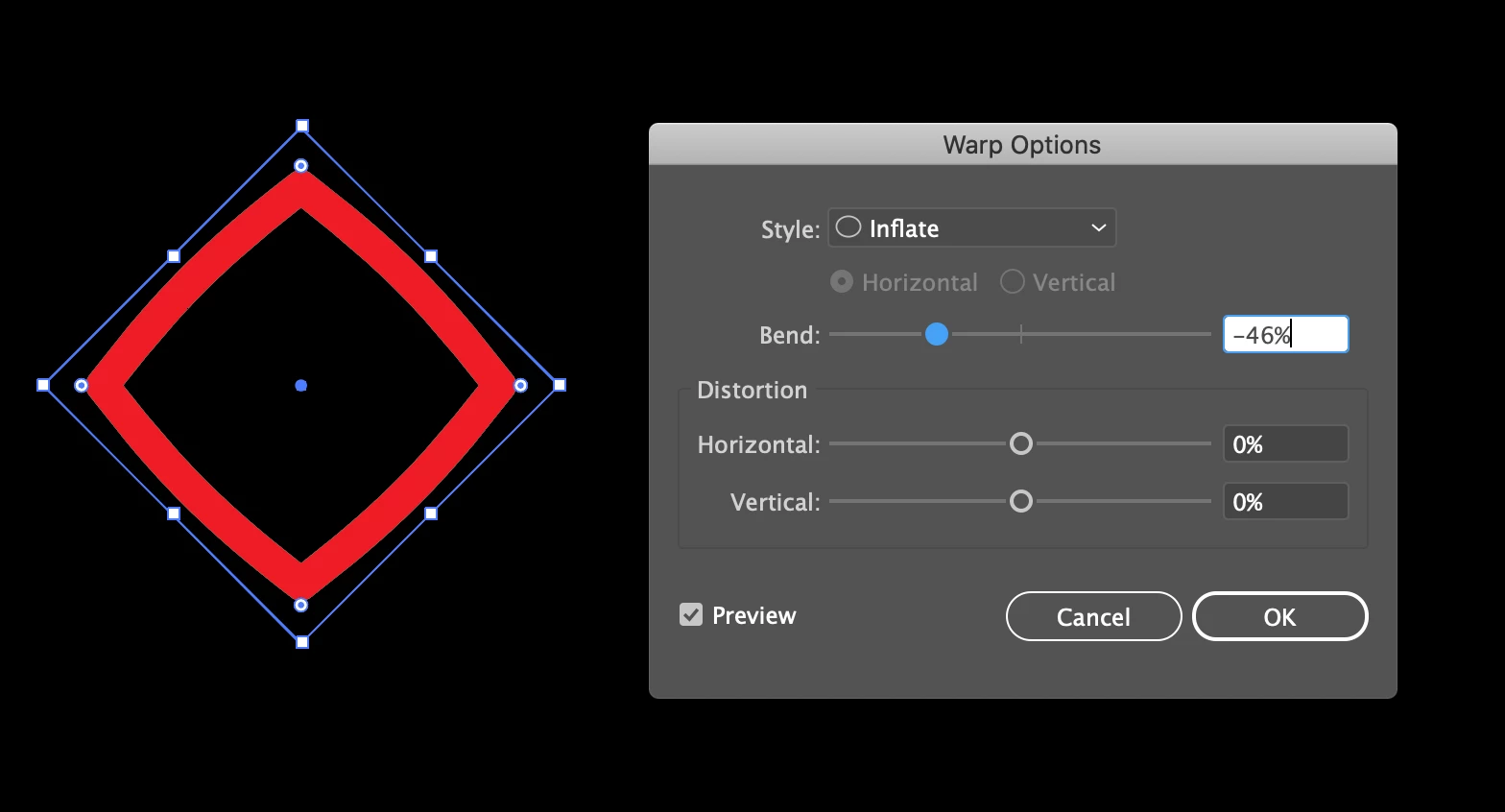
But what I don't like about Inflate, is that you reduce the size of your shape, instead of the sides adhering to the anchor points. Better than Inflate appears to be FishEye:
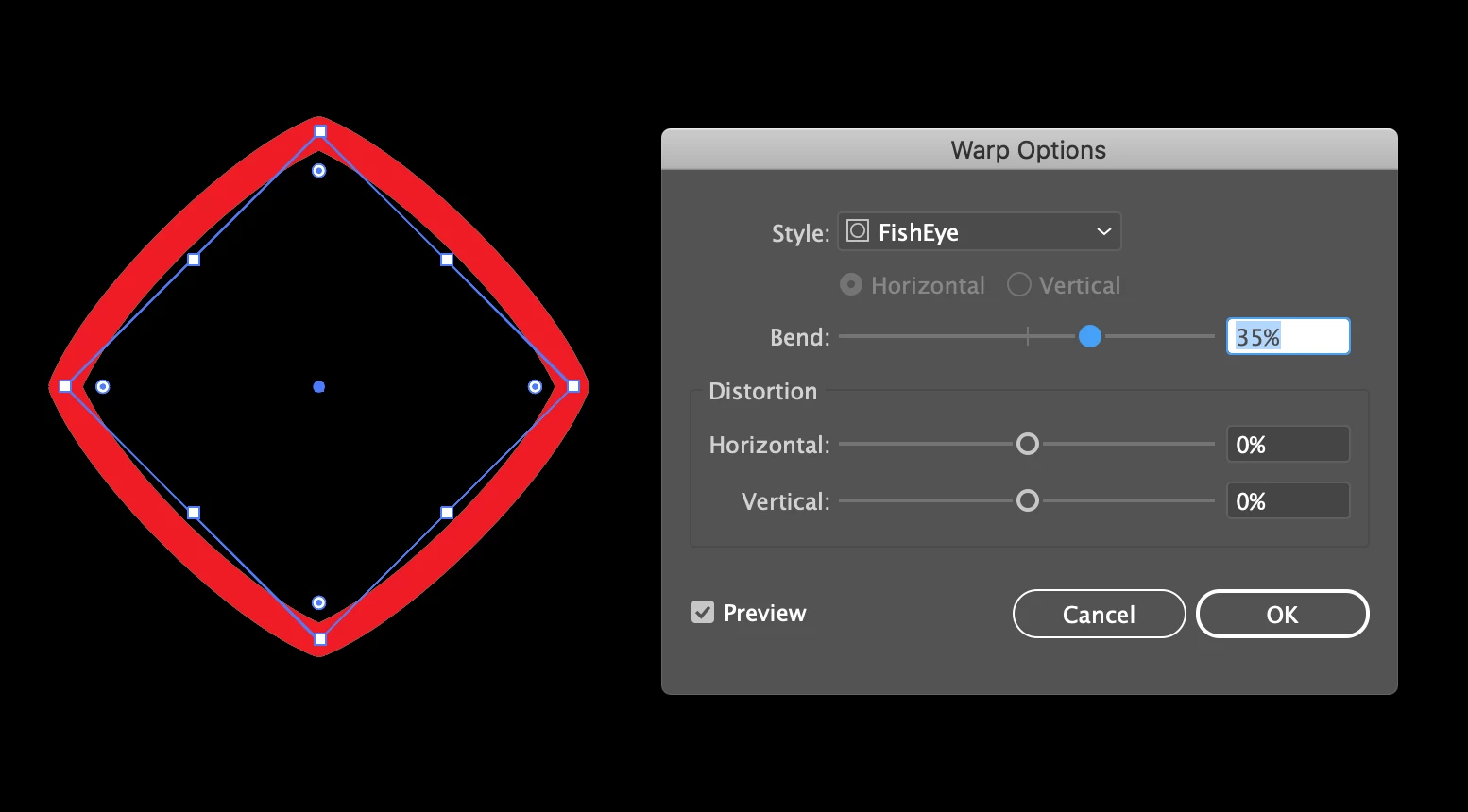
As you can see here, the anchor points remain the same, so the overall size of the shape remains the same as the original square.
Now the problem I'm running into is that these Effects don't work with any shape other than a square. For example, when I try doing the same with an octogon, you can see the shape does not uniformly puff out:
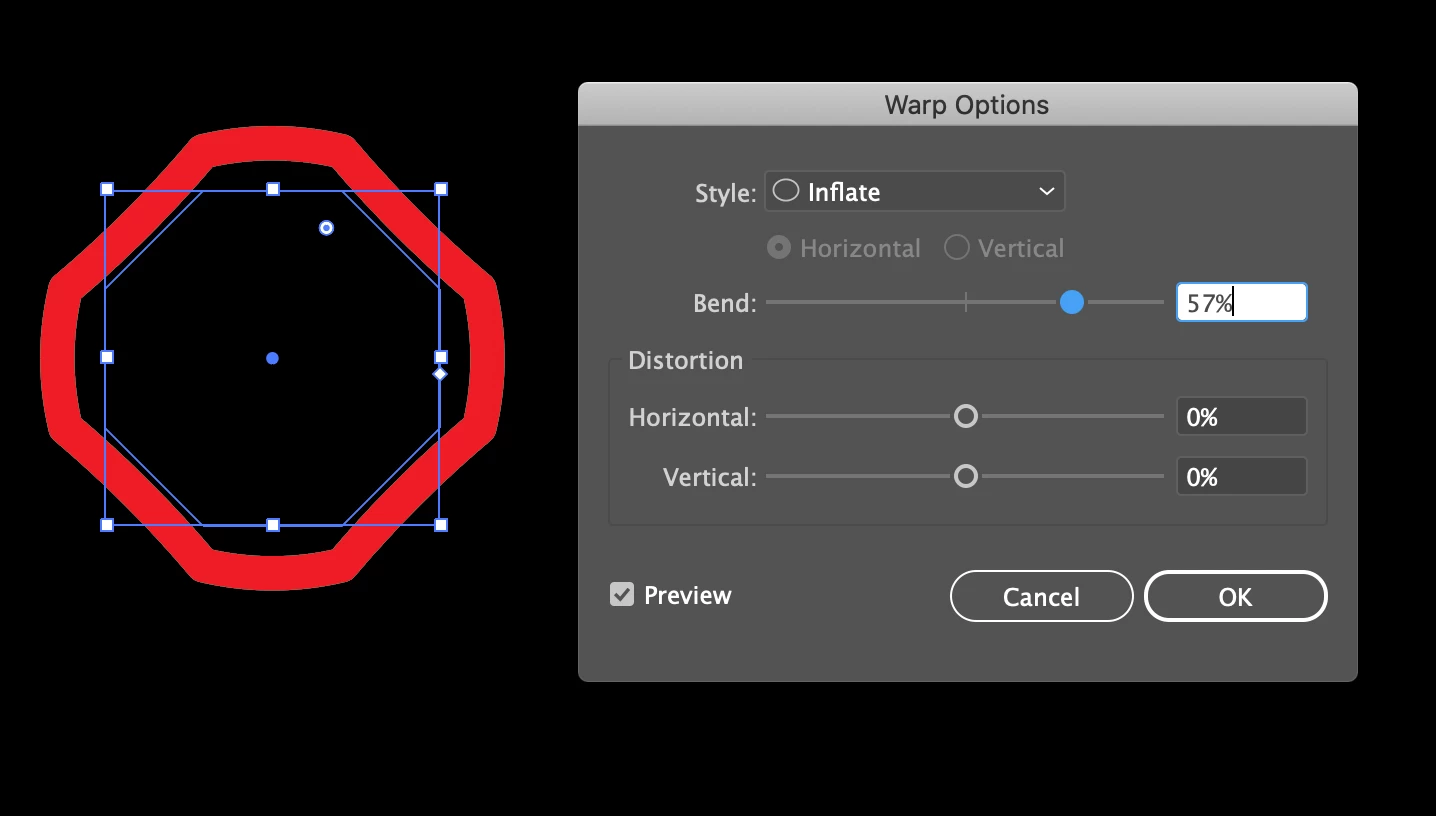
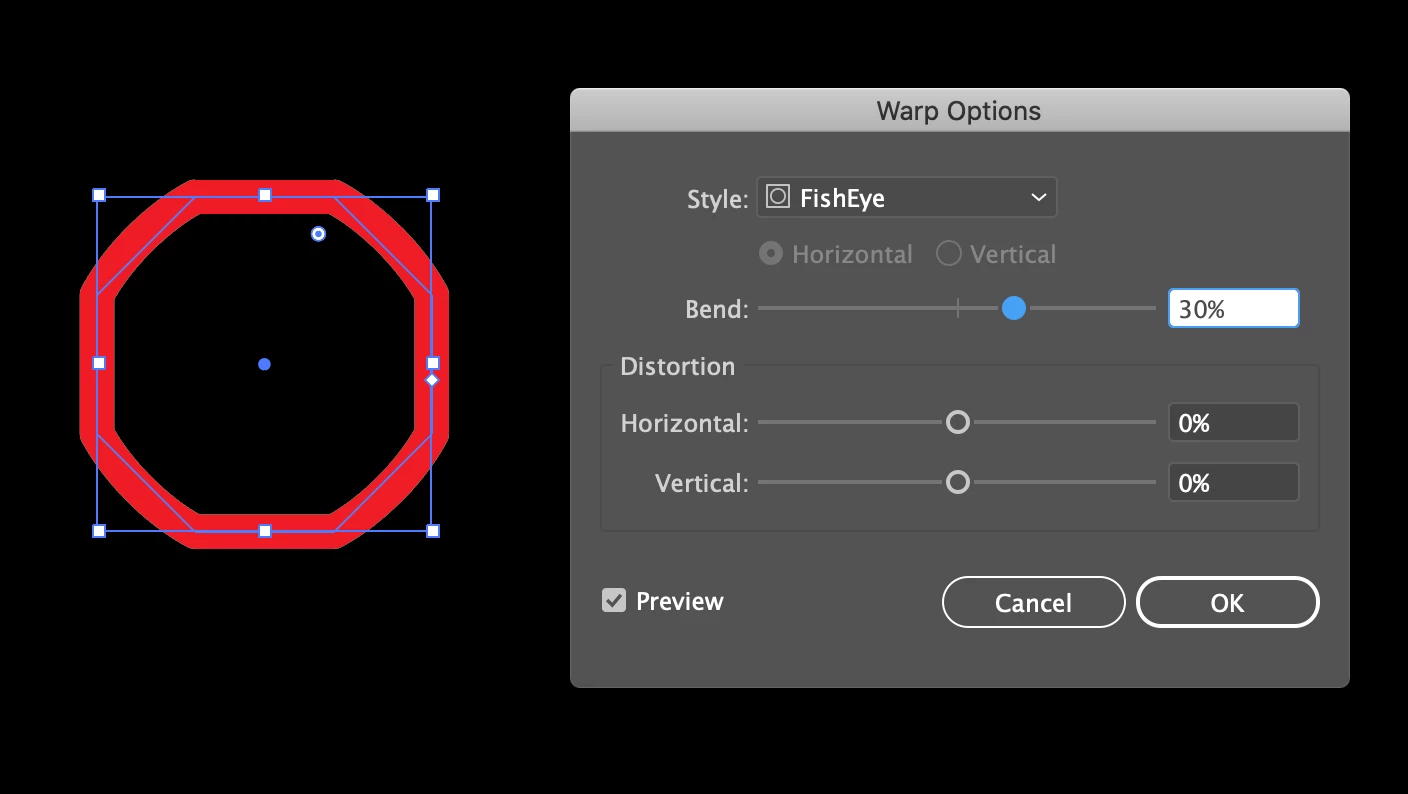
Whether using Inflate or FishEye, you can plainly see that only half of the sides end up actually puffing out. With Inflate, for some reason the diagonal sides refuse to distend outward, and with FishEye, the opposite occurs. The same inconsistencies occur with shapes like stars and, bizarrely, even circles, which, at least in my mind, should simply become enlarged by using either of these Warp Effects.
Does anyone know of a technique I could use to make my octogons puff out uniformly just like the squares in the first two images so that every side is evenly bloated? Thank you for your help!
Tai-kun


 AdChoices