
Inspiring
October 4, 2018
Answered

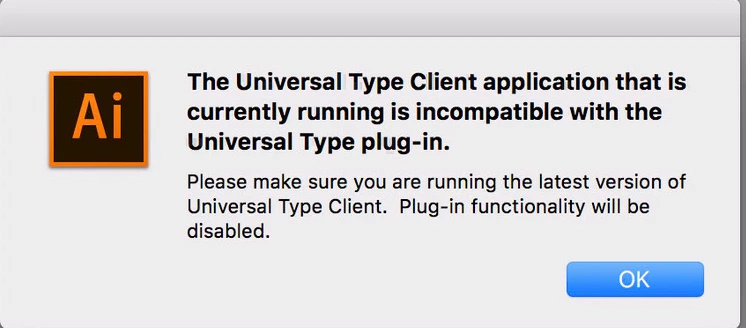
Universal type client application that is currently running is incompatible with the Universal Type plug-in

  • October 4, 2018
  • 2 replies
  • 4499 views

"The universal type client application that is currently running is incompatible with the Universal Type plug-in"

Lets preface: Due to a link updating issue with Indd

https://help.extensis.com/hc/en-us/articles/360005410534

We updated to UTC 6.1.7

Running High Sierra and Adobe CC 2018 (enterprise)

After updating to 6.1.7 the links issue in Indd. dissipated, but not Im guessing theres a  compatibility issue with the auto activation plugin.
This topic has been closed for replies.
Correct answer Jeff_Extensis

This message is telling the user that the plug-in version does not match the version of the client version (or the background process running - "FMCore").

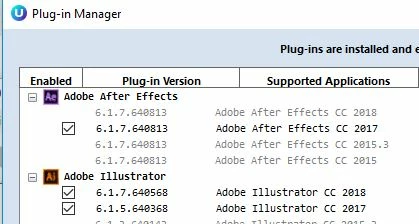
Simply open the Plug-in Manger from the Universal Type Client drop-down menu and deselect the plug-in. Then re-select the plugin. Please note, the plug-in should match the version of the Universal Type Client you are using:

I would suggest closing your Adobe application and re-launch after doing this process.

2 replies

Jeff_Extensis
Jeff_ExtensisCorrect answer
Participating Frequently
October 10, 2018

This message is telling the user that the plug-in version does not match the version of the client version (or the background process running - "FMCore").

Simply open the Plug-in Manger from the Universal Type Client drop-down menu and deselect the plug-in. Then re-select the plugin. Please note, the plug-in should match the version of the Universal Type Client you are using:

I would suggest closing your Adobe application and re-launch after doing this process.

Bill Silbert
Community Expert
Community Expert
October 4, 2018

The Universal Type Client should have a plug-in manager under one of the menu options. Check there for a list of the installed auto activation plug-ins and deactivate what isn't needed and install what is. If the CC 2018 plug-in isn't listed then see if there is a "check for updates" option offered there.

Inspiring
October 4, 2018
Inspiring
October 4, 2018

Although this is not a solution for enterprise..