Answered
Unknown Effect
Hi there! Today in my training on illustrator I made an effect unintentionally and I have no idea that how I made this. Can anyone help me please? Bellow is a photo showing the effect 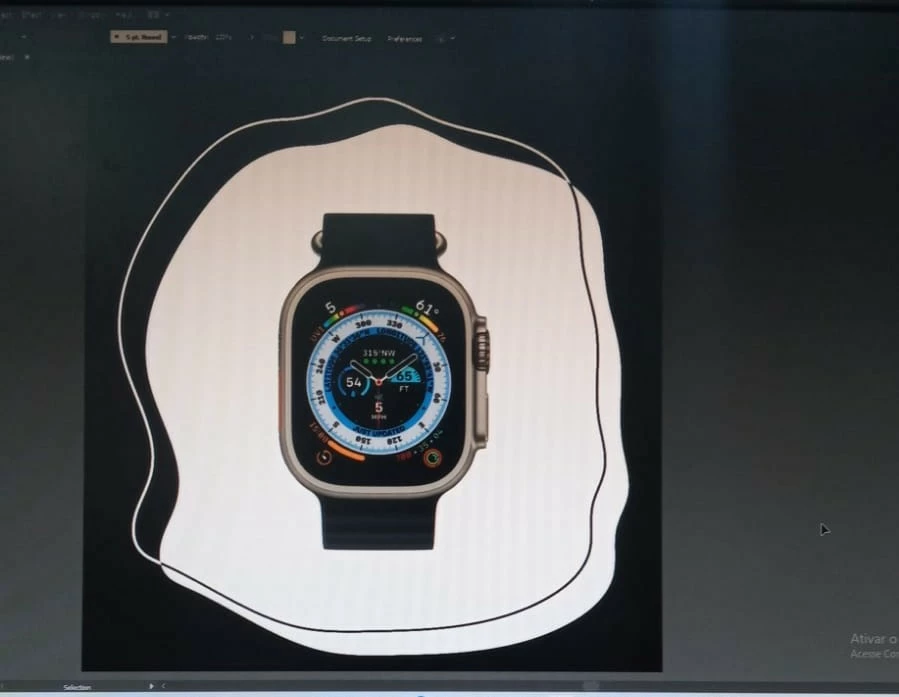

Hi there! Today in my training on illustrator I made an effect unintentionally and I have no idea that how I made this. Can anyone help me please? Bellow is a photo showing the effect
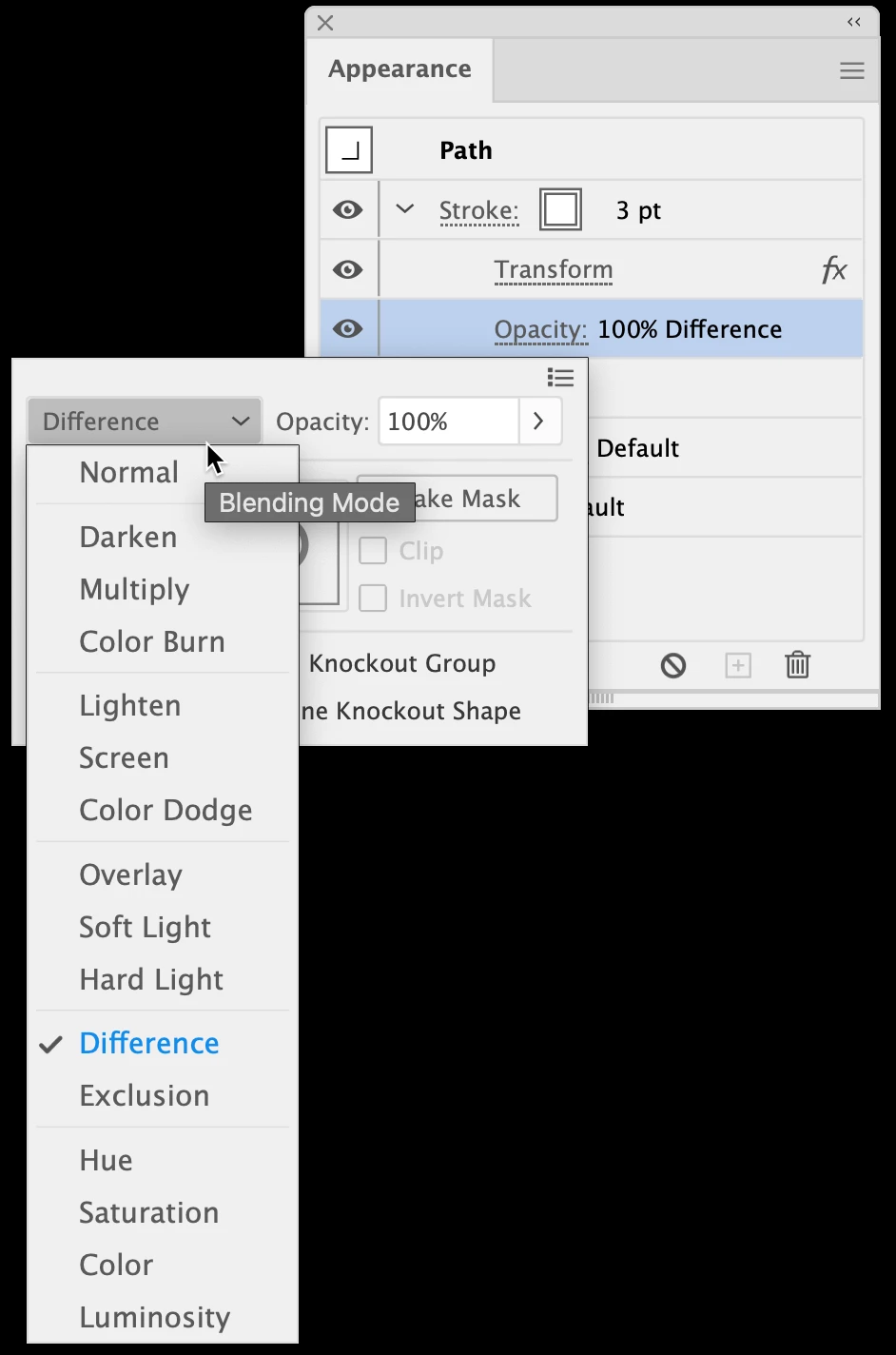
With the white-filled background path selected, open the Appearance panel (Window menu > Appearance). Click the disclosure arrows (circled) on the left to show any effects which have been applied. In my example, you can see that a Transform effect has been applied to the stroke, as well as the blending mode Difference.
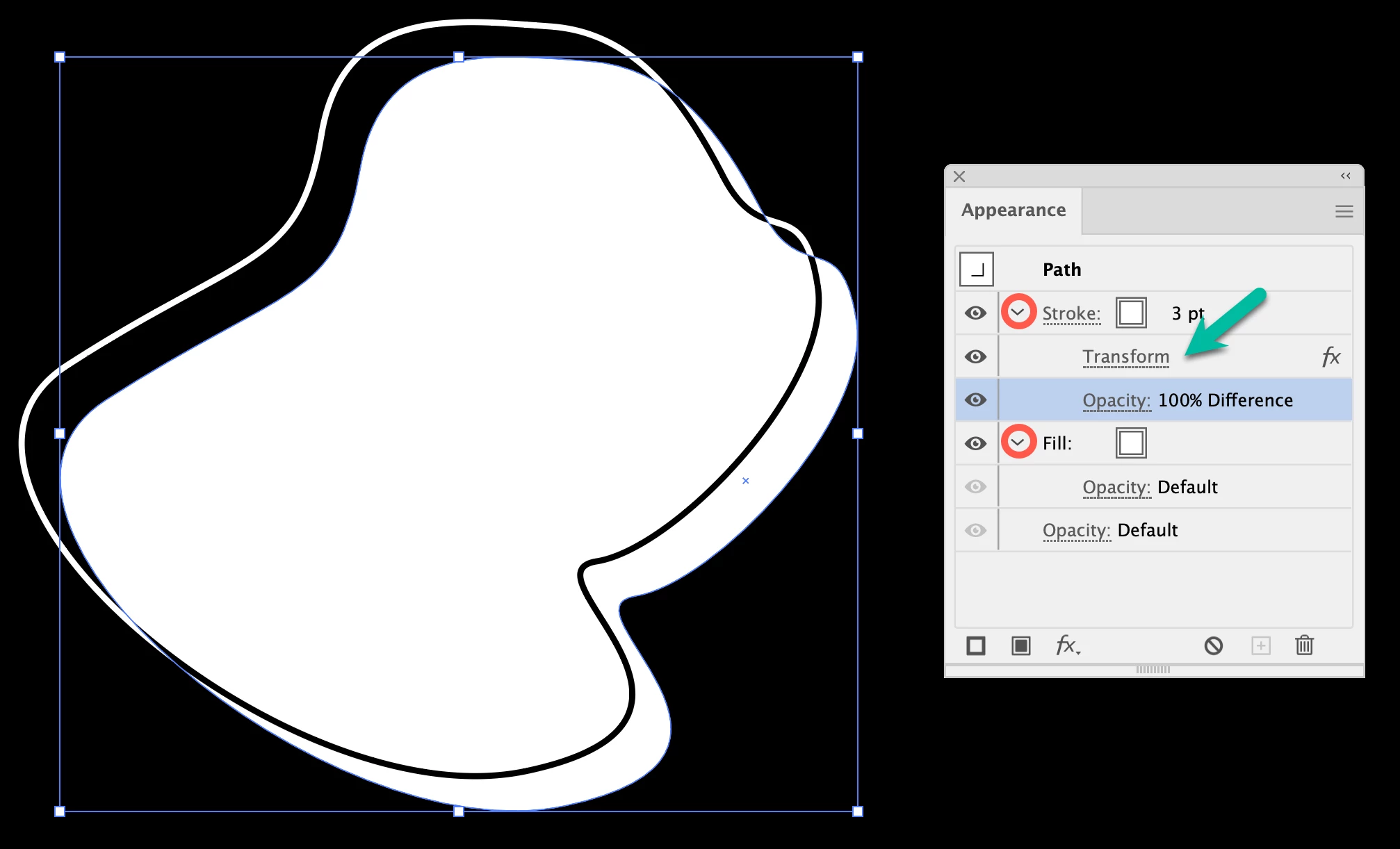
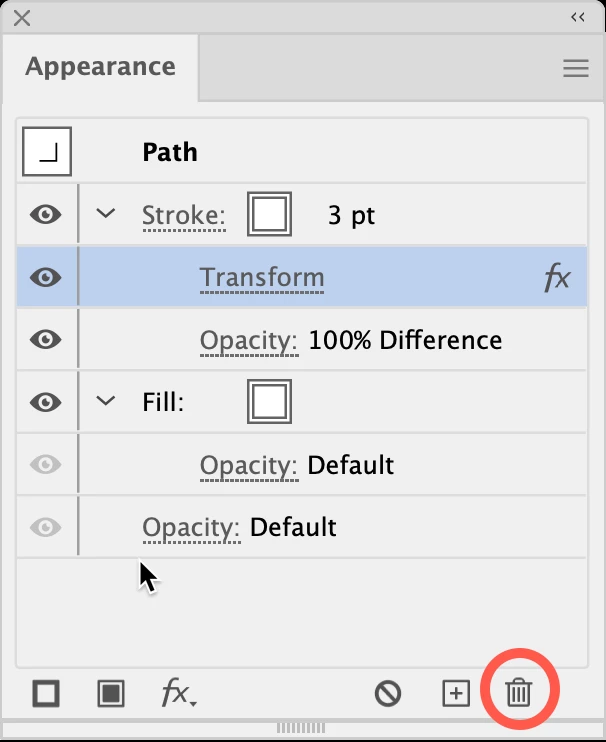
To remove the Transform effect, click once on the effect in the Appearance panel, then click the Delete icon at lower right. To alter the appearance, double-click the effect to access options.
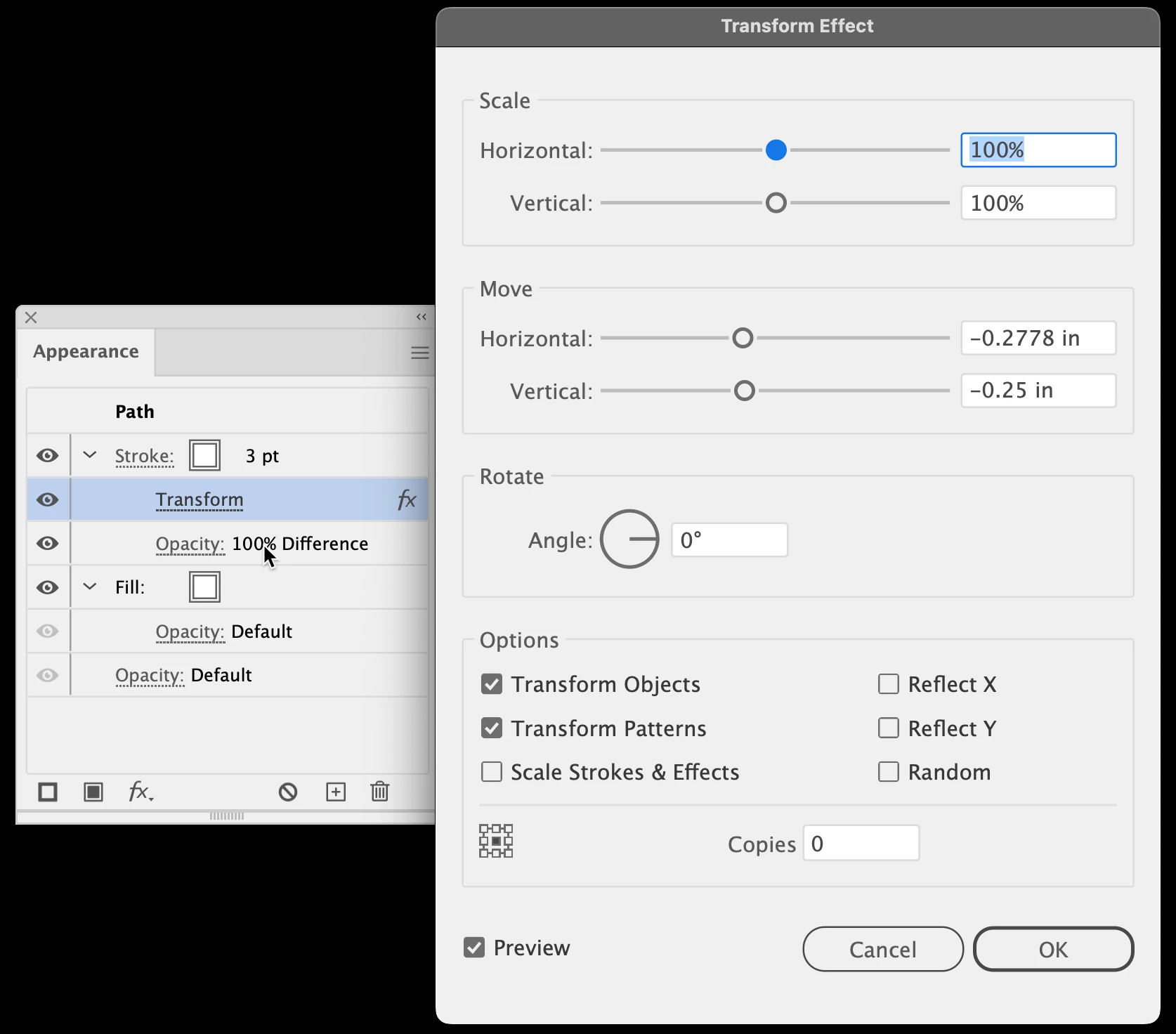
Click Opacity under the Transform effect to show/change Blending mode options.
Peter
Already have an account? Login
Enter your E-mail address. We'll send you an e-mail with instructions to reset your password.
 AdChoices