
kyhan190
Participant
December 6, 2017
Answered

unknown error in Illustrator 2018

  • December 6, 2017
  • 2 replies
  • 283 views

Hi,

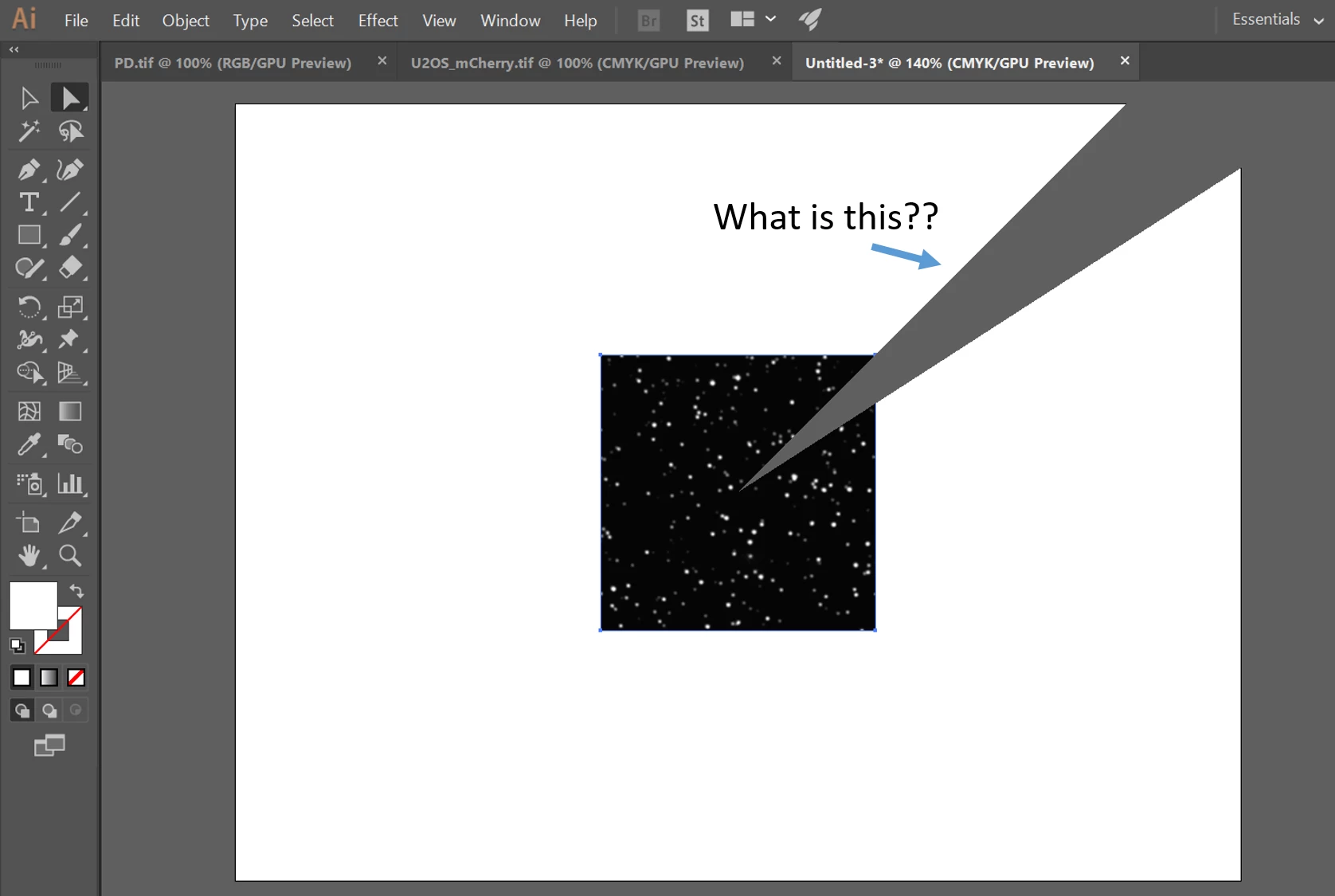
I've updated Illustrator but whenever I open the figure (tiff, png...) and select it, a very weird mark shows up and the file starts to blink on and off.

Is there anybody who has similar problem and happens to know how to solve this?

Thank you,

Kyu
    This topic has been closed for replies.
    Correct answer Bill Silbert

    Try turning off GPU Performance. Click on the rocket ship in Illustrator's top menu bar to access it.

    2 replies

    Larry G. Schneider
    Community Expert
    Community Expert
    December 6, 2017

    Is it still there if you shift to View>Preview on CPU?

    kyhan190
    kyhan190Author
    Participant
    December 6, 2017

    It works as well. Thank you, Larry.

    Bill Silbert
    Community Expert
    Bill SilbertCommunity ExpertCorrect answer
    Community Expert
    December 6, 2017

    Try turning off GPU Performance. Click on the rocket ship in Illustrator's top menu bar to access it.

    kyhan190
    kyhan190Author
    Participant
    December 6, 2017

    Problem solved! Thank you, Bill.