


Unusual Battery Drain Caused by Adobe Illustrator Running in Background (Mac M4)
Dear Adobe Support,
I hope you’re well.
I’m reaching out regarding a concerning issue I’ve encountered with Adobe Illustrator 2026 on my MacBook Pro (M4, 14-inch, 2024, 32GB RAM).
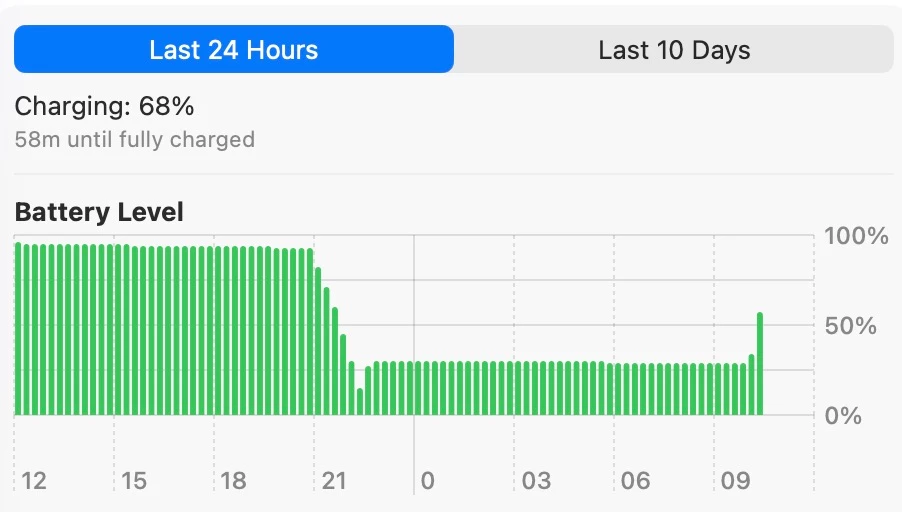
Over the weekend, I noticed an unusual and significant battery drain while using my MacBook on battery power — even though I wasn’t actively using any heavy applications. Upon checking Activity Monitor > Energy, I found that Adobe Illustrator had one of the highest energy usage values, despite the app not being open or used at the time.
I’ve attached the following screenshots for your reference:
Activity Monitor – Energy tab showing Illustrator’s high energy impact
Battery usage history (last 24 hours)
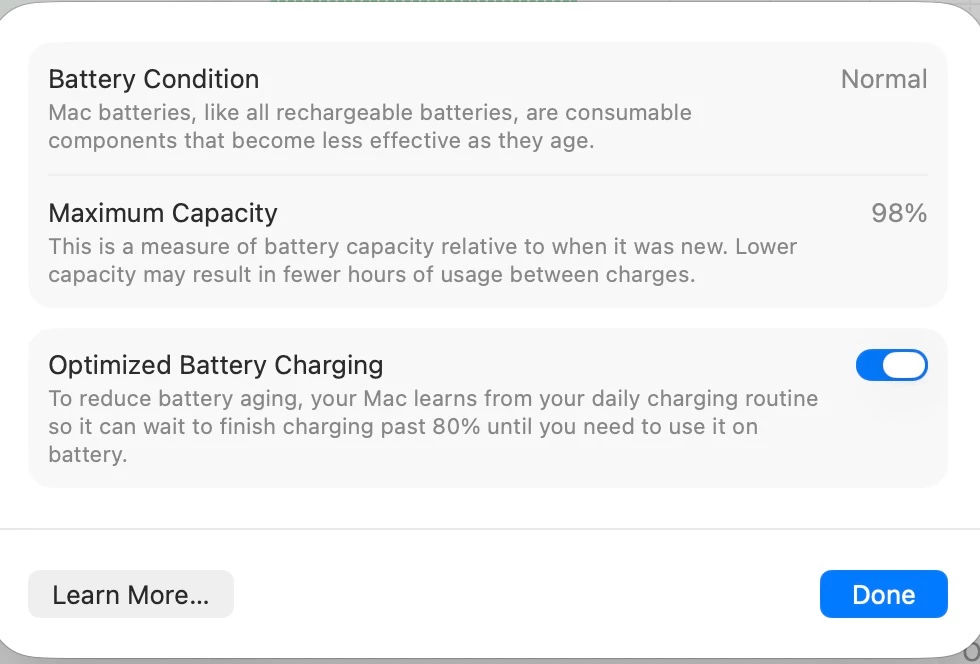
Battery health status
Login items and background processes
It seems like Illustrator may continue running certain processes in the background even when it’s not visibly active, which leads to a drastic drop in battery life.
I would appreciate any insight or guidance on:
Why this might be happening
Whether there is a fix or setting I can change to prevent Illustrator from running in the background unnecessarily
If this behavior is expected
Thank you for your time and support.
Looking forward to hearing from you.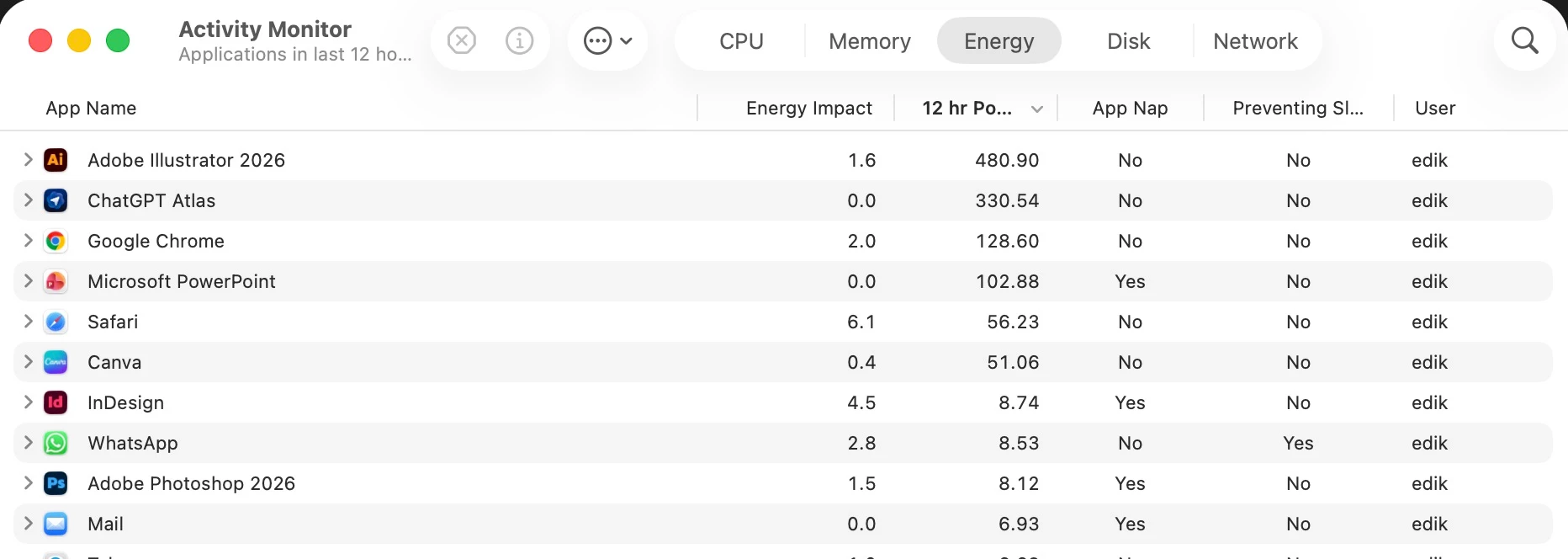
 AdChoices