


Question
Unwanted and unvisible extra objects in Illustrator
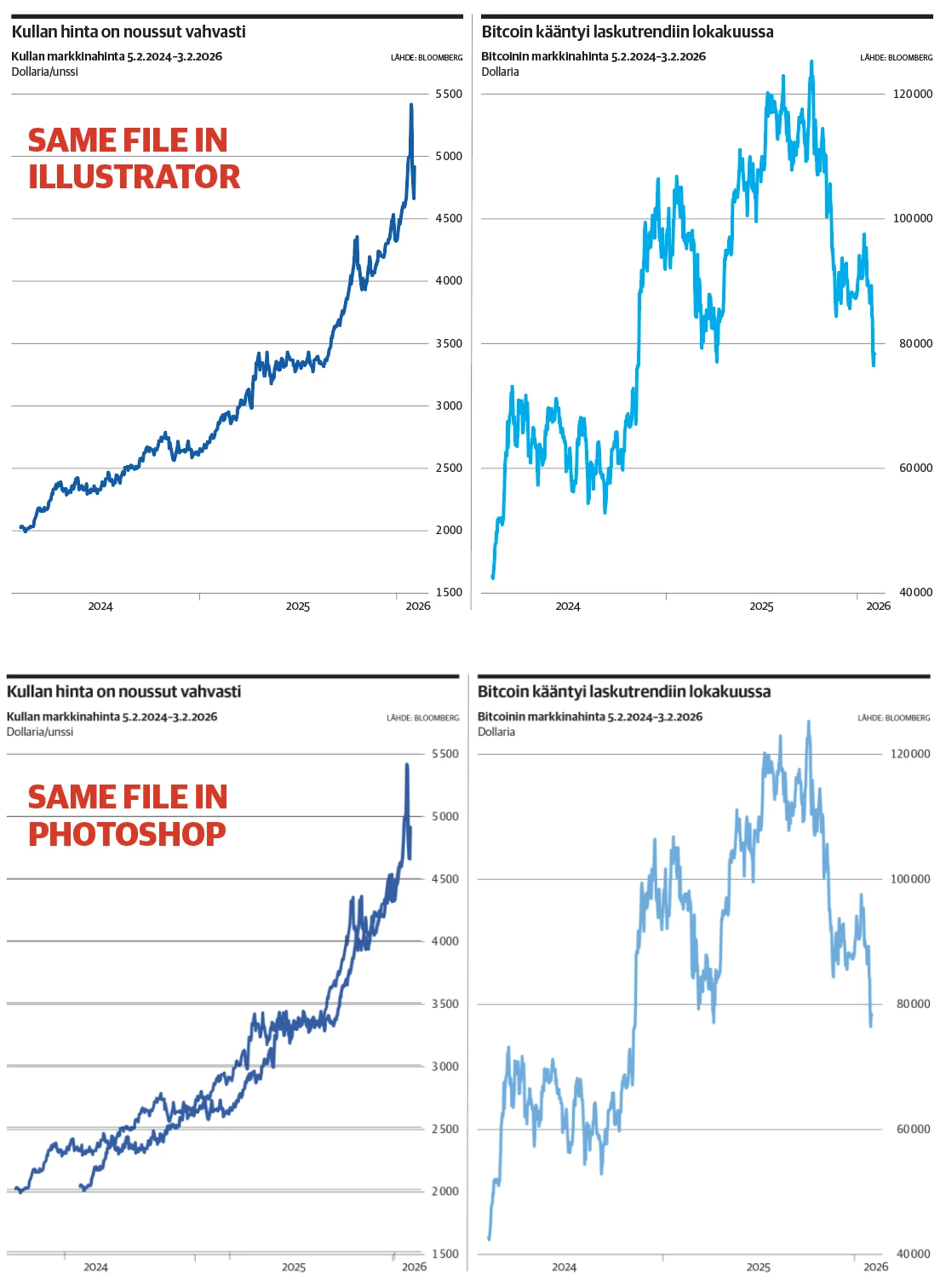
My Illustrator (30.1) doesn’t show everything that’s in the file. When ai file is opened with some other application or printed, there is some odd duplicated objects. I have to reopen and save the file in Illustrator to get rid of those unwanted shapes (they are not visible in Illustrator when I open the file again either). Has anybody else had this weird problem? Below is same ai file opened in Illustrator and Photoshop. In Photoshop you can see some duplicated lines which don’t appear in Illustrator.
 AdChoices