



Kenneth C. Benson
Inspiring
August 20, 2021
Answered

Unwanted rotation

  • August 20, 2021
  • 2 replies
  • 293 views

Illustrator 25.2.3 64-bit.

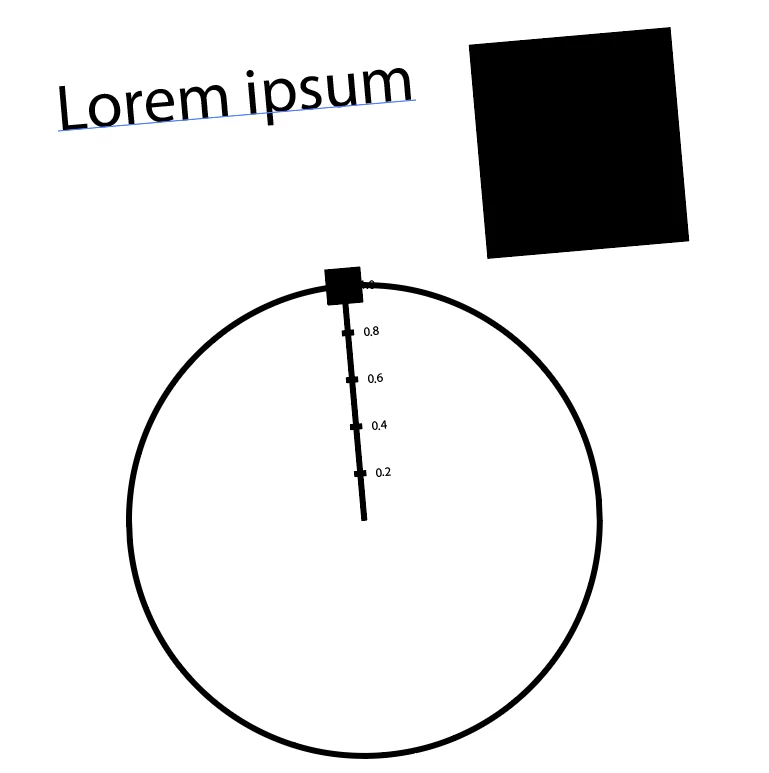
Any time I draw a new object (text, rectangle, even a graph), the object comes out rotated about 5 degrees. I already reset preferences. I must have accidentally set some kind of default rotation.

Anyone know how to set the default back to 0 degrees?
This topic has been closed for replies.
Correct answer Doug A Roberts

If you look in Preferences > General, is Constrain Angle anything other than zero?

(though this should not have survived a preferences reset)

2 replies

Kenneth C. Benson
Inspiring
August 20, 2021

Related conversations pointed me in the right direction. This is "Constrain angle" in Preferences > General, which I had set to 5 degrees. I thought this would constrain rotation snap to increments of 5 degrees.


I'm sure there's a reason someone might want to draw everything on an angle, but I can't figure out what it is.

Doug A Roberts
Community Expert
Doug A RobertsCommunity ExpertCorrect answer
Community Expert
August 20, 2021

If you look in Preferences > General, is Constrain Angle anything other than zero?

(though this should not have survived a preferences reset)

Kenneth C. Benson
Inspiring
August 20, 2021

Thanks, Doug. I saw your answer after I posted my own.