


Participant
October 31, 2025
Question

Update Issue
  • October 31, 2025
  • 2 replies
  • 104 views


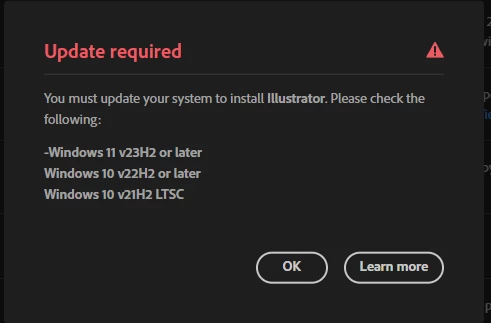
Trying to update Adobe apps and this is the mesage I keep receiving.


Specs are copied below:


Edition Windows 11 Home
Version 22H2
Installed on ‎3/‎1/‎2023
OS build 22621.4317
Experience Windows Feature Experience Pack 1000.22700.1041.0


Tried uninstalled Creative Cloud and still no use wont let me update

2 replies

Abhishek Rao
Community Manager
Community Manager
October 31, 2025

Hi @Jeff33943412eu3t,


Thanks for reaching out and sharing the details. Please check if there are any pending Windows updates by going to Settings > Windows Update > Check for updates. If your system is already up-to-date, try uninstalling the Creative Cloud app and all Adobe applications using the CC Cleaner Tool, then reinstall them to see if that helps: https://adobe.ly/4qHejdA.


Let me know how it goes after that.

Abhishek

Doug A Roberts
Community Expert
Community Expert
October 31, 2025

You need to update your Windows 11 to v23H2