

Inspiring
December 26, 2025
Question

Update pop up

  • December 26, 2025
  • 1 reply
  • 206 views

Yet another intrusive pop-up that appears after login.

Adobe, have you no thoughts other than greed?

It's Christmas, for pity's sake!
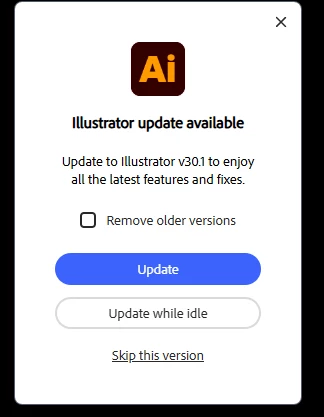
 

Screenshot 2025-12-14 113056.png


Leave me alone!


1 reply

creative explorer
Community Expert
Community Expert
December 26, 2025

@Ghoul Fool You know you can turn these off yourselves!? Open the Creative Cloud Desktop app from your Windows taskbar or Mac menu bar. Once the application is open, click your profile icon in the top-right corner and select Preferences. Within the Preferences menu, navigate to the Notifications tab in the left sidebar and toggle the App Updates switch to Off to silence the alerts.

creativeexplorer_0-1766743223457.png


For a more permanent solution, you can also select the Apps tab in the sidebar and toggle Auto-update to Off for Illustrator or all apps, which prevents the background processes from searching for new versions. Finally, ensure you click Done at the bottom of the window to save and apply your new settings.

creativeexplorer_1-1766743484131.png


m
Inspiring
December 31, 2025

I know about this this, and despite having switched these things off (just like you suggested)

snapshot.png

However, I still get a reminder every now and then. Even though they shouldn't be there.
