beg87656411
Known Participant
March 25, 2019
Question

URGENT: Threaded Text on a Curve is not justifying properly - BUG?

  • March 25, 2019
  • 3 replies
  • 1563 views

hi there-

i urgently need some help as pressed on a unmissable deadline this evening.

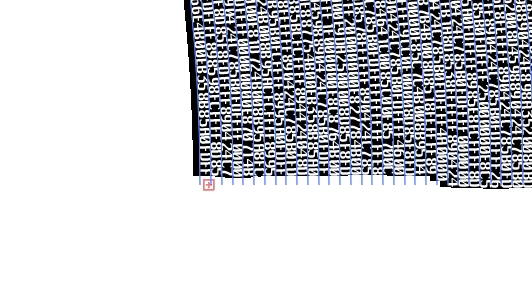
I have add thread text onto a series of curves made through the blend then expand tools. I have made sure that the text is allowed to fill the full line (for some reason with threaded text it ends the text area on the curve early). When I input my text into the threaded curves (and select V/A: -130 - it has to be this), some areas of the thread text are fully justified, others are not.

For consistencies sake this has to be fully justified - I believe it is an issue with V/A: are there any work arounds?

Thanks alot
    This topic has been closed for replies.

    3 replies

    beg87656411
    Known Participant
    March 27, 2019

    thanks for all your help here -

    to reply to the raised questions:

    text does have a space between every 2 characters (there are thousands of characters). perhaps it is the quantity of characters that illustrator doesn't like - I have read various posts about bugs when too much text is inputted.

    All delimiters are set exactly at edge.

    It is only worse on the large segments of threaded text - on the small sections of threaded text it is fine and fully justified.

    I have tried with a monospaced text- same result in fact worse.

    Is there a way to transfer the threaded text as an object into InDesign? and input the text into there?

    I would prefer to do this is indesign but I don't see an option for threaded text and I have many hundreds of these concentric lines so it is would be time consuming to say the least if there isnt an automatic function?

    any suggestions warmly welcomed.

    thanks!

    Community Expert
    March 27, 2019

    Hi beg87656411 ,

    if you want to go with InDesign with that, yes, text to path can be scripted so that all paths you copied over to InDesign are added with a path text and will be threaded to one big story in geometrical order from left to right, from top to bottom.

    Don't know if there is already a script for this, I doubt that, but you could contract a scripter to write one for you.

    FWIW: If there were no spaces between the characters I don't think there would be an issue with your Illustrator texts on paths.

    Regards,
    Uwe

    beg87656411
    Known Participant
    March 27, 2019

    thanks Laubender -

    where do i go to find a scripter?

    unfortunately illustrator has a max character length - and these strings are 1000's of characters long. if you input too long a character length it just disappears from view and the + sign gets added to the text box or path

    B

    Community Expert
    March 27, 2019

    Unfortunately I think the text has to be broken up into individual lines and applied separately to each path. That would be time consuming to do. Worse yet, to get the text to fill out each curved line properly each line would first have to be typed out on a straight line the same path length as each curved segment. FYI, you can see the path length of a selected object under the Document Info tab, with "objects" checked (it's un-checked by default).

    I like using outlined text objects converted into custom brushes as an alternative to the typical text on path tools. Sometimes the end result is a lot more pleasing since the baselines and cap height lines will follow the curves of the source path. Standard text on path functions only rotate un-modified letters. The letters don't look like they "flow" with the curve. And sometimes the merely rotated letters end up looking pretty wacky. Lettering as a brush will look like it flows along a curve. Some really interesting effects are possible when combined with line stroke modification tools. I don't know how long a line of lettering can be contained into a custom brush however. I would imagine there is some limit. I've only used the procedure on logos and graphics using short lines of text, not big paragraphs worth of text.

    Monika Gause
    Community Expert
    Community Expert
    March 25, 2019

    Please post larger screenshots. Also: which areas are giving you trouble? I can't read the whole thing. Is there any space in that text or just letters?

    beg87656411
    Known Participant
    March 26, 2019

    Thanks Monika -

    Please see image here -

    Text is not justified to the edge of the concentric circles , giving a ragged edge.

    The edge needs to be sharp (like with the start of the line). Justification is on full width so it should do it - but Illustrator doesnt like it!

    Cheers

    Monika Gause
    Community Expert
    Community Expert
    March 26, 2019

    There is no space in that text, right? The text engine just wasn't made for that.