


Use a group of shapes to select all intersecting shapes from another group
Hello!
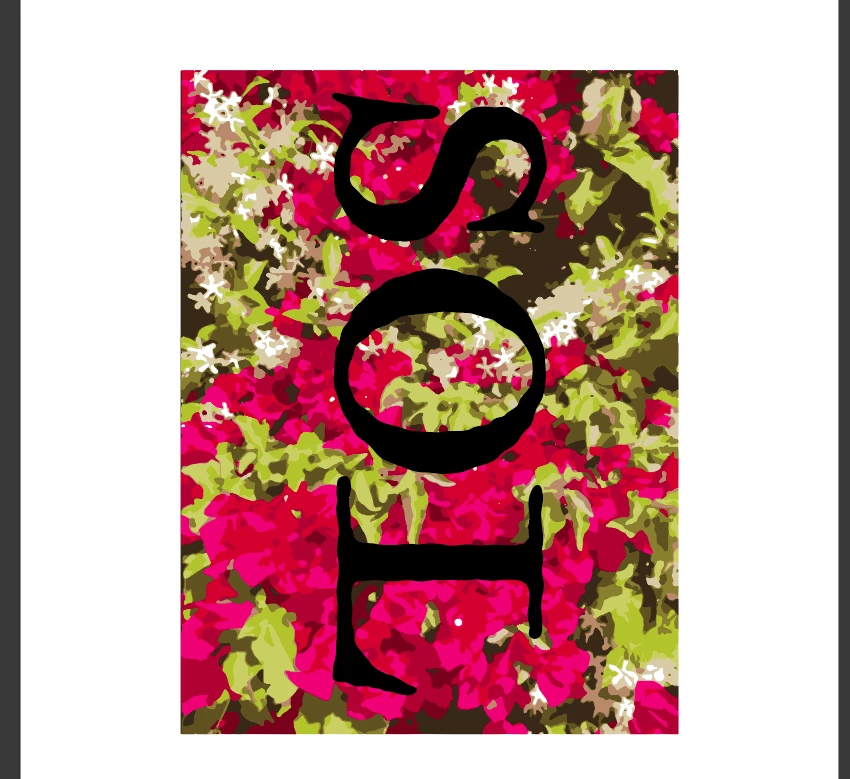
I have been working for a while trying to find a way to create a new layer with all the shapes that intersect another group of shapes. Specifically, in my scenario I have the word "SOL" (expanded into shapes, compound path for the O though it doesnt work even with a filled O), and a background floral art design that is composed with a bunch of shapes as seen below.
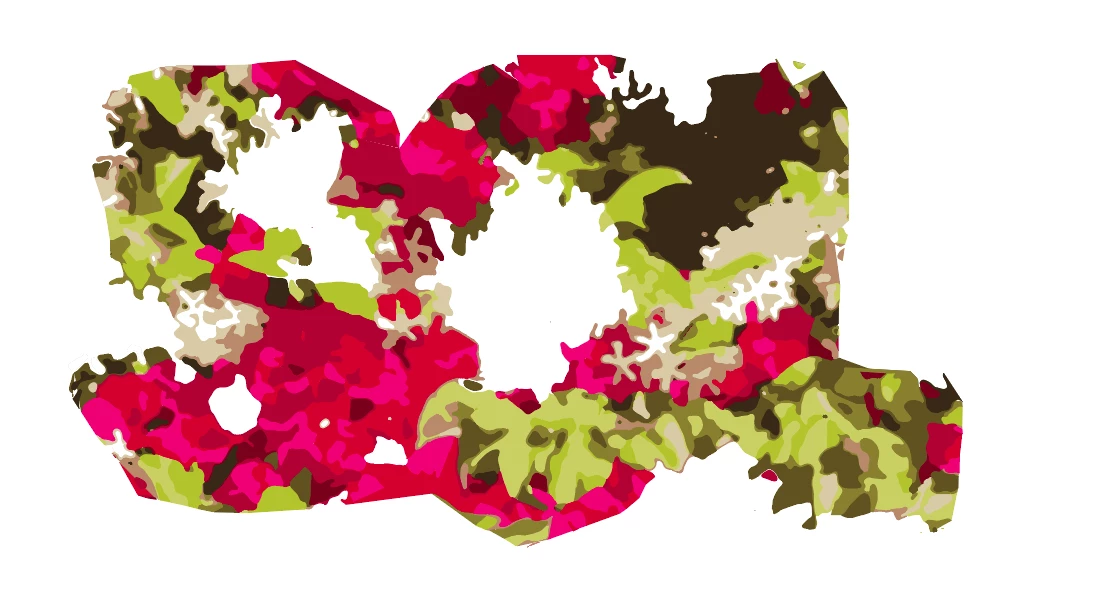
I want to create something like this, but without manually deleting each shape that doesn't appear to intersect the letters. Is there a way to do this? I tried getting ChatGPT to generate scripts that use Illustrators hitTest, but they never worked. ChatGPT also made scripts using Illustrators pathfinder, but they took so long I had to force quit Illustrator. Now my clipping masks arent even working, and are just returning empty letters as you can see below.
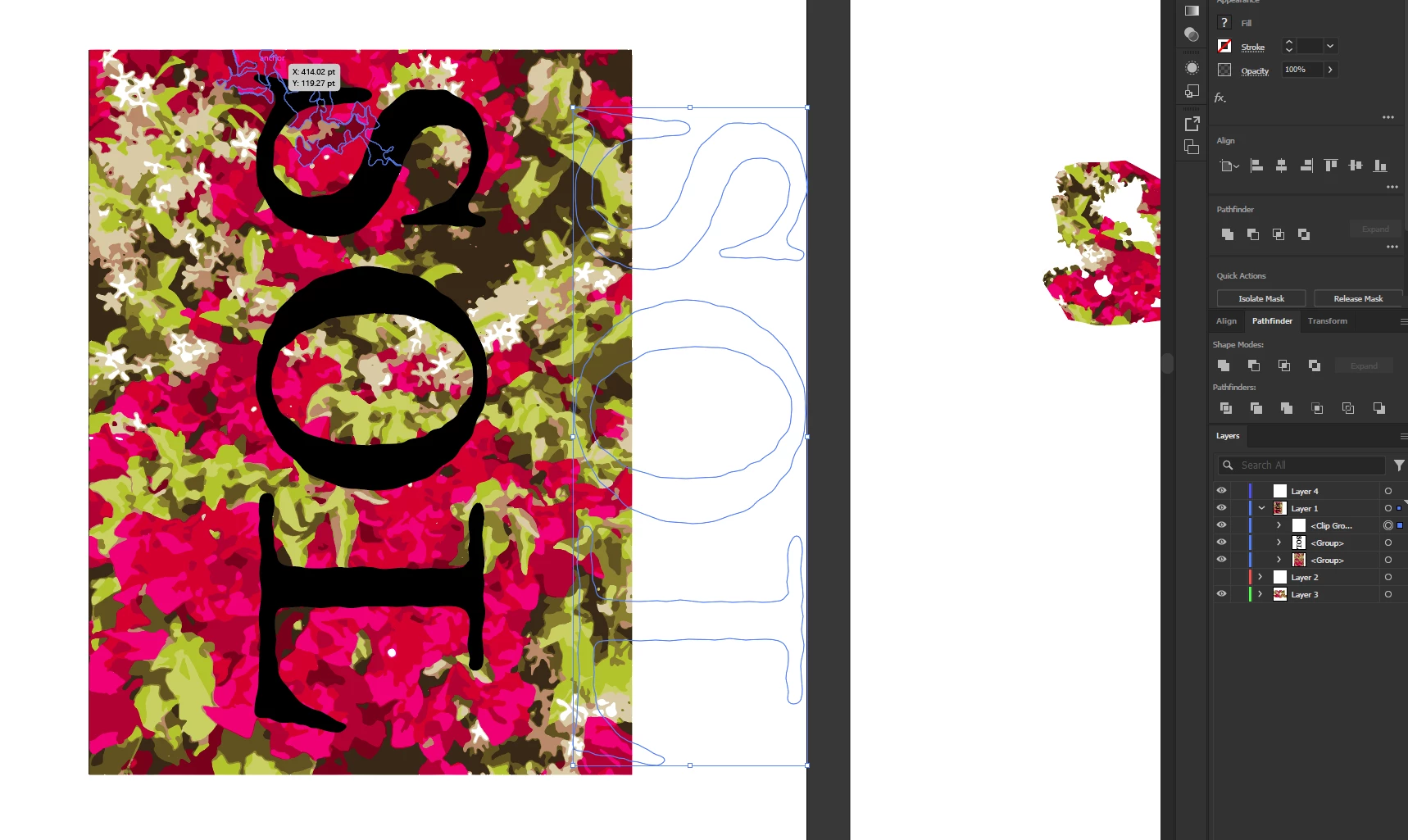
The following is the hitTest script ChatGPT made. I don't know why this doesn't work, and nor do I know why it would possibly work because I don't know about hitTest or jsx.
"
if (app.documents.length === 0) {
    alert("Open a document first.");
} else {
    var doc = app.activeDocument;
    var sel = doc.selection;

    if (sel.length !== 1 || !(sel[0].typename === "GroupItem")) {
        alert("Select the 'SOL' group (must be a group of paths).");
    } else {
        var refGroup = sel[0];
        var refShapes = [];

        // Collect all individual paths from the selected group (the letters)
        function collectPaths(group, arr) {
            for (var i = 0; i < group.pageItems.length; i++) {
                var item = group.pageItems[i];
                if (item.typename === "GroupItem") {
                    collectPaths(item, arr);
                } else if (item.typename === "PathItem" || item.typename === "CompoundPathItem") {
                    arr.push(item);
                }
            }
        }

        collectPaths(refGroup, refShapes);

        // Create result layer
        var resultLayer = doc.layers.add();
        resultLayer.name = "Overlapping Shapes";

        var count = 0;
        var addedItems = [];

        // Search entire document
        function getAllPathsInDocument(doc) {
            var arr = [];
            for (var i = 0; i < doc.pageItems.length; i++) {
                var item = doc.pageItems[i];
                if (item.locked || item.hidden || item.layer.name === resultLayer.name) continue;
                if (item === refGroup || item.parent === refGroup) continue;

                if (item.typename === "GroupItem") {
                    collectPaths(item, arr);
                } else if (item.typename === "PathItem" || item.typename === "CompoundPathItem") {
                    arr.push(item);
                }
            }
            return arr;
        }

        var allTargets = getAllPathsInDocument(doc);

        // Compare every target against every SOL letter
        for (var i = 0; i < allTargets.length; i++) {
            var target = allTargets[i];

            for (var j = 0; j < refShapes.length; j++) {
                try {
                    if (target.hitTest(refShapes[j], true)) {
			target.selected = true;
                        if (addedItems.indexOf(target) === -1) {
                            target.duplicate(resultLayer, ElementPlacement.PLACEATBEGINNING);
                            addedItems.push(target);
                            count++;
                        }
                        break;
                    }
                } catch (e) {
                    // skip on error
                }
            }
        }

        alert(count + " overlapping shapes copied to: " + resultLayer.name);
    }
}
"
 AdChoices