MahaB82A
September 5, 2025
Answered

Usefull plug-in

  • September 5, 2025
  • 3 replies
  • 854 views

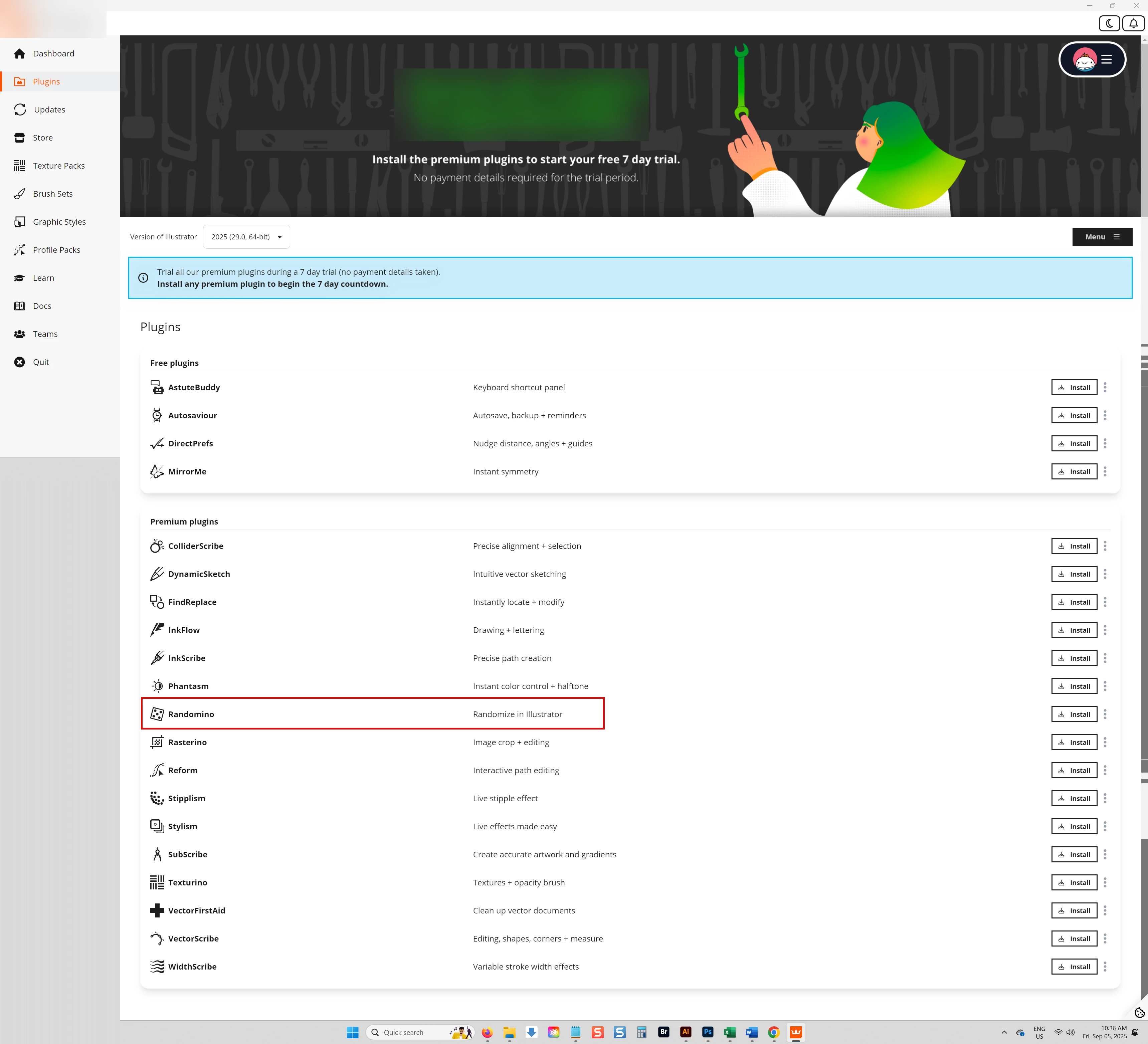
Which is usefull plugin for Ai in Astute Graphics apart from Randomino? file also uploaded

Correct answer Monika Gause

For me that would be:


Astute Buddy: Quick help for all the plugins

SubScribe: construction

ColliderScribe: Snapping

Phantasm; vector halftones and Photoshop-like color editing

VectorScribe: pretty advanced effects, Round corners effect and Smart Point Eraser (I'm not using the other tools it has a lot, but its pen tool replacement can be pretty efficient as well)

FindReplace


You might want to use Autosaviour for your backups

And if you need to edit a lot of other peoples' files, then definitely VectorFirstAid (see Bobby's reply)


Then there are some that I'm not using a lot, because they are aimed at very specific workflows or styles. But if those are the things you want to do, then those are the plugins you want to install: 

Stylism: various special effects - if Blockshadow (long shadow) effects are your thing, you will need it

WidthScribe: all sorts of impressive things around variable widths, e.g. woodcut-like effects

MirrorMe: nice for Mandalas

Stipplism: stipple effects

3 replies

MahaB82A
MahaB82AAuthor
September 6, 2025

Thanks for all.

Monika Gause
Community Expert
Community Expert
September 5, 2025

Depending on what exactly you will be doing, they can all be extremely helpful.


Here is a list of which tools, menu functions, effects and panels they install and what those are good for. I had to shorten that list brutally. SO all of them will offer a lot more in the details: https://www.vektorgarten.de/astute-graphics-intro.html

MahaB82A
MahaB82AAuthor
September 5, 2025

Specially I subscribed Astute Grapics to do videos uploaded by you. Therefore it is highly appreciated if you give the name of plug-ins you use. Which can make my work easy.

Monika Gause
Community Expert
Monika GauseCommunity ExpertCorrect answer
Community Expert
September 5, 2025

For me that would be:


Astute Buddy: Quick help for all the plugins

SubScribe: construction

ColliderScribe: Snapping

Phantasm; vector halftones and Photoshop-like color editing

VectorScribe: pretty advanced effects, Round corners effect and Smart Point Eraser (I'm not using the other tools it has a lot, but its pen tool replacement can be pretty efficient as well)

FindReplace


You might want to use Autosaviour for your backups

And if you need to edit a lot of other peoples' files, then definitely VectorFirstAid (see Bobby's reply)


Then there are some that I'm not using a lot, because they are aimed at very specific workflows or styles. But if those are the things you want to do, then those are the plugins you want to install: 

Stylism: various special effects - if Blockshadow (long shadow) effects are your thing, you will need it

WidthScribe: all sorts of impressive things around variable widths, e.g. woodcut-like effects

MirrorMe: nice for Mandalas

Stipplism: stipple effects

Community Expert
September 5, 2025

Out of all the plugins in the Astute Graphics suite I probably use Vector First Aid the most often. I have to handle a good amount of customer provided art files, some of which are provided in PDF format. Vector First Aid can save a lot of time by cleaning up all sorts of technical issues in that artwork.


The VectorScribe and PathScribe plugins have a lot of useful tools for editing paths. I like the InkScribe tool as an alternative to Illustrator's stock pen tool. The Reform plugin provides a different, interactive way to edit paths. ColliderScribe has some handy functions for aligning and positioning objects.


There is a lot to dig into in the whole suite of plugins. A couple of the free ones are pretty handy to keep after running a trial of the suite. Autosavior is a must-have plugin. The DirectPrefs plugin can do away with the need to hit Ctrl+K on the keyboard for certain tasks.