Participant
December 29, 2017
Answered

Using Illustrator to Draw a Continuous Line Pattern

  • December 29, 2017
  • 3 replies
  • 2646 views

Hello Everyone,

I'm a bit new to the Illustrator game.  What I am trying to do is create weather fronts in a simplified manner.  Currently I have to pencil in a line and slowly attach the appropriate semicircles/triangles to simulate what the front should look like.  An example of what I am talking about can be found at the link below. 

http://okfirst.mesonet.org/train/meteorology/graphics/Fronts.gif 

As you can imagine, this does not give me a uniform shape as it relies on best guesses for placement.  I wanted to ask if there was a way I can create a base pattern, like a line with one triangle, and use a pencil type tool to string multiple of these patterns together.  I would also need the pattern to be bendable though, which may be difficult.

Any help on the subject is appreciated.

Thank you!

This topic has been closed for replies.
Correct answer Kris Hunt

Create art like this (invisible square bounding boxes are around each element to keep the corner elements aligned with the main elements):

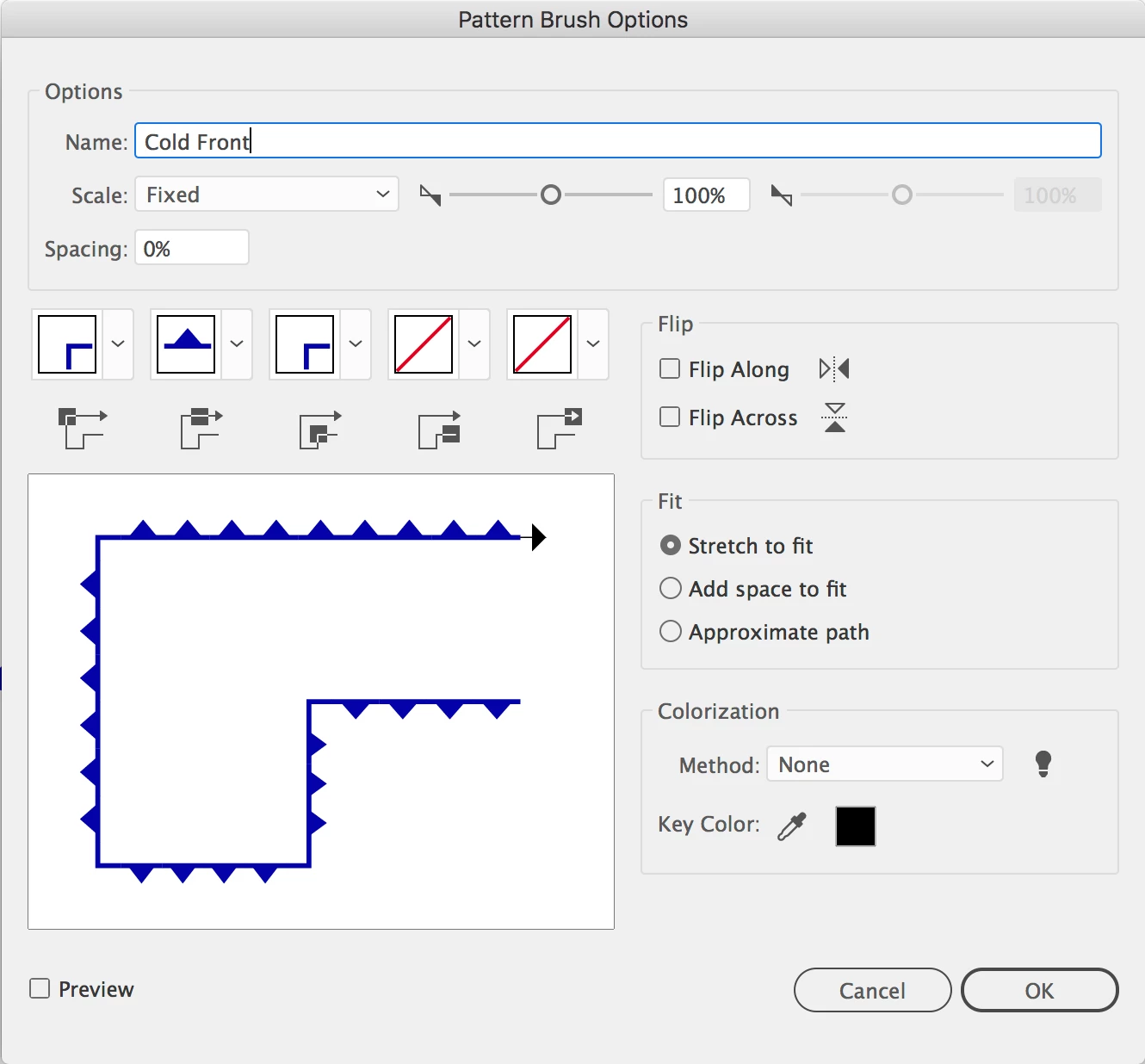
Then create pattern brushes from it like this:

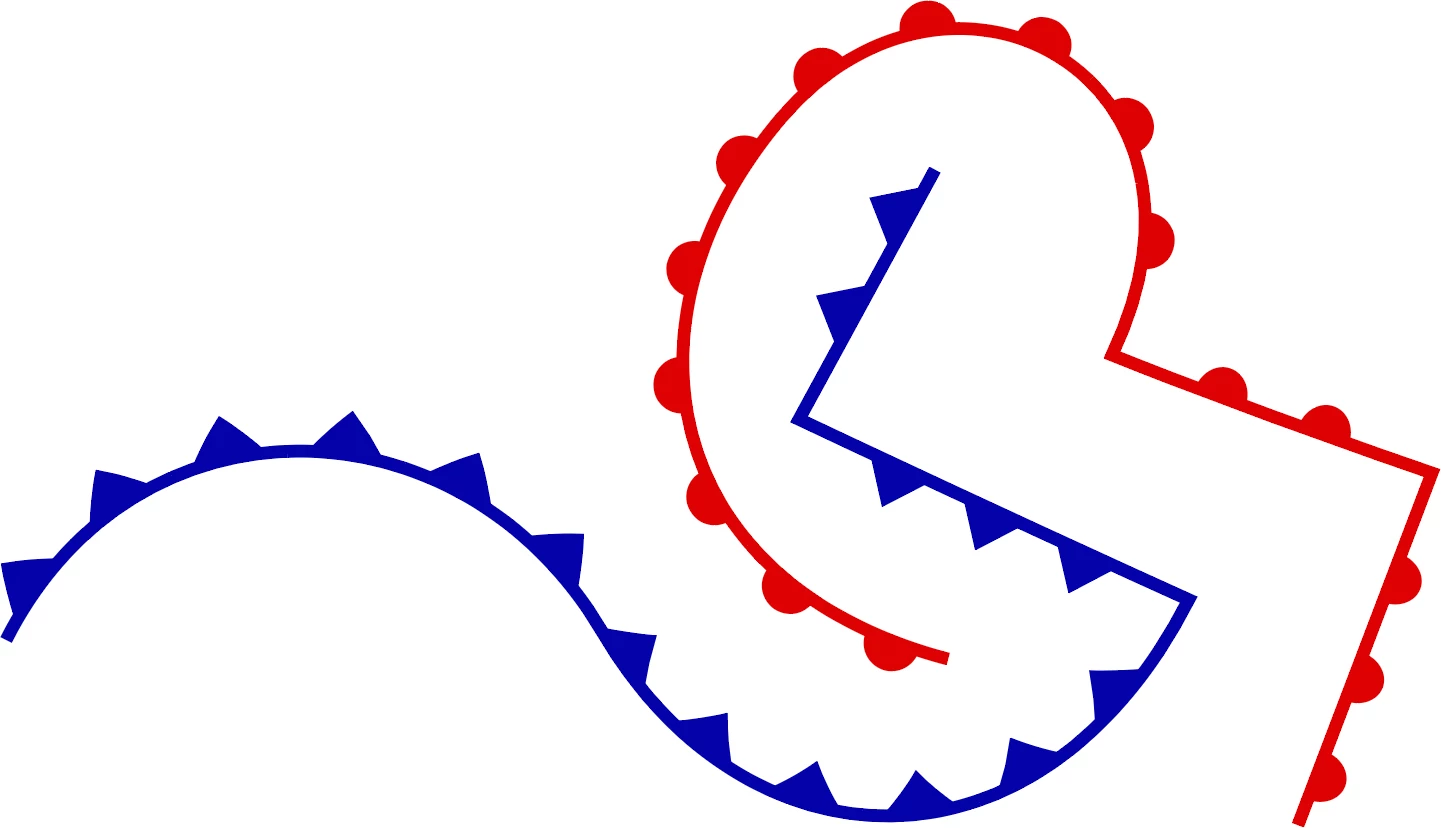
The result:

3 replies

Participant
July 13, 2019

Hey guys,

your post helped me tremendously to create my Weather Fronts brushes for AI. For anyone who could use it I share my brushes. Cheers,

Janek

AI Brush file:

https://drive.google.com/open?id=1T9XgkeaQE72rOiidFXrxOsGbXDskmuG4

Monika Gause
Community Expert
Community Expert
July 13, 2019

That's very kind of you. Thanks so much.

Kris Hunt
Kris HuntCorrect answer
Legend
December 29, 2017

Create art like this (invisible square bounding boxes are around each element to keep the corner elements aligned with the main elements):

Then create pattern brushes from it like this:

The result:

Monika Gause
Community Expert
Community Expert
December 29, 2017

Brushes are meant for this.

If you don't mind that your shapes are a little distorted in curves, try a pattern brush

If you need the shapes to be exact, you will need a slightly more complex approach: the path has to have two strokes: one normal stroke and a brush, but this time a scatter brush

How to work with brushes in Illustrator