

j.khakase
Inspiring
February 25, 2023
Answered

Using Shape Builder Tool, How can we keep orignal shape as it is and editable.

  • February 25, 2023
  • 2 replies
  • 877 views

Using Shape Builder Tool, How can we keep orignal shape as it is and editable.

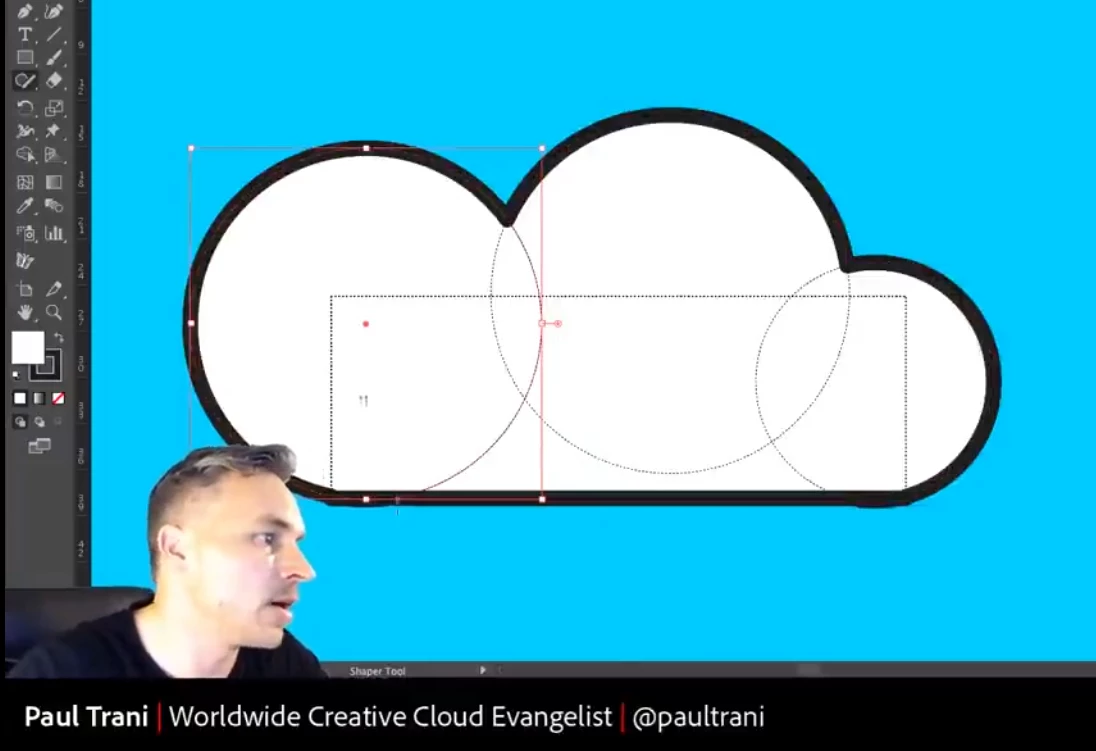
I seen it at below video tutorial, bud didn't got success to do it

https://youtu.be/Yplje9kywiA?t=836

what missing ? 


This topic has been closed for replies.
Correct answer Kurt Gold

In Illustrator there are different ways to get these kinds of live pathfinder constructions.


Apart from Live Paint you may use live compound shapes in the Pathfinder palette. Or you may use live Pathfinder effects (see Effect menu) which are usually applied to groups, layers or some other container objects.


And then there is the Shaper tool (not the Shape Builder tool) that can do it as well. That's the tool that is used in the video you posted. It creates so-called Shaper groups.


2 replies

Kurt Gold
Community Expert
Kurt GoldCommunity ExpertCorrect answer
Community Expert
February 25, 2023

In Illustrator there are different ways to get these kinds of live pathfinder constructions.


Apart from Live Paint you may use live compound shapes in the Pathfinder palette. Or you may use live Pathfinder effects (see Effect menu) which are usually applied to groups, layers or some other container objects.


And then there is the Shaper tool (not the Shape Builder tool) that can do it as well. That's the tool that is used in the video you posted. It creates so-called Shaper groups.


j.khakase
j.khakaseAuthor
Inspiring
February 27, 2023

You are right, at 1st I thought he is using Shape builder tool, but not It is Shaper Tool. Thank you some much.

Monika Gause
Community Expert
Community Expert
February 25, 2023

To keep it editable, you don't use the shapebuilder tool, but the Live paint tool.