
Question
Using Snap To Grid and Shapes with no stroke causes a slight overlap
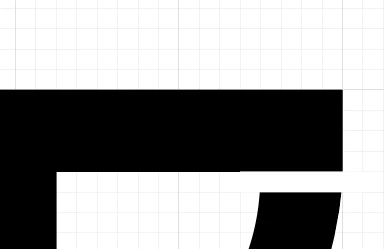
I have 2 rectangles placed next to each other one is black other is white. Both were added using snap to grid the but there is an issue where the lower white box slightly overlaps the black box to cause a blurred line. Can somone explain why this might be happening.
As you can see from the images below it gets worse as you zoom out.

 AdChoices