Participant
December 15, 2020
Answered

Vector graphics from CC library distorted when saving to server

  • December 15, 2020
  • 2 replies
  • 788 views

Something going on with my CC library graphics. Using a shared library with another team member, I place a graphic into Illustrator. It looks great on my end—but when I save it, and move it onto our shared server, it's completely unusable. This is despite the fact that she has access to the same CC library that I pulled it from. Any ideas what could be causing this?


Before:
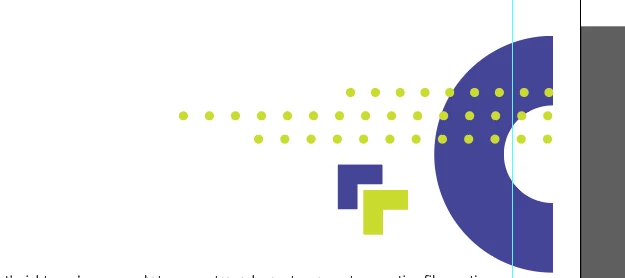
 

After:
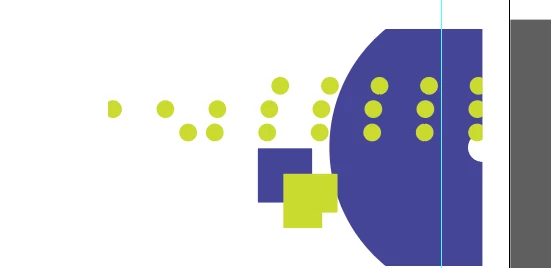
This topic has been closed for replies.
Correct answer Ton Frederiks

It's about 325 pts x 305 pts.


Sometimes small graphics give a distorted appearance when the document they are placed in has View > Snap to Pixel enabled.

2 replies

Ton Frederiks
Community Expert
Community Expert
December 16, 2020

What is the size of these graphics?

Participant
December 16, 2020

Looks to be about 2 MB

Ton Frederiks
Community Expert
Community Expert
December 16, 2020

Sorry, I meant the size in points, inches or mm.

Monika Gause
Community Expert
Community Expert
December 16, 2020

Please describe the process step by step.

How is the artwork built? Using graphic styles? Are those dotted lines dashed strokes? Did you scale them?


And then: how exactly  do you save it and when does it show these wrong formattings?

Participant
December 16, 2020

Thanks for the help. Looks to be graphic styles, yes. And they are dashed stokes as well. I scaled them slightly when placing. 


I was saving as an Ai file — and then my teammate opens the same Illustrator file.