Participant
January 14, 2017
Answered

vector set how to separate images?

  • January 14, 2017
  • 3 replies
  • 4651 views

Hia, really new at this and can't seem to find my answer ( i'm sure it's really simple).

I got vector set from stock photo. unfortunately on the set I only want one but I can't seem to be able to select just one image from the set.

please help i'm going mad.
    This topic has been closed for replies.
    Correct answer cinziamarotta

    Hi,

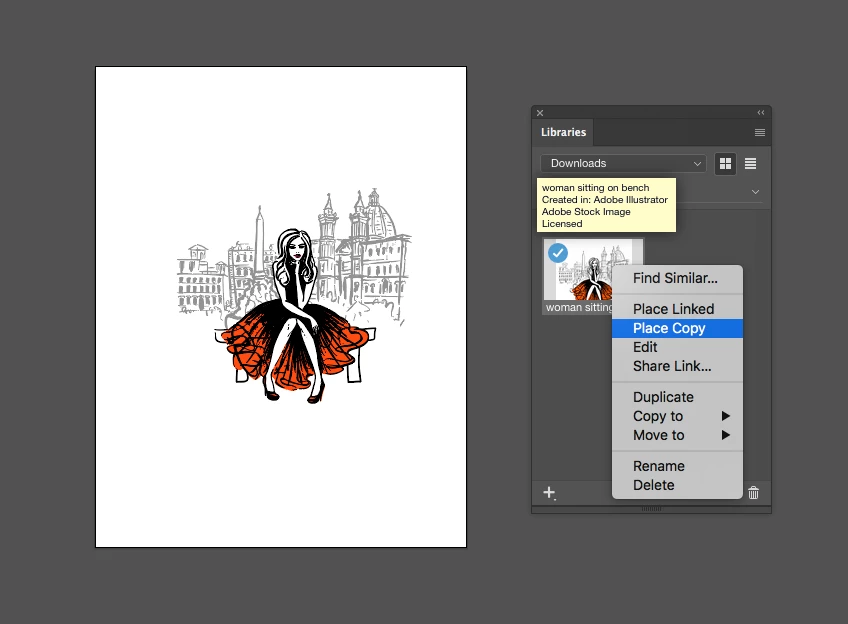
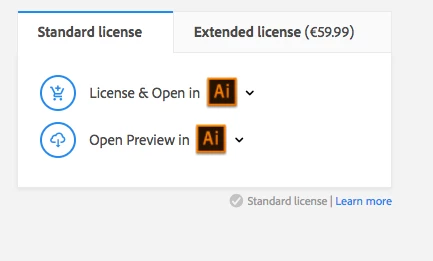
    When you bought the image did you choose to open it in Illustrator? In this case the file goes in the CC library and linked in a new document.

    If you want to modify it, select the file in the CC library and choose PLACE A COPY.

    3 replies

    Participant
    January 16, 2017

    hi everyone,

    thank you so much i sorted it out.

    your help was really precious, would have never be able to do it without you.

    thank you so so much

    cinziamarotta
    cinziamarottaCorrect answer
    Participating Frequently
    January 15, 2017

    Hi,

    When you bought the image did you choose to open it in Illustrator? In this case the file goes in the CC library and linked in a new document.

    If you want to modify it, select the file in the CC library and choose PLACE A COPY.

    Participant
    January 16, 2017

    thank you so much that was stopping me and now it works

    thank you so much

    Monika Gause
    Community Expert
    Community Expert
    January 14, 2017

    You're sure it is a vector image? In Outline view there need to be shapes.

    Then check the layers panel: is it a group? A clipping mask? The layer locked?

    Whatever it is you need to release it, unlock the layer etc.

    Participant
    January 15, 2017

    i got the images from adobe stock photo typing scotland vector and they gave me images which i baught but when i do the outline view there is nothing.

    does that mean that they are not vector after all?

    Monika Gause
    Community Expert
    Community Expert
    January 15, 2017

    How did you get them into Illustrator?

    In case you opened the file, there would definitely need to be paths visible in outline view.

    In case you created a new file and then placed (linked) the file, you might try and embed the image. Then there should be paths.

    If there still aren't paths, you don't have a vector file.

    If you search in the Photo section of Adobe Stock, chances are that you indeed didn't get a vector file. You need to narrow down the Search to Vector files.

    Sorry, it's German, but stuff should be in the same places: