Participating Frequently
September 12, 2023
Question

Veiw using GPU and Animated Zoom No longer working

  • September 12, 2023
  • 3 replies
  • 484 views

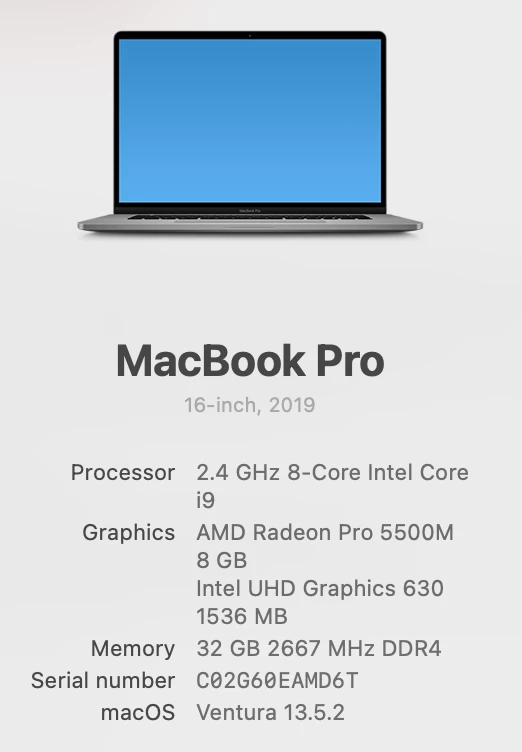
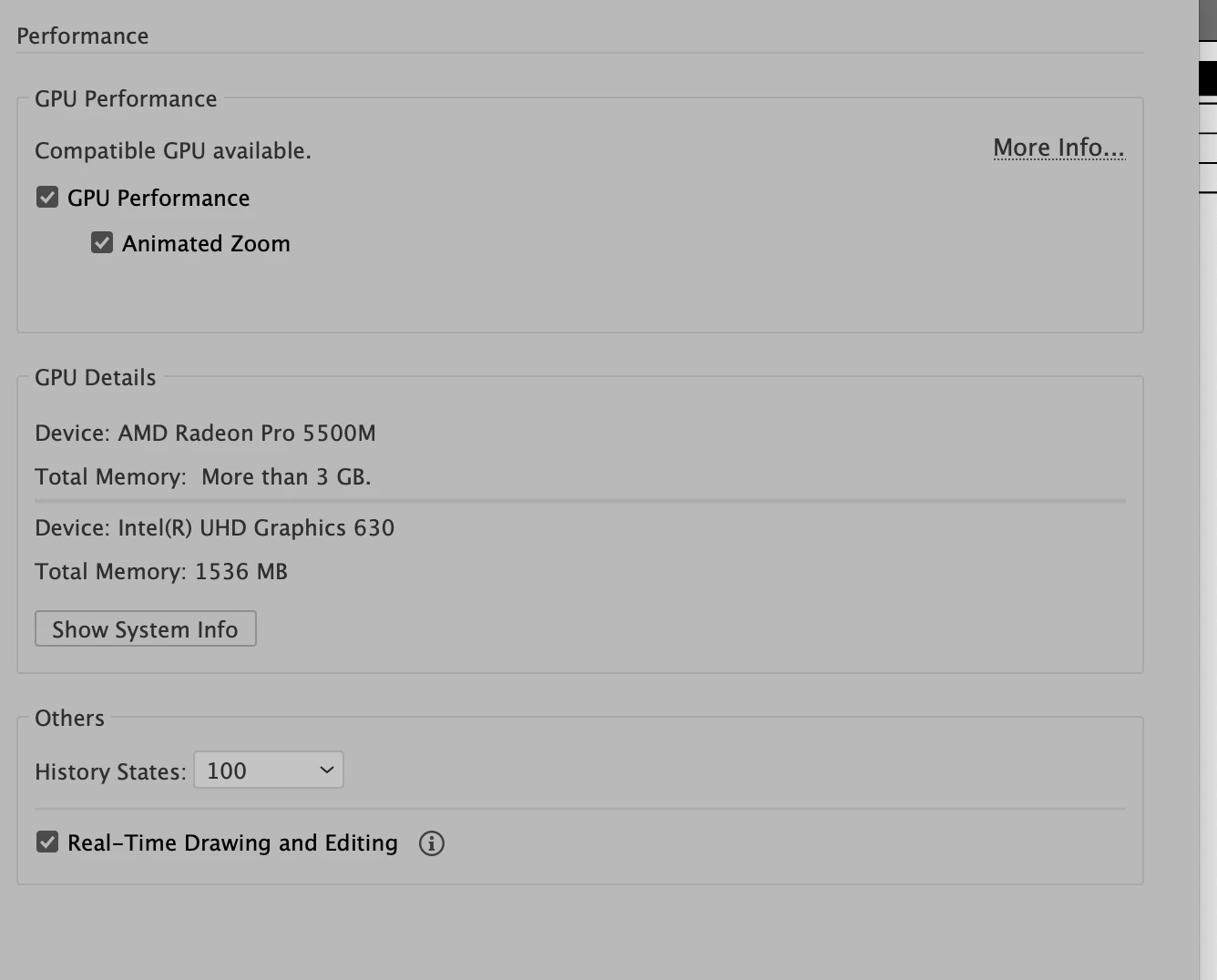
Veiw using GPU and Animated Zoom No longer working. This is on my home machine, and on my work machine. I have tired everything.  Please help. 

 

This topic has been closed for replies.

3 replies

Anshul_Saini
Community Manager
Community Manager
September 20, 2023

Hello @markb360,


I understand that you're facing issues with the "View Using GPU" and "Animated Zoom" features in Adobe Illustrator, and you've tried various troubleshooting steps to resolve them. I'd like to assist you in finding a solution to this problem.


Firstly, I recommend that you use the latest version of Adobe Illustrator (v27.9).


Here are some additional steps and information that would be helpful for troubleshooting:

  • Does this issue occur with specific files, or is it a general problem across all documents? Try creating a new document to see if GPU acceleration works in a fresh environment.

  • Share a screenshot of your color settings from the Edit menu.

  • As Doug asked, please provide a screenshot of your entire Illustrator workspace. This will help us understand the context in which you're experiencing the problem.

  • If there are any error messages or specific actions that trigger the issue, please describe them in detail.

  • If possible, share sample files where the "View Using GPU" and "Animated Zoom" features are not working as expected. This can help us replicate the problem for further investigation.


Once you've provided this additional information, we can better pinpoint the cause of the issue and offer more tailored troubleshooting steps. Your cooperation is greatly appreciated, and we'll do our best to assist you further.


Best,

Anshul Saini

markb360Author
Participating Frequently
October 6, 2023

Doug A Roberts
Community Expert
Community Expert
September 12, 2023

Please show a screenshot of your entire workspace.

Monika Gause
Community Expert
Community Expert
September 12, 2023

And what kind of "everything" did you try already?

markb360Author
Participating Frequently
October 6, 2023

uninstalled Ai and reinstalled. Restored pref defaults.  Restarted the machine, tried it on my work machine which is apple silicon, and my home which is the generation right before. My last idea is to uninstall all of adobe, and reinstall. 

Monika Gause
Community Expert
Community Expert
October 7, 2023

You could contact Customer Care at https://helpx.adobe.com/contact.html 

They can login to your system to check it out.