Inspiring
April 12, 2023
Answered

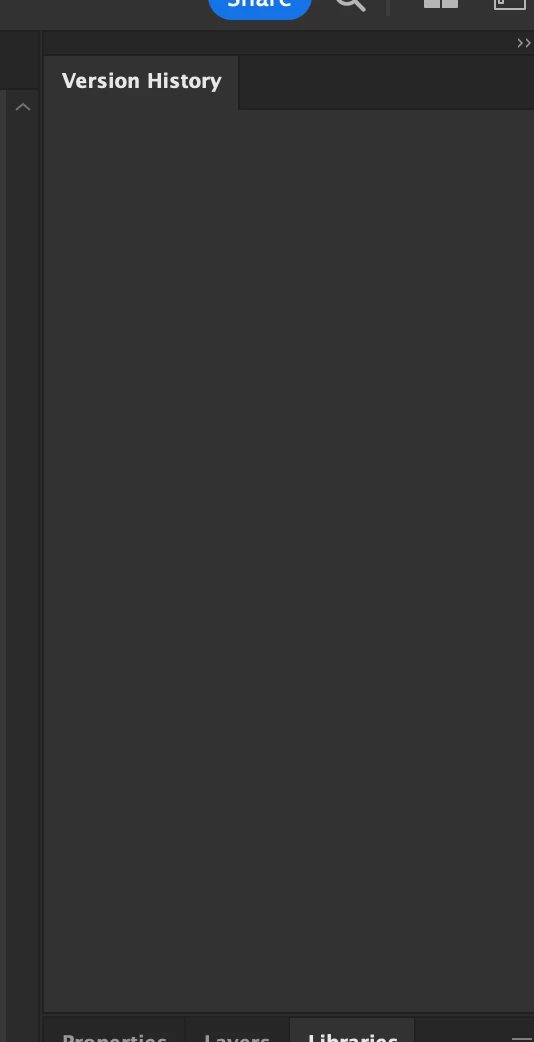
Version History panel empty.

  • April 12, 2023
  • 6 replies
  • 5982 views

Hello there. 

So, my Version History panel in Illustrator is always empty. Any idea on why?

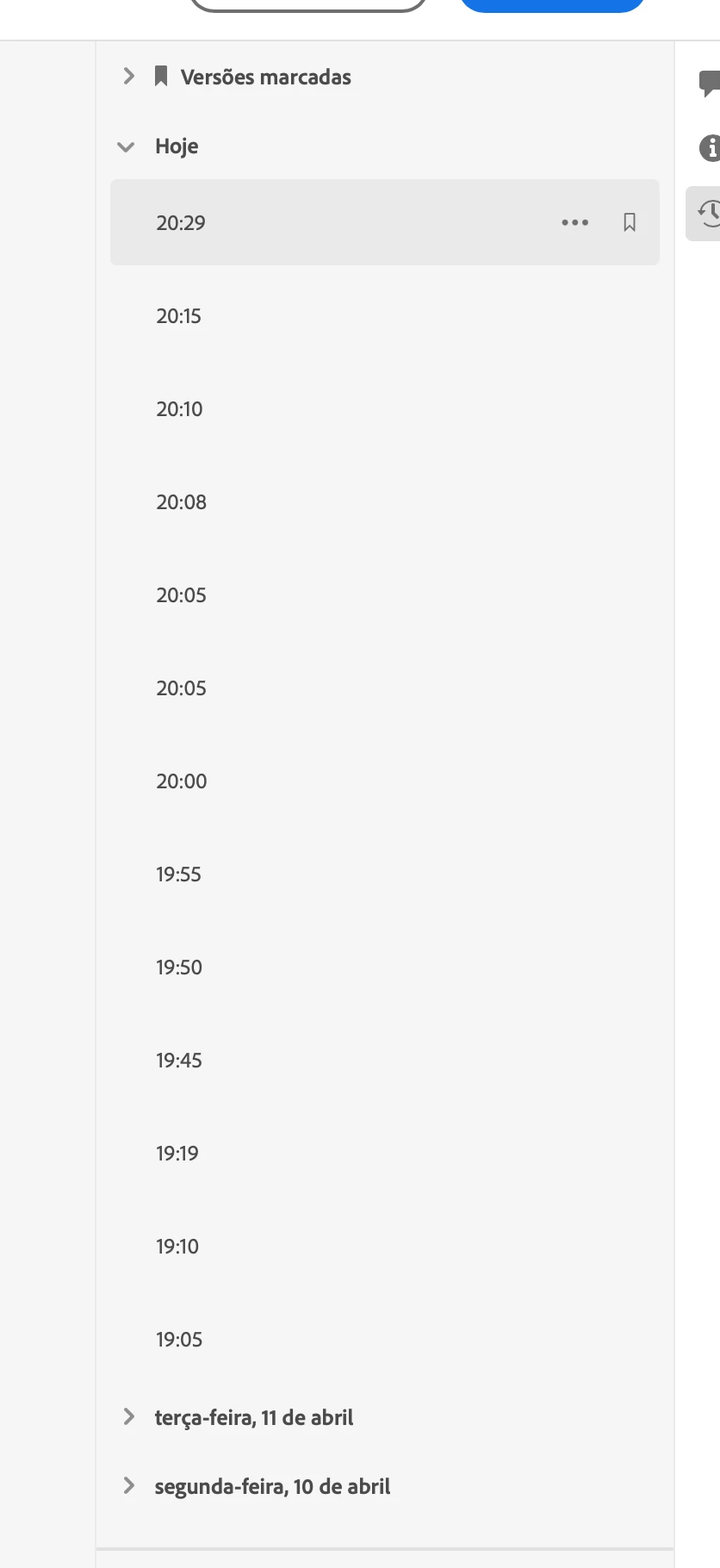
The versions show up in the Web App or on iPad Illustrator, but in the desktop Illustrator they dont. 

Thank you.
 

This topic has been closed for replies.
Correct answer Matt Bean

Hello @Matt Bean,

Sorry to hear about your experience. Would you mind trying the following steps and checking if they help:


  • Close all Adobe applications
  • Remove the Creative Cloud Desktop application, CCLibrary, and CoreSync using the Creative Cloud Cleaner Tool (https://adobe.ly/3XzUmZG)
  • Reinstall the Creative Cloud Desktop application (https://adobe.ly/3Xv4p1V)
  • Relaunch Illustrator


Looking forward to hearing from you.


Thanks,

Anubhav


I ended up just uninstalling everything and then reinstalling and now it works.  Probably should have just done that in the first place.  Thank you for your help.

6 replies

Participating Frequently
September 4, 2024

I'm having this issue as of September 3, 2024.  Creative Cloud files, no version history.

Participating Frequently
September 4, 2024

It's the latest version of illustrator 28.7.  Using Mac Sonoma 14.6.1.  Version history is just blank on any document, new or old.

Ton Frederiks
Adobe Expert
September 4, 2024

These are .aic files? Are you files still automatically saved to the cloud?

Anshul_Saini
Community Manager
Community Manager
April 27, 2023

Hi All, @NunoMCastro @Remo Remoquillo


We are glad to inform you that the issue with the Version History panel has been resolved. If you are still experiencing this issue, please try signing out and signing back in to see if it resolves the problem. If the issue persists, please let us know, and we will investigate further.


We appreciate your feedback and are always looking for ways to improve our products and services. If you have any further questions or concerns, please don't hesitate to reach out to us. We are here to help.


Best,

Anshul Saini

Inspiring
April 28, 2023

Thank you for the speedy resolution of this problem. And thank you for all the help.

Anshul_Saini
Community Manager
Community Manager
May 3, 2023

Thank you for your kind words, @NunoMCastro. We're glad to hear that the issue has been resolved. We appreciate your & other experts' reports, which helped us identify and resolve the issue. We couldn't have done it without the help of our users like you. If you have any other questions or concerns, feel free to reach out to us. Thanks again!


Best,

Anshul Saini

Remo Remoquillo
New Participant
April 24, 2023

I'm having the same problem as described. I'm also having the issue for all my other AIC files created via desktop app as well as new files being created. 


Anshul_Saini
Community Manager
Community Manager
April 18, 2023

Hi @NunoMCastro,


I'm sorry to hear that you're having trouble with the Version History panel in Illustrator. Would you mind confirming if the files you're working on were created on iPad or desktop, which have an empty history panel? Also, have you tried signing out and signing back into your Adobe account to see if that resolves the issue? If the problem persists, would you mind sharing the cloud document link with us so we can investigate further?


Best,
Anshul Saini

Inspiring
April 20, 2023

Hello there. 

It doesnt matter where the files were created, the panel is always blank. Be it with newly created files (created on desktop app or on iPad app) or old files. 

As for signing out and back in... I has in conctact with the support and they remotely controled my computer and did all of that. Plus, deleting preference files, create new account, etc. 
A couple of days after i had to format my computer and did a fresh install and still blank version history panel. I guess is some bug that I'll have to deal with it until its fixed?

Laura Coyle.
Adobe Expert
April 15, 2023

I'm having the same issue today. My version History panel inside Illustrator is totally blank. The same .aic file in the CC Desktop app shows the version history.

Monika Gause
Adobe Expert
April 12, 2023

Do you save your files as AIC files?

Inspiring
April 12, 2023

Yes, they are cloud documents.