
Participant
November 28, 2023
Question

Vertical TYPE Tool

  • November 28, 2023
  • 2 replies
  • 225 views

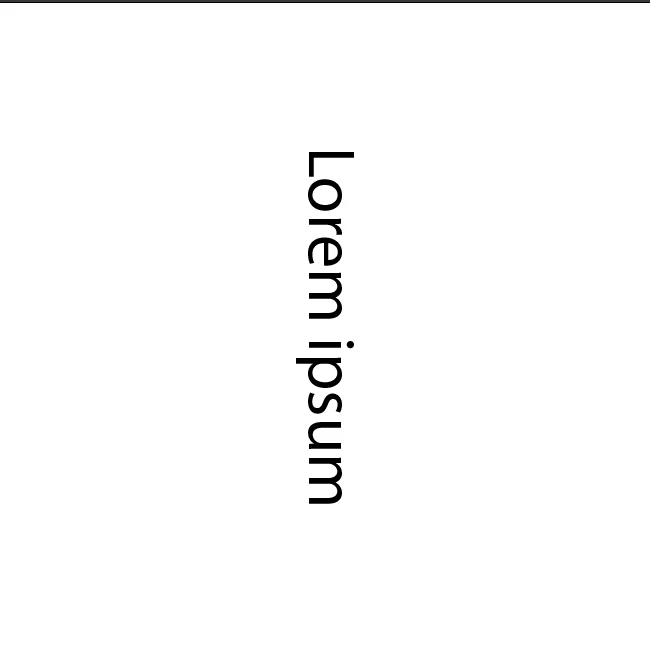
Hello everyone I am trying to use the Vertical Type tool but it is not giving the correct orientation. I want the text to look like this. eg:-
A
B

C

D
But currently, the letters are rotated 90 degrees.

Note: I have tried the 'Standard Vertical Roman Alignment' option but it is not working.

Screenshot attached


This topic has been closed for replies.

2 replies

Kurt Gold
Community Expert
Community Expert
November 28, 2023

This seems to work fine for me in both AI 27.9 and 28.0


Have you checked if the characters are rotated (see Character palette)?


Participant
November 29, 2023

I am sorry. I did not understand could you please simplify? or just add a screenshot and highlight it if possible?

Kurt Gold
Community Expert
Community Expert
November 29, 2023

To check if the characters are rotated, select the text object, open the Character palette with all options turned on and take a look at the character rotation field.


Monika Gause
Community Expert
Community Expert
November 28, 2023

Which version are you using? Works as expected for me in Version 28

Doesn't work in 27.9

Participant
November 29, 2023

I am using the latest version 28.0. 

Monika Gause
Community Expert
Community Expert
November 29, 2023

I would start with resetting the preferences. This will of course erase all your settings and set them back to default.