

GarryJenkins82
Participating Frequently
February 12, 2023
Answered

Very strange but cool alteration of still image...what happened?

  • February 12, 2023
  • 2 replies
  • 912 views

Hi everyone,

Very strange request here, as a complete novice on Illustrator. I'm a Premiere Pro editor and usually export some stills into Illustrator to turn into posters, adding text etc., but something very weird and cool happened when I imported my latest still - it went from this...
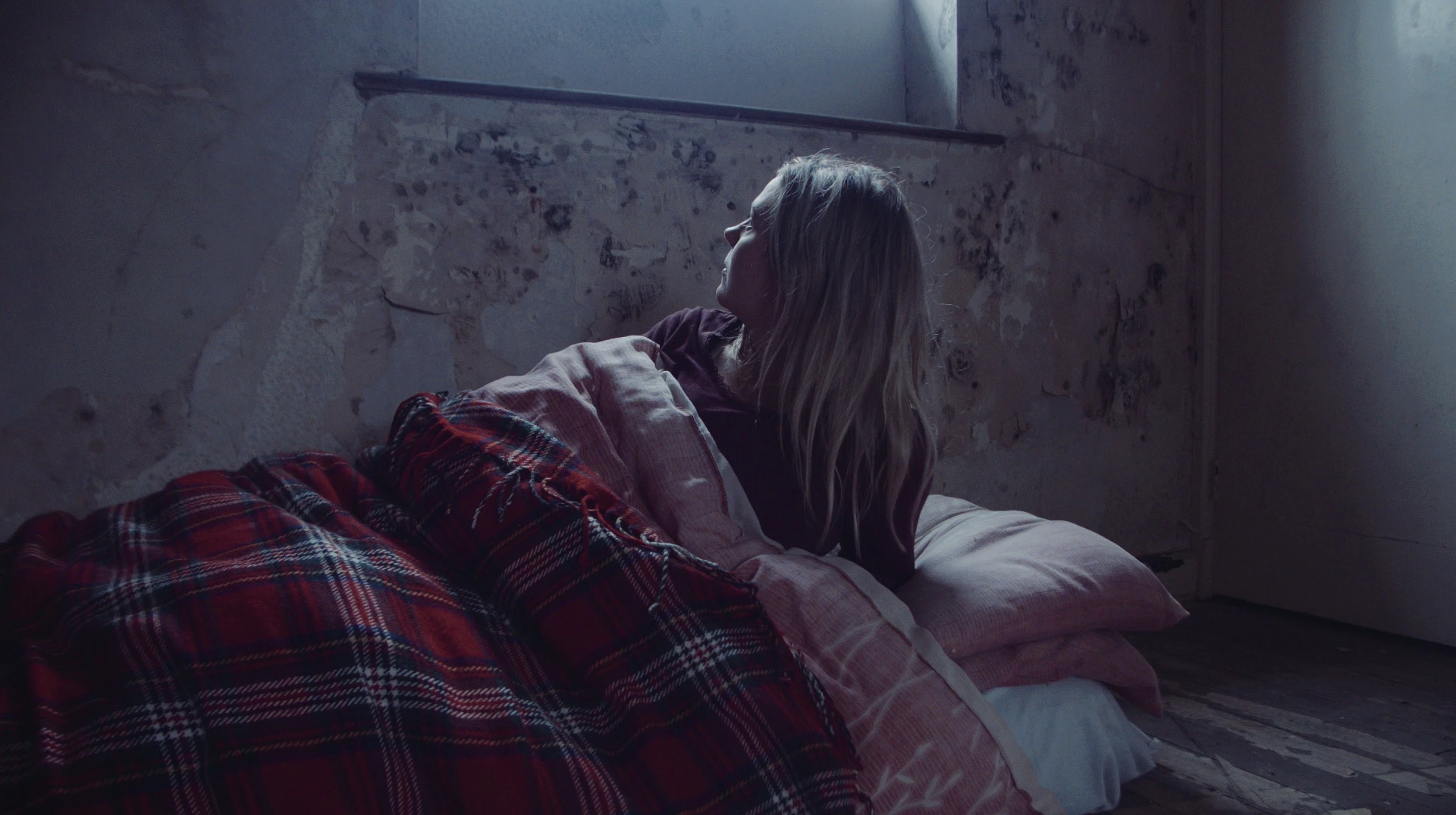
...to this:
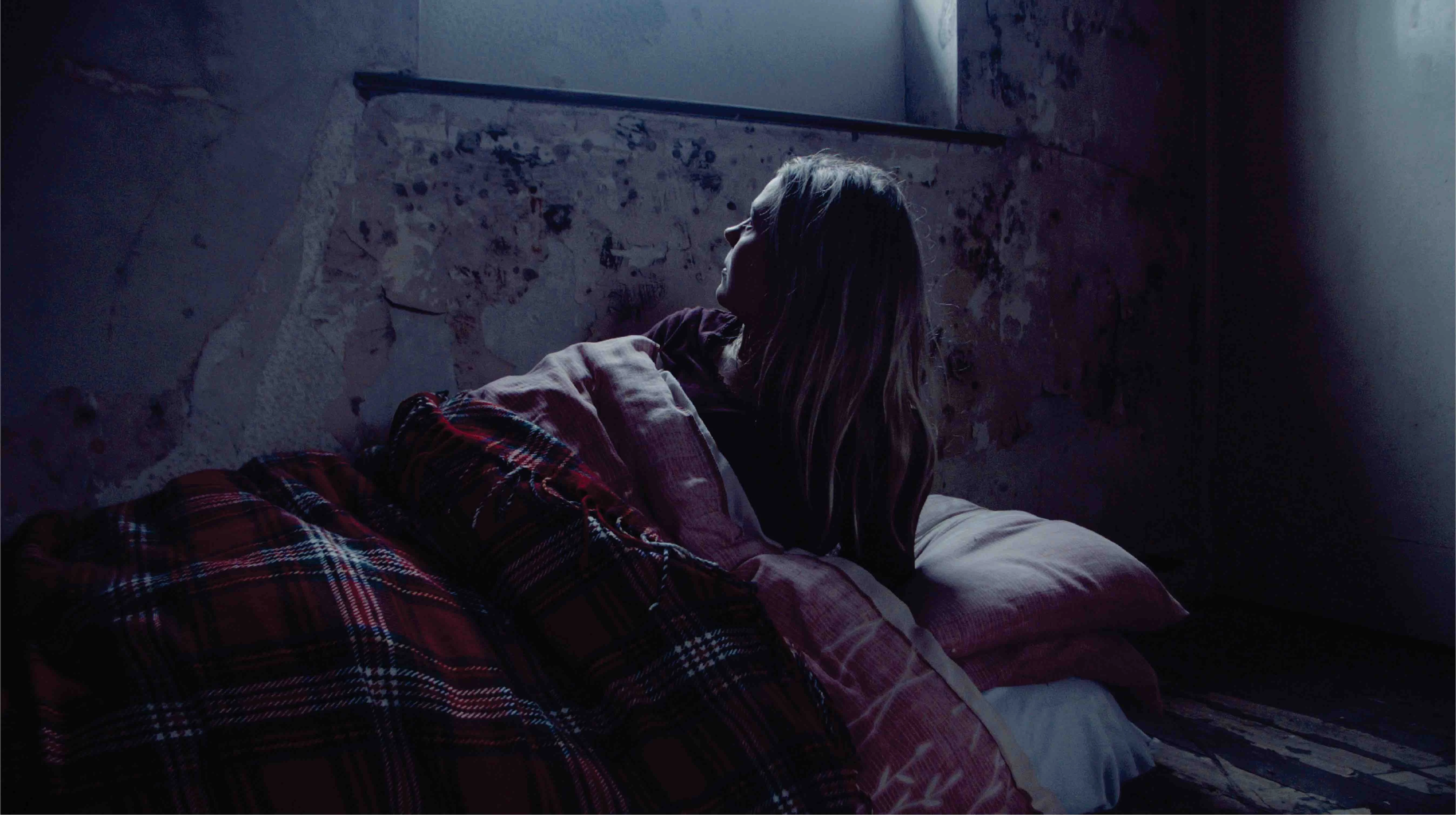
And I have absolutely no idea why! But I like it so much that I want to incorporate the look into the RAW footage colour grade, only I have no idea how to go about finding what Illustrator has done to it to make it look like that! The original is just a PNG file, and the only thing I can think of that triggered a change is that I opened my previous 'Poster Project' and replaced a previous still with this one, and it must have somehow interpreted it differently? Even though the previous still used in the project had no changes or effects on it. I cannot replicate the shift for the life of me!

Any help would be massively appreciated!

Many thanks,

Garry
This topic has been closed for replies.
Correct answer Ton Frederiks

lustrator does not read or write color profiles in PNG files.

It will assume the color profile of the Illustrator document you place it in.

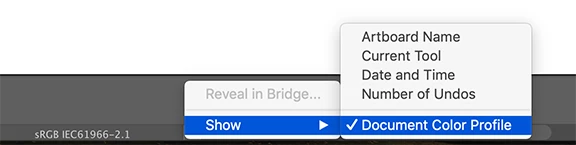
You can check the Illustrator document profile in Edit > Assign Profile or at the bottom of your document window:

2 replies

Monika Gause
Community Expert
Community Expert
February 12, 2023

You didn't tell us when this happened in your project:

- after exporting the file as a PNG (see Ton's answer)

- when importing a PNG that you exported from somewhere else or that was a screenshot


So if Ton's answer did not solve your issue, can you then please be more precise?

GarryJenkins82
Participating Frequently
February 12, 2023

Thanks for the reply.

So as I said in my original post, it happened on import to Illustrator. I made a note of the document's Colour Profile settings after reading Ton's post, changed them, and sure enough it reverted back to the original file's look. I can't now replicate the initial import look, but it's not a big deal, it'll give me something to work on.

Thanks again,

Garry

Ton Frederiks
Community Expert
Community Expert
February 12, 2023

Garry, if it happens by converting from your Premiere export profile to the profile of your Illustrator document when you imported the file, you should be able to do the same conversion in Photoshop.

Ton Frederiks
Community Expert
Ton FrederiksCommunity ExpertCorrect answer
Community Expert
February 12, 2023

lustrator does not read or write color profiles in PNG files.

It will assume the color profile of the Illustrator document you place it in.

You can check the Illustrator document profile in Edit > Assign Profile or at the bottom of your document window:

GarryJenkins82
Participating Frequently
February 12, 2023

Thanks Tom, useful to know...I made a note of the settings and then fiddled with them, and sure enough it reverted back to its original colour, although now it won't go back to the cool effect it had before, even if I choose the original settings! Oh well. It'll give me a challenge to try and replicate the freaky image during colour grading 🙂

Thanks for the reply,

Garry

GarryJenkins82
Participating Frequently
February 12, 2023

Apologies, Ton...not Tom.