
Inspiring
August 25, 2022
Answered

Visibility issue with the scroll bar handles (sliders) in dark mode!

  • August 25, 2022
  • 1 reply
  • 291 views

In dark mode, the handles / sliders on the scrollbar are very difficult, if not impossibel to spot, which inhibits my workflow considerably. Does anyone know of a workaround to make them more visible?


I did create a feature request to the Illustrator dev team to make the sliders more visible (add contrast, make slider lighter grey color or give us option for custom brightness in preferences), which you can support and upvote here! 
This topic has been closed for replies.
Correct answer Anubhav M

Hello Red Point,


Thanks for reaching out. I understand that the legibility of the scroll bar handle in dark mode is less compared to other modes. However, there isn't any option to change the brightness for it individually at this time. I appreciate you creating a UserVoice for this problem and sharing the same. This way, you will keep getting updates related to this request.


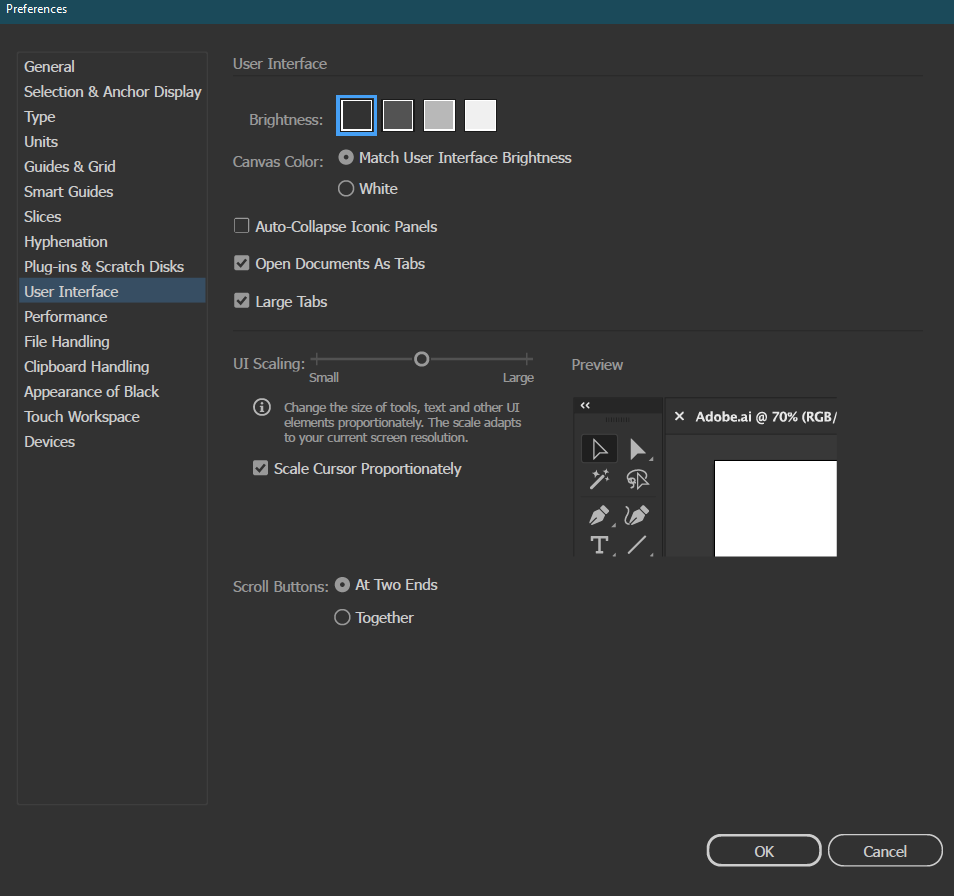
For now, you may want to try changing the UI Scaling and check if it helps.


Looking forward to your response.


Thanks,

Anubhav


1 reply

Anubhav M
Community Manager
Anubhav MCommunity ManagerCorrect answer
Community Manager
August 25, 2022

Hello Red Point,


Thanks for reaching out. I understand that the legibility of the scroll bar handle in dark mode is less compared to other modes. However, there isn't any option to change the brightness for it individually at this time. I appreciate you creating a UserVoice for this problem and sharing the same. This way, you will keep getting updates related to this request.


For now, you may want to try changing the UI Scaling and check if it helps.


Looking forward to your response.


Thanks,

Anubhav