
Known Participant
November 25, 2016
Question

Want same fill and stroke color.

  • November 25, 2016
  • 2 replies
  • 15196 views

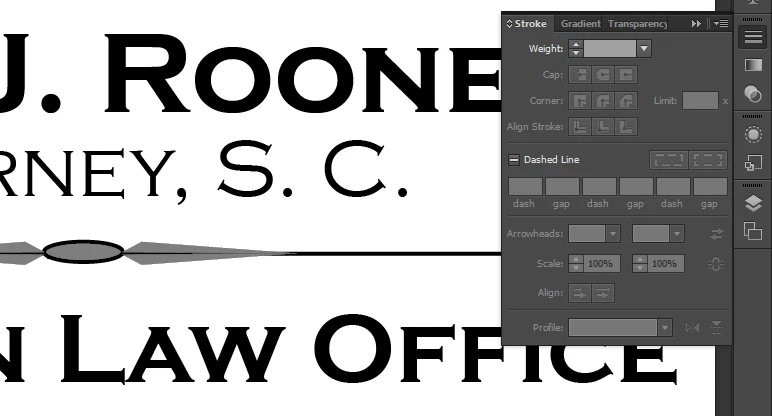
I am new to Illustrator and have a question about how to get my fill and stroke colors to be the same.  I've been told i can change the color in my stroke box but don't see it.  Am I blind?  Here's a screen-shot to help show my problem. Hope someone can steer me in the right direction.

Thanks,

Tamlyn
    This topic has been closed for replies.

    2 replies

    Ton Frederiks
    Community Expert
    Community Expert
    November 25, 2016

    As long as you do not have a stroke weight (like your panel shows an empty Weight) you cannot give it a color.

    The stroke color is given outside the Stroke panel in the Tool bar, Swatches panel or Control bar.

    rcraighead
    Legend
    November 25, 2016

    There are several ways. Perhaps the easiest is to "Option" ("Alt" on PC) drag the color from one color swatch to the other. This can be done in the "Color" Panel or in the "Tools" panel where you see the "Fill and Stroke" icons.

    tamlyn3Author
    Known Participant
    November 25, 2016

    My problem still exists. As you can see from the tool bar on the left, I have figured out how to select the same gray for both my fill and stroke colors.  However, the stroke and fill are showing up as slightly different grays in my selected shapes. Also, I don't want to apply a new stroke to my shapes.  I simply want the shapes and and strokes I've already created to be the same color gray. Your thoughts?

    Tamlyn