



Weird app.doScript() behavior
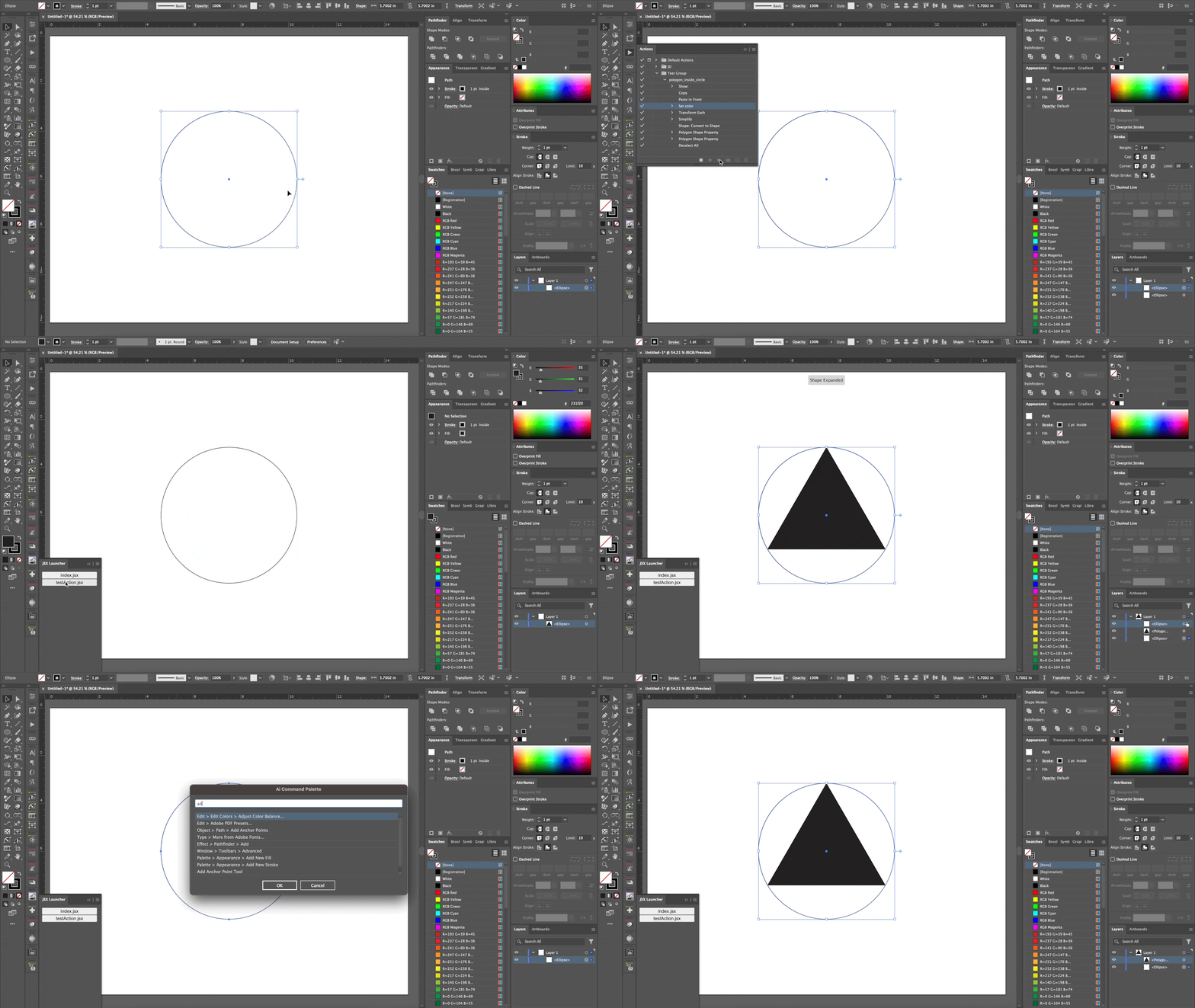
So, @Kurt Gold has been helping me sort out some bugs with my Ai Command Palette script and we've run into some odd behavior executing actions. Original Kurt, reported an action on his Windows computer wasn't running correctly when initiated via Ai Command Palette, so he shared the action with me for testing. During testing I encounterd some really odd behavior. I have detailed everything below and also included a screen recording of me trying to execute the script and action a few different ways with mixed results. Hopefully someone has an idea of what is going wrong. Thanks in advance for any help on this!
Odd behavior #1, his action ran just fine on my Mac computer when initiated via Ai Command Palette. To try and sort this out, I made a simple script (see below) to test only the `app.doScript()` method without all of the overhead that comes along with Ai Command Palette.
try {
  app.doScript("polygon_inside_circle", "Test Group");
} catch (e) {
  alert("Error\n" + e);
}
When ran from "File > Scripts > Other Script...", this script works fine, and the action works correctly.
Odd behavior #2, when I tried this simple script via the JSX Launcher plug-in (which I use daily and rarely have any issues), I get an error. So, I then tried the drag-and-drop method of running scripts by dragging the simple script file onto the artboard and it still didn't work.
Odd behavior #3, puzzled, I loaded the script into Ai Comand Palette, using it's script running capability, and it runs just fine.
So this simple script, that fires a pretty simple action isn't working consistently and I have no idea why.
A few notes... Kurt's action does have some localized (German) values within it, but it that doesn't seem to affect how it runs. I don't have permission from Kurt to share the action but will share it here if he is okay with that. For reference, it is only a few steps, and all simple menu commands.
 AdChoices