
Participating Frequently
September 28, 2019
Question

Weird Banding when printing file made with Illustrator Freeform Gradient

  • September 28, 2019
  • 11 replies
  • 2312 views

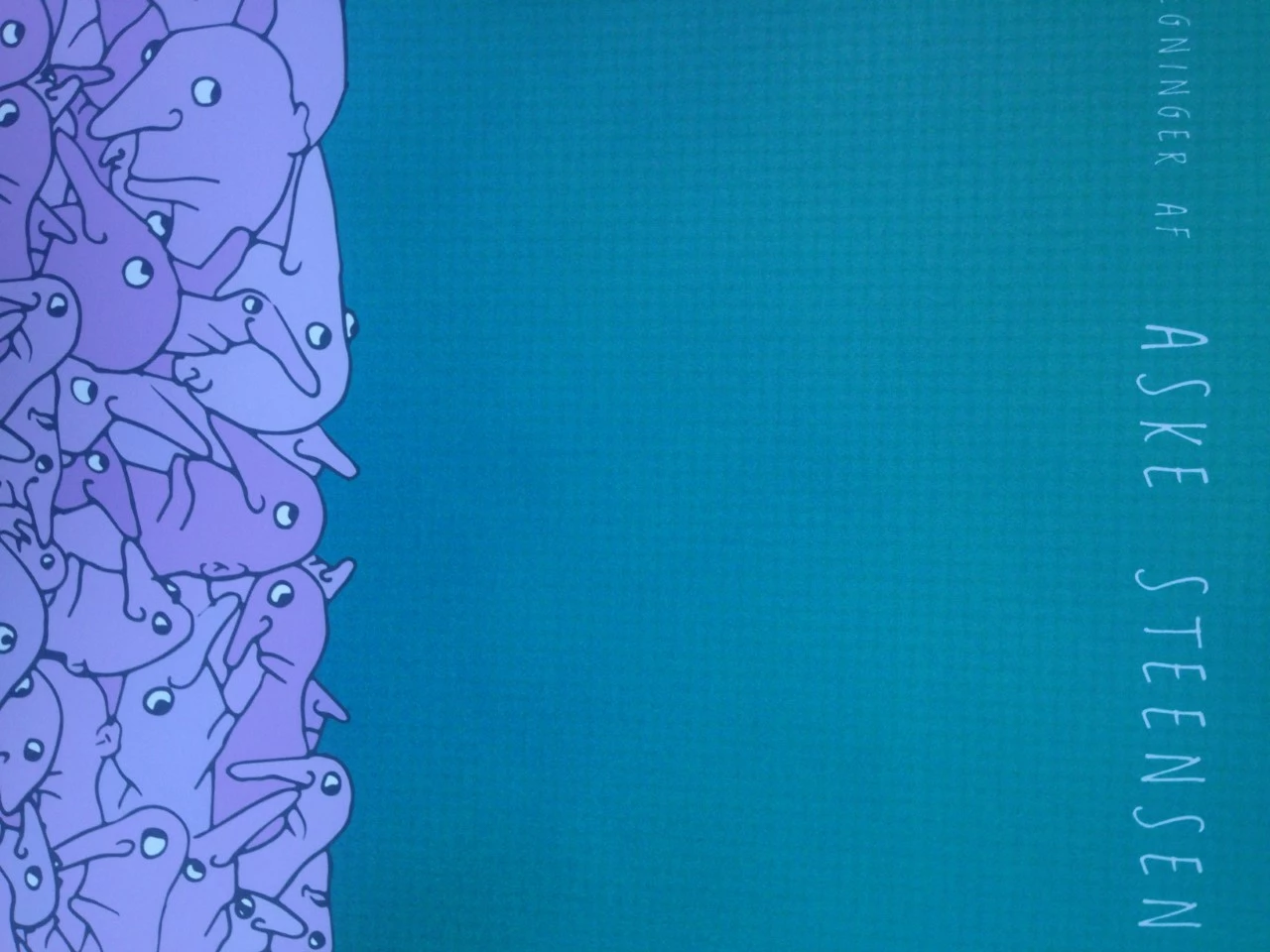
When I am printing a image background I made with "Freeform Gradient" in Illustrator wired squares patterns apears that is not shown on my screen.
The image background I exported to Png, then I put it into my design in Indesign and converted everything to CMYK from there. What can I do to get around this problem?


The file exportet from my computer:



A cloese-up of the print file:
 

    This topic has been closed for replies.

    11 replies

    Legend
    September 30, 2019

    Gradients on files from illustrator or other applications may not print correctly or even get black when copied and pasted in InDesign, as it uses the OS clipboard in between.

    The correct and only way to display and print/export objects or files with gradients, of any kind, is by PLACING  (import) directly the file, or using the gradients of InDesign.

    Dragging or pasting in InDesign is not usually recommended, and in the case of vector content with gradients is something to be avoided always.

    Ton Frederiks
    Community Expert
    Community Expert
    September 29, 2019

    I am afraid someone else has to come up with suggestios.

    One more question, how do you deliver your document to the printer, pdf?

    Participating Frequently
    September 29, 2019
    OKay, but thank you for trying. Yes as a PDF.
    Ton Frederiks
    Community Expert
    Community Expert
    September 28, 2019

    "Can you explain me why think that If I just place the .ai file in Indesign it will print the file right?"

    I do not think that placing the file will solve the printing problem. Placing just makes sure that there is no conversion with copy and paste or drag and drop.

    Looking at the other image, the printout, it seems like time to contact the printer about this.

    Participating Frequently
    September 29, 2019
    Thanks! Yes, I did already, and they unfortunately don't know 😞
    Ton Frederiks
    Community Expert
    Community Expert
    September 28, 2019

    If that is a picture of the print, than it looks probably different than the gradient in Illustrator.

    "Is the File > Place In InDesign from Illustrator? I dont think I have that option."

    I do not understand what you mean by this, File > Place...  in InDesig is the normal way to get artwork and text into InDesign.

    Participating Frequently
    September 28, 2019
    Thank you! I have uploaded a picture on my computer and how it printed out as well so you can see what de difference is. Ah I see, I misunderstood you, I can do that. Can you explain me why think that If I just place the .ai file in Indesign it will print the file right? Just so I understand it 🙂
    Ton Frederiks
    Community Expert
    Community Expert
    September 28, 2019

    "It is on CMYK, but when you say "place" what do you mean? How should get the illustrator gradient into Indesign if not dragging or exporting it as another file?"

    Save as .ai and choose File > Place in InDesign.

    Participating Frequently
    September 28, 2019
    Thank you, I just uploaded a photo of the problem in the main description. Is the File > Place In InDesign from Illustrator? I dont think I have that option.
    Ton Frederiks
    Community Expert
    Community Expert
    September 28, 2019

    No, not an image like psd or png, just make sure the document mode in Illustrator is CMYK.

    You can do that with File > Document Color Mode and check CMYK.

    Then place the file in InDesign.

    It would be helpful if you could show the problem.

    Participating Frequently
    September 28, 2019
    It is on CMYK, but when you say "place" what do you mean? How should get the illustrator gradient into Indesign if not dragging or exporting it as another file? I have pictures of the problem, but I unfortunately cant see how I can put it into the message here.
    Monika Gause
    Community Expert
    Community Expert
    September 28, 2019

    Please show.

    Ton Frederiks
    Community Expert
    Community Expert
    September 28, 2019

    Converting to CMYK in Illustrator might show you the problem before you place it in InDesign (if it is an RGB > CMYK problem).

    If I understand correctly, printing on your own printer does not show the problem but printing on some other printer shows the problem. What printer is that and how is the printing process different from what you are printing locally?

    Participating Frequently
    September 28, 2019
    Okay, so convert it into a psd file or simular, but as a CMYK file and then place it into indesign? I also thought of doing that but to do the layout and export from photoshop instead - maybe then the texture get "accepted" as an image instead of a gradient. Also I read that there can be some difficulties with gradients in illustrator putted into indesign, but I am not sure if that is correct. My own printer is an normal printer for everyday stuff Canon MG4250, and where I want it printed I am not sure from what printer, but digital print of some sort on matte paper.
    Ton Frederiks
    Community Expert
    Community Expert
    September 28, 2019

    What happens if you convert the document in Illustrator to CMYK?

    And place in InDesign instead of drag?

    Participating Frequently
    September 28, 2019
    I can try that. Is there a specific reason why you think that would work better? The problem is that I can not see the "squaretexture" when I print it from my own printer so I need to send it for to print another place before knowing.
    Participating Frequently
    September 28, 2019

    I tried both, but as I remember, on was dragged and one was a png and both of them printed with the squares.