Participant
September 19, 2022
Answered

Weird dialog

  • September 19, 2022
  • 2 replies
  • 316 views

I just installed a free trial of Illustrator. Upon start up, I found weird dialog.
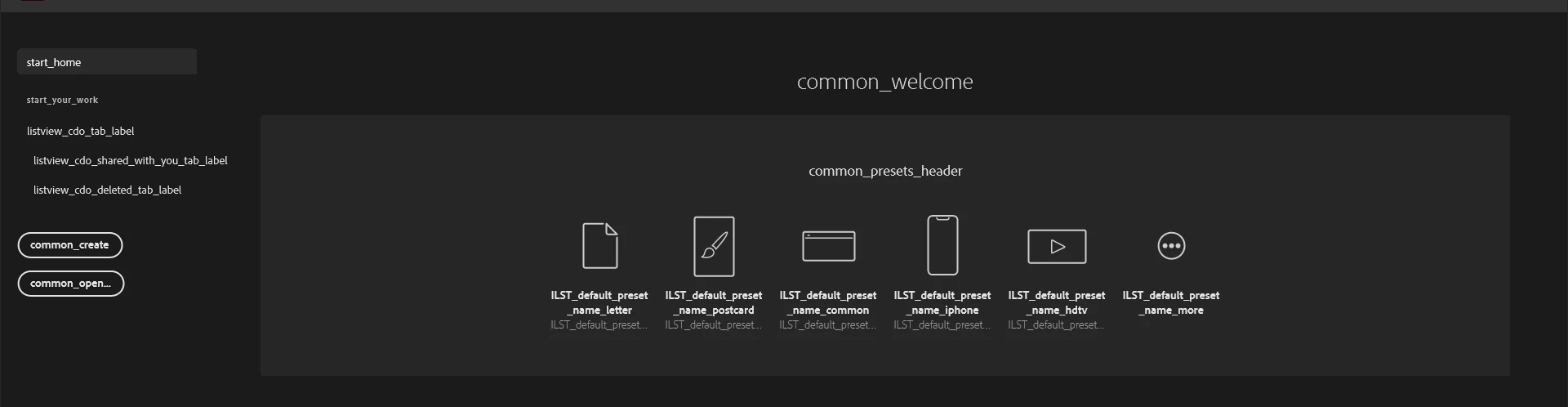
 

This topic has been closed for replies.
Correct answer Anubhav M

Hello duckiecomrade,


Sorry to hear about this experience. I would request you try the following steps and check if it helps:


  1. Close all Adobe applications
     
  2. Rename the UXP folder to UXP.old

    (Windows) Navigate to C:\Program Files\Common Files\Adobe\UXP

    (macOS) Navigate to Macintosh HD/Library/Application Support/Adobe/UXP
     
  3. Relaunch Illustrator


If the issue persists, kindly try using the Creative Cloud Cleaner Tool to remove all Adobe applications and then download Illustrator again using the Creative Cloud Desktop Application.


Looking forward to your response.


Thanks,

Anubhav

2 replies

Brad @ Roaring Mouse
Community Expert
Community Expert
September 19, 2022

Where did you get your free trial installer?


Participant
September 19, 2022

I tried to create a new document but this pops up. 


Anubhav M
Community Manager
Anubhav MCommunity ManagerCorrect answer
Community Manager
September 19, 2022

Hello duckiecomrade,


Sorry to hear about this experience. I would request you try the following steps and check if it helps:


  1. Close all Adobe applications
     
  2. Rename the UXP folder to UXP.old

    (Windows) Navigate to C:\Program Files\Common Files\Adobe\UXP

    (macOS) Navigate to Macintosh HD/Library/Application Support/Adobe/UXP
     
  3. Relaunch Illustrator


If the issue persists, kindly try using the Creative Cloud Cleaner Tool to remove all Adobe applications and then download Illustrator again using the Creative Cloud Desktop Application.


Looking forward to your response.


Thanks,

Anubhav
