


Participating Frequently
Oct 11, 2024 1:20 PM UTC
Question

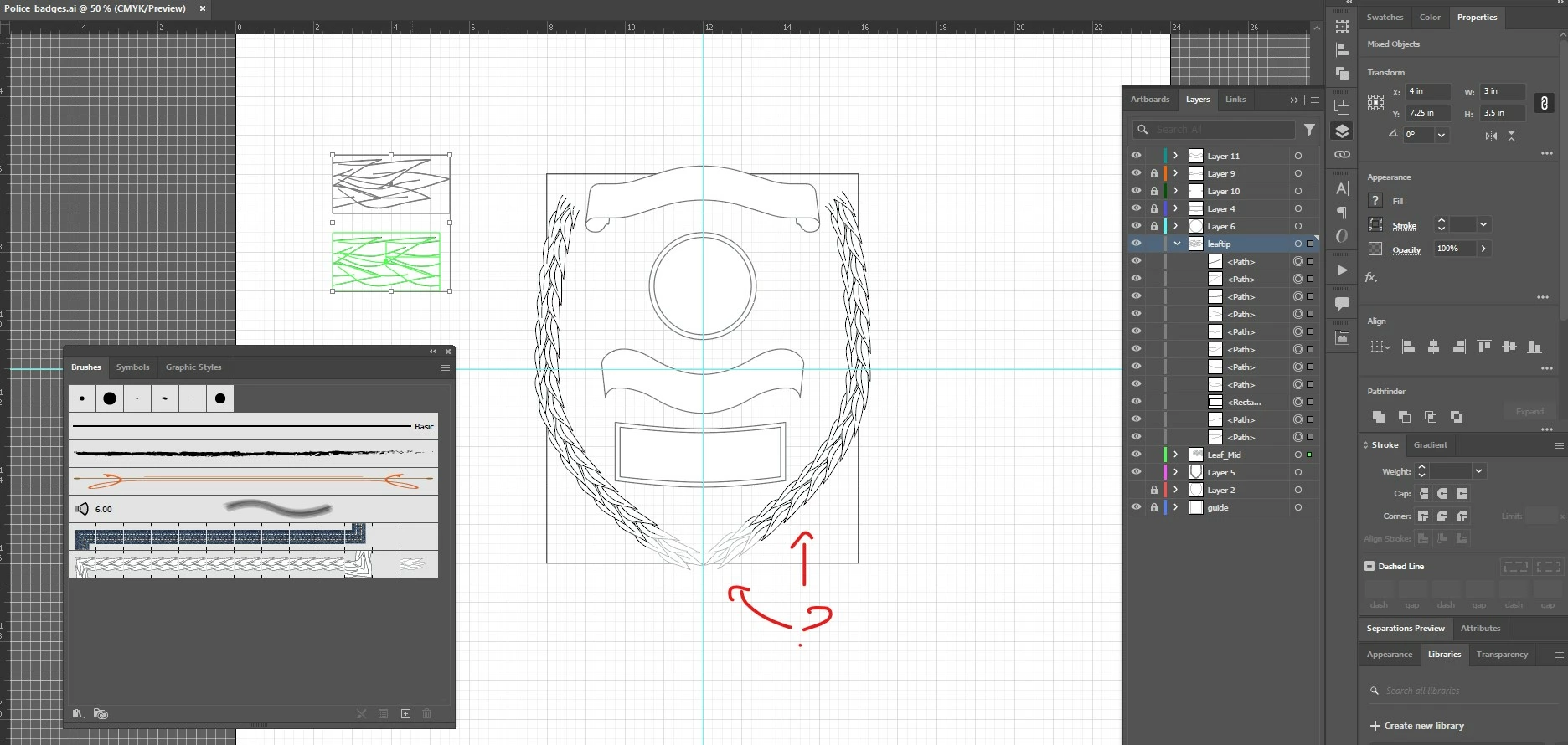
weird issue with pattern brush end cap in illustrator

hey, I have an issue I noticed with creating a pattern brush for a police emblem I want to use to create hot swappable patterns as I need to. However, I noticed when applying the end cap, if you zoom out to a certain point, the end cap looks visibly "thinner" then the main body of the pattern. thoughts? I have attached an image for context. Maybe  I am just doing something wrong? or missing a step? thoughts on how to resolve this?
This topic is closed to new replies. Start a new post to keep the conversation going.

17 replies

Doug A Roberts
Community Expert
Community Expert
Oct 11, 2024 1:30 PM UTC

Looks like it was created in a different colour to the rest of the brush -- you used green for the side tiles but grey for the end cap?

Translate
Participating Frequently
Oct 11, 2024 1:51 PM UTC

no they're both black when unselected.

Translate
Participating Frequently
Oct 11, 2024 1:53 PM UTC

its the layer color actually. one is bright green other is a dark green.

Translate