
Known Participant
December 31, 2020
Question

weird menu size issue in illustrator

  • December 31, 2020
  • 1 reply
  • 929 views

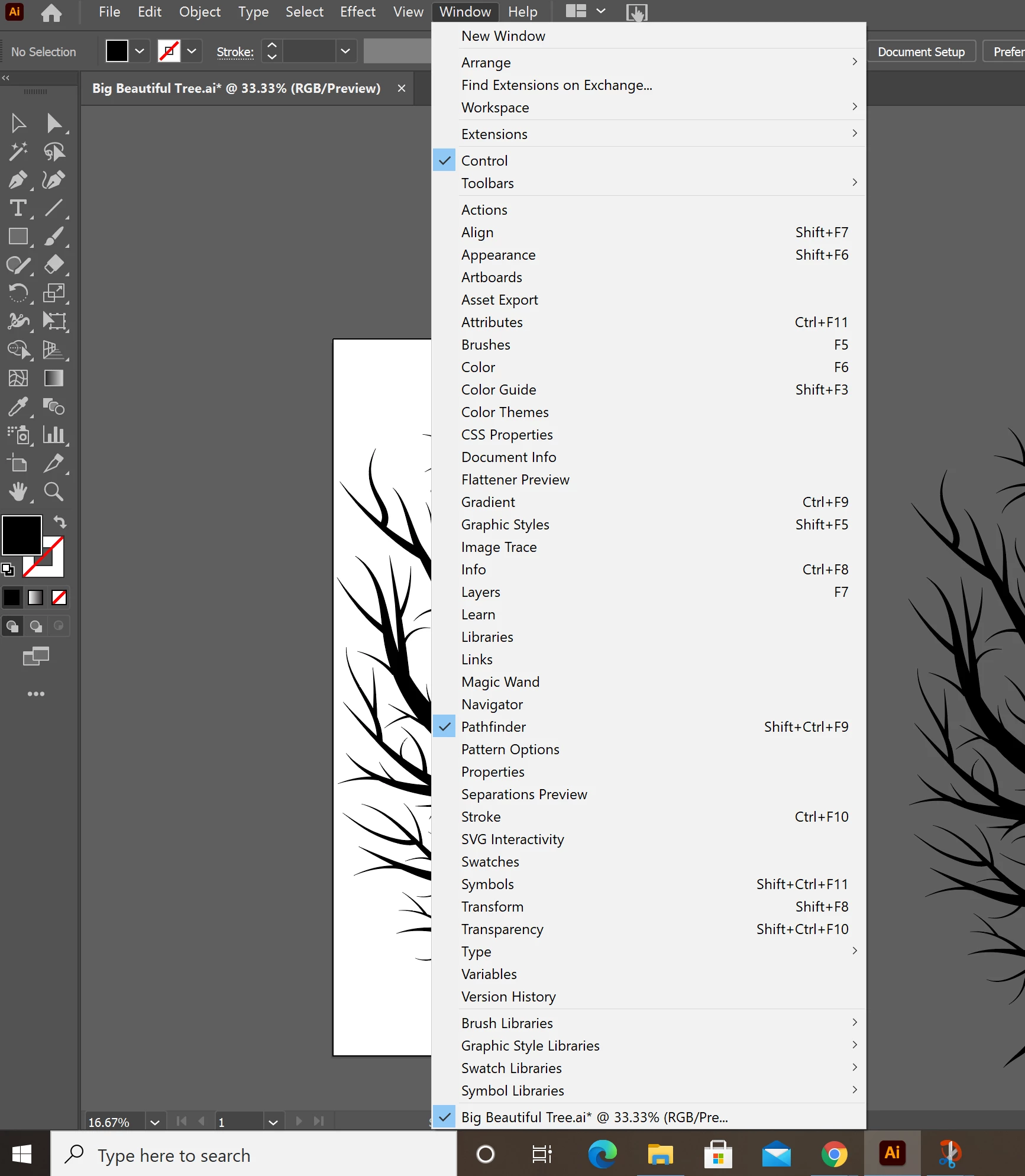
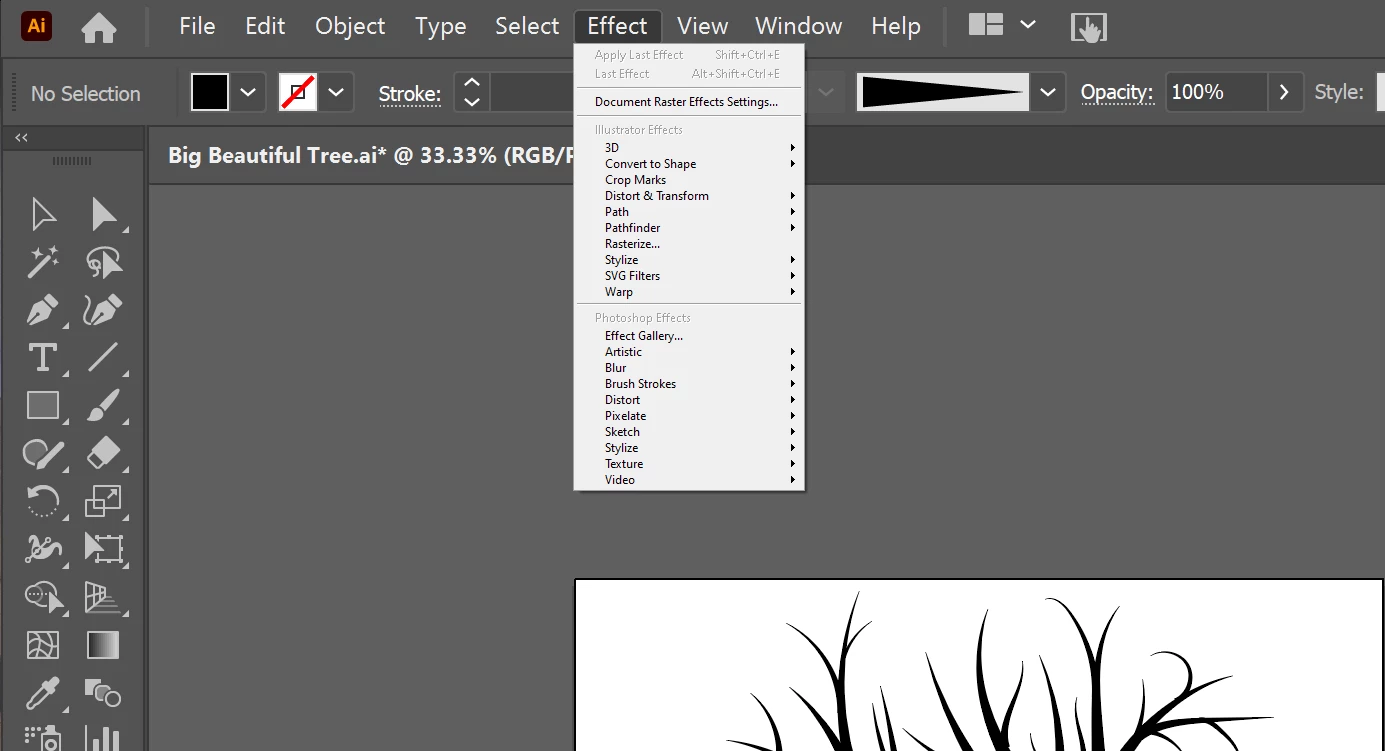
So, for a day now, my Effects menu, when pulled down, is like 1/3rd the size of the other menus. I have restarted illustrator, rebooted my computer, and have checked the user interface preferences. My illustrator version is up to date. Does anyone have any idea what might be happening here?

Here are a couple of pictures to illustrate:

Regular menu size:
Effects menu size:
 

This topic has been closed for replies.

1 reply

Ashutosh_Mishra
Inspiring
January 2, 2021

Hi there,


Sorry to hear about this. Are you using a second monitor? Have you tried changing the Windows scaling?

If you are using Adobe Illustrator on secondary monitor, try using it on primary. Let us know if it helps with the menu.

Looking forward to your response.


Regards,

Ashutosh

CoolAFAuthor
Known Participant
January 5, 2021
Thanks so much for your response Ashutosh!

I did check and change the display settings, but it did not help, and does not really explain the menu size issue. The menu size issue persists when I am only using my laptop and have my second screen shut off. What is weird is that all other menus are the proper size. It is just the Effects menu pulldown that is 1/3 the size of a regular menu. Nothing seems to fix it. I'm hoping the next time there is an Illustrator update, this will fix the issue.

I hope this email finds you well, and thanks again for the suggestion.

Regards,
Amber