

lesyasin
Known Participant
February 7, 2024
Answered

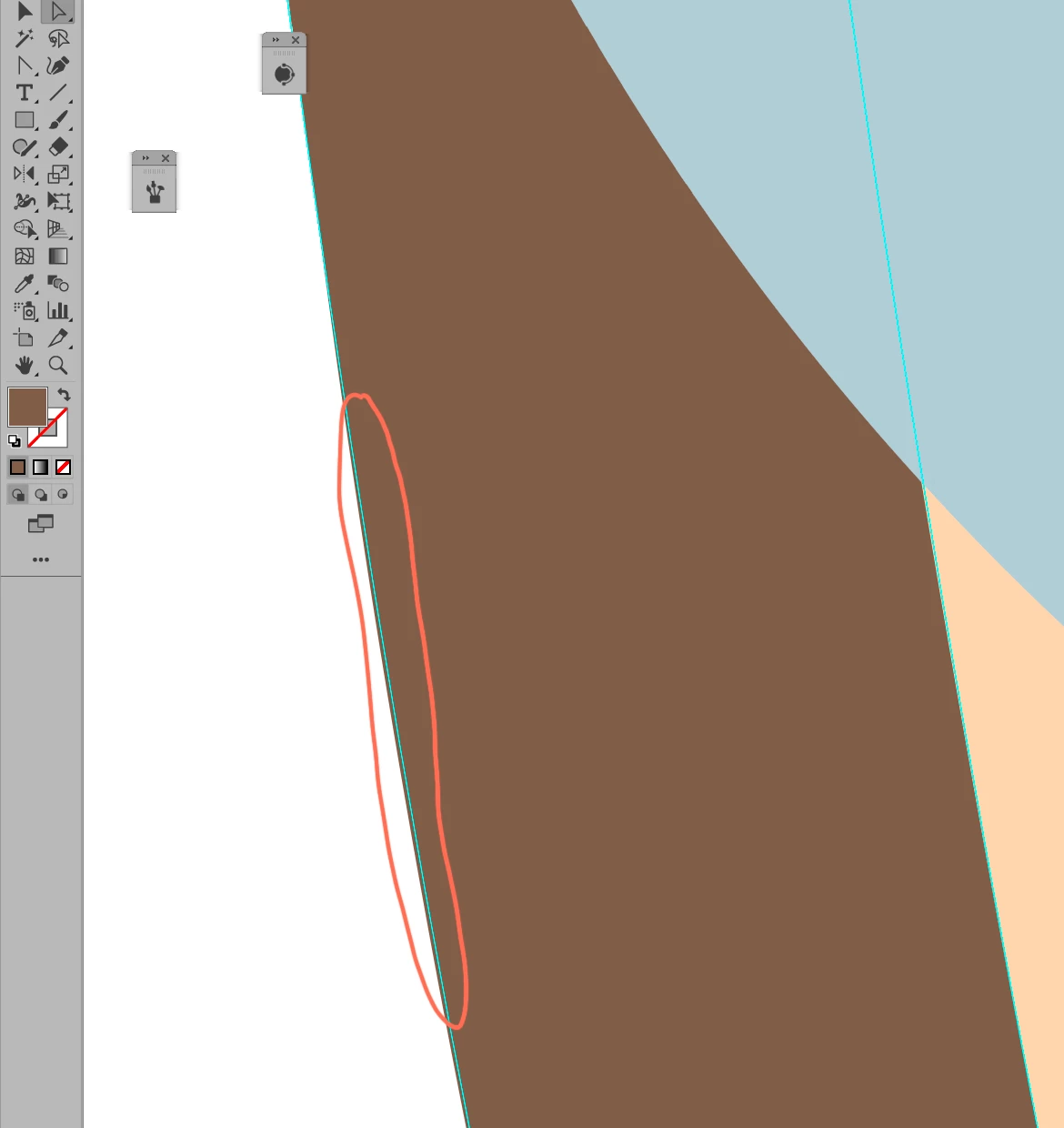
Weird selection of the objects Adobe Illustration 2023

  • February 7, 2024
  • 1 reply
  • 716 views

Hi there! Some weird thing is happening with the edges/path. When I click on an object, the selected area (cyan) doesn't match the shape of the object (brown). I tried to expand the object, but it didn't work. I use Adobe Illustration 2023
This topic has been closed for replies.
Correct answer Ton Frederiks

Did you try to switch preview (Cmd or Ctrl E) to switch between GPU and CPU Preview?

1 reply

lesyasin
lesyasinAuthor
Known Participant
February 7, 2024

Ton Frederiks
Community Expert
Ton FrederiksCommunity ExpertCorrect answer
Community Expert
February 7, 2024

Did you try to switch preview (Cmd or Ctrl E) to switch between GPU and CPU Preview?

lesyasin
lesyasinAuthor
Known Participant
February 7, 2024

hmm when I use Ctrl+E it looks as it should