Participating Frequently
January 20, 2026
Question

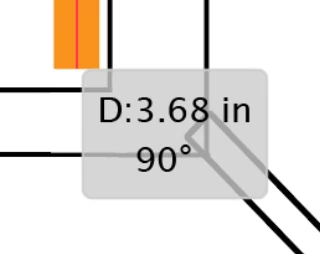
what are these pop-ups and how to turn them off

  • January 20, 2026
  • 1 reply
  • 102 views

i'm sure i used to know what these pop-ups were called but now cannot for the life of me remember and i want them TURNED OFF - illustrator is now just bloatware....


have tried turning off tooltips in prefs  (both kinds) and unchecking all things associated with smart guides in prefs and even smart guides (fully off) - but it persists. it's driving me insane - you can't see areas beneath it - so it's hampering getting work done.


here's two images of what i mean - shows angle, etc.
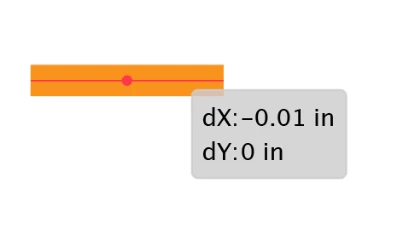
 

Screenshot 2026-01-07 at 7.00.35 PM.pngScreenshot 2026-01-07 at 6.54.09 PM.png


is this now a bug with the latest update??? - aaargh - any help would be so appreciated - thanks!!!!!!!!!

1 reply

Anubhav M
Community Manager
Community Manager
January 20, 2026

Hello @cworkman,

Thanks for reaching out. Would you mind trying to turn off Transform from the Control Panel options to see if it helps?


Looking forward to hearing from you.

Anubhav

cworkmanAuthor
Participating Frequently
January 20, 2026

dear Anubhav,


thanks for your suggestion....tried it and it made no difference.


in previous years i remember being able to turn all this stuff off. now it's on 24/7.....


any other ideas? finger's crossed!


cindy

Monika Gause
Community Expert
Community Expert
January 20, 2026

THose are caused by Smart guides. 

Check it out in the Preferences > Smart guides.