Participant
March 23, 2021
Answered

What is the default color profile that I should be using in Adobe Illustrator CC 25.2.1?

  • March 23, 2021
  • 2 replies
  • 773 views

I downloaded a vector file from the internet (yes, I know. This isn't good). It automatically opened in my Adobe Illustrator, displaying a muted blue, with this error message.
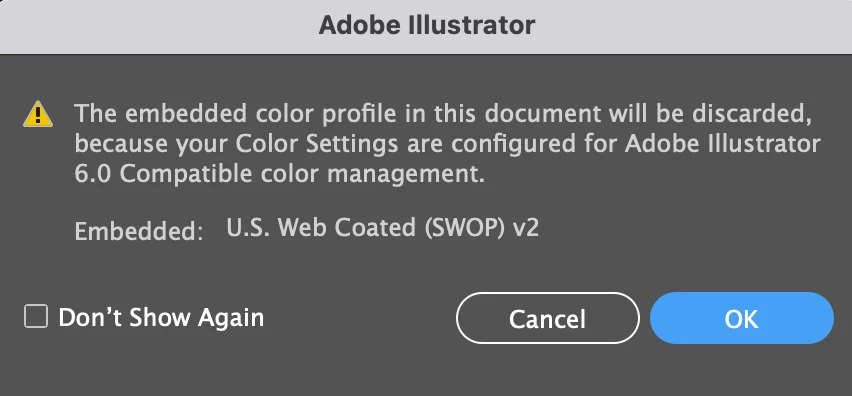


Now, every vector file that I open has muted colors, due to this "Adobe Illustrator 6.0" default.


Question: How do I stop this weird muted color issue by happening? What do I reset my color profile to???

This topic has been closed for replies.
Correct answer Monika Gause

This is a bug. Sofirst of all, please get rid of that setting. Try this: https://community.adobe.com/t5/illustrator/emulate-adobe-illustrator-6-0-bug-in-version-25-2-1/m-p/11904177#M268132


As to which profiles you need to set: depends on your workflows and where you're from.

If you're not printing in the US, then US Web Coated is a bad idea.


2 replies

Ton Frederiks
Community Expert
Community Expert
March 23, 2021

Revert Photoshop (which is causing the problem) to the previous version 22.2.0

Then set you Edit > Color Settings... to a setting for your location.

Monika Gause
Community Expert
Monika GauseCommunity ExpertCorrect answer
Community Expert
March 23, 2021

This is a bug. Sofirst of all, please get rid of that setting. Try this: https://community.adobe.com/t5/illustrator/emulate-adobe-illustrator-6-0-bug-in-version-25-2-1/m-p/11904177#M268132


As to which profiles you need to set: depends on your workflows and where you're from.

If you're not printing in the US, then US Web Coated is a bad idea.