Report a bug

Select a community

Choose the Adobe product you’d like to report a bug for. Bug reporting is only available for these communities.

Participant
March 19, 2025
Question

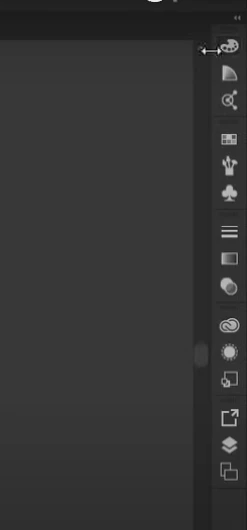
What is this narrow rectangle with colour gradient and other options called ?{noob here}

  • March 19, 2025
  • 1 reply
  • 106 views

why am i not getting this tool box or whateverss
1 reply

Doug A Roberts
Community Expert
Community Expert
March 19, 2025

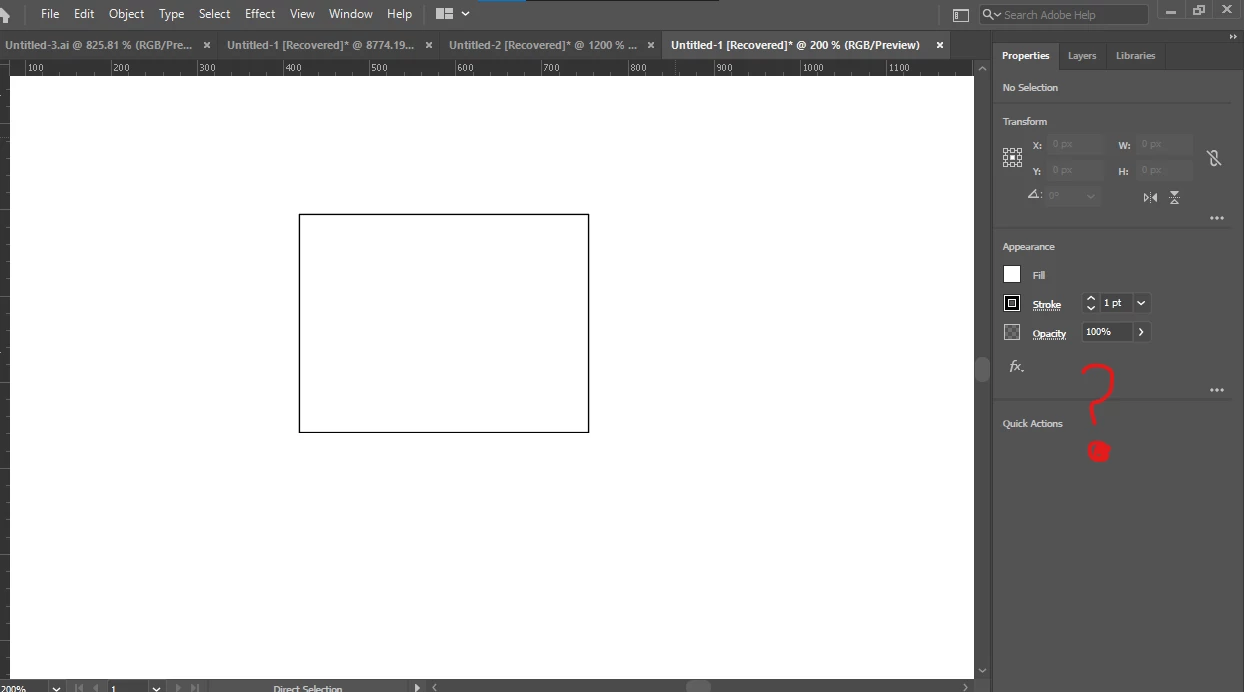
Do you mean the Properties panel?

In the first image, the user has a workspace with several panels in 5 groups displayed collapsed.

In the second image, you have three panels in one group displayed expanded. This is the default for the 'Essentials' workspace.


You can switch to a different workspace or open more panels from the Window menu. Dock them by dragging them to the edge of the Illustrator window. Switch between expanded or collapsed with the tiny double arrows at the top-right of the panels.


Read more from the manual:

Illustrator workspace basics