Known Participant
September 15, 2024
Question

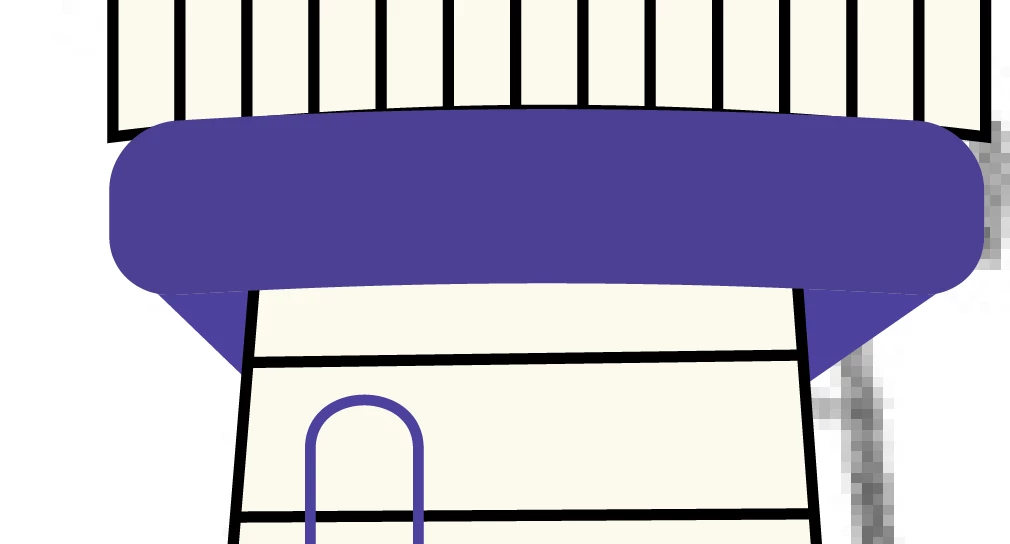
What's this thin dotted line all about?

  • September 15, 2024
  • 3 replies
  • 399 views

What's this all about?


This topic has been closed for replies.

3 replies

Brad @ Roaring Mouse
Community Expert
Community Expert
September 15, 2024

If you are seeing this on an exported image format like PNG or JPG, make sure to select Art Optimized under the anti-aliasing pulldown.

Known Participant
September 16, 2024

None of these suggestions help...

creative explorer
Community Expert
Community Expert
September 16, 2024

@devorah_9121 can you check to see if it it an actual line. Change 'Preview' to 'Outline' (Command Y on a Mac or Control Y for a PC). Curious to know if it's an actual line with a stroke of a dashed line. 


m
Ton Frederiks
Community Expert
Community Expert
September 15, 2024

Could also be a GPU Preview artefact. Try Cmd or Ctrl E to switch between GPU/CPU Preview

Monika Gause
Community Expert
Community Expert
September 15, 2024

Are referring to the thin white line?


It's antialiasing artefacts. If it's possible that you make these into one shape, I would do that. If that is not possible, overlap them slightly.