
Participant
February 10, 2020
Answered

What should be correct path location for Plugin .aip files for Adobe illustrator for Mac & Windows ?

  • February 10, 2020
  • 1 reply
  • 19757 views

As of now there are two locations where we can place plugins .aip file for Adobe Illustrator in MAC.
E.g.
First path => /Applications/Adobe Illustrator 2020/Plug-ins.localized/AIHostAdapter.aip
Second path => 

/Users/{username}/Library/Application\ Support/Adobe/Adobe Illustrator 24/en_US/Plug-ins/AIHostAdapter.aip

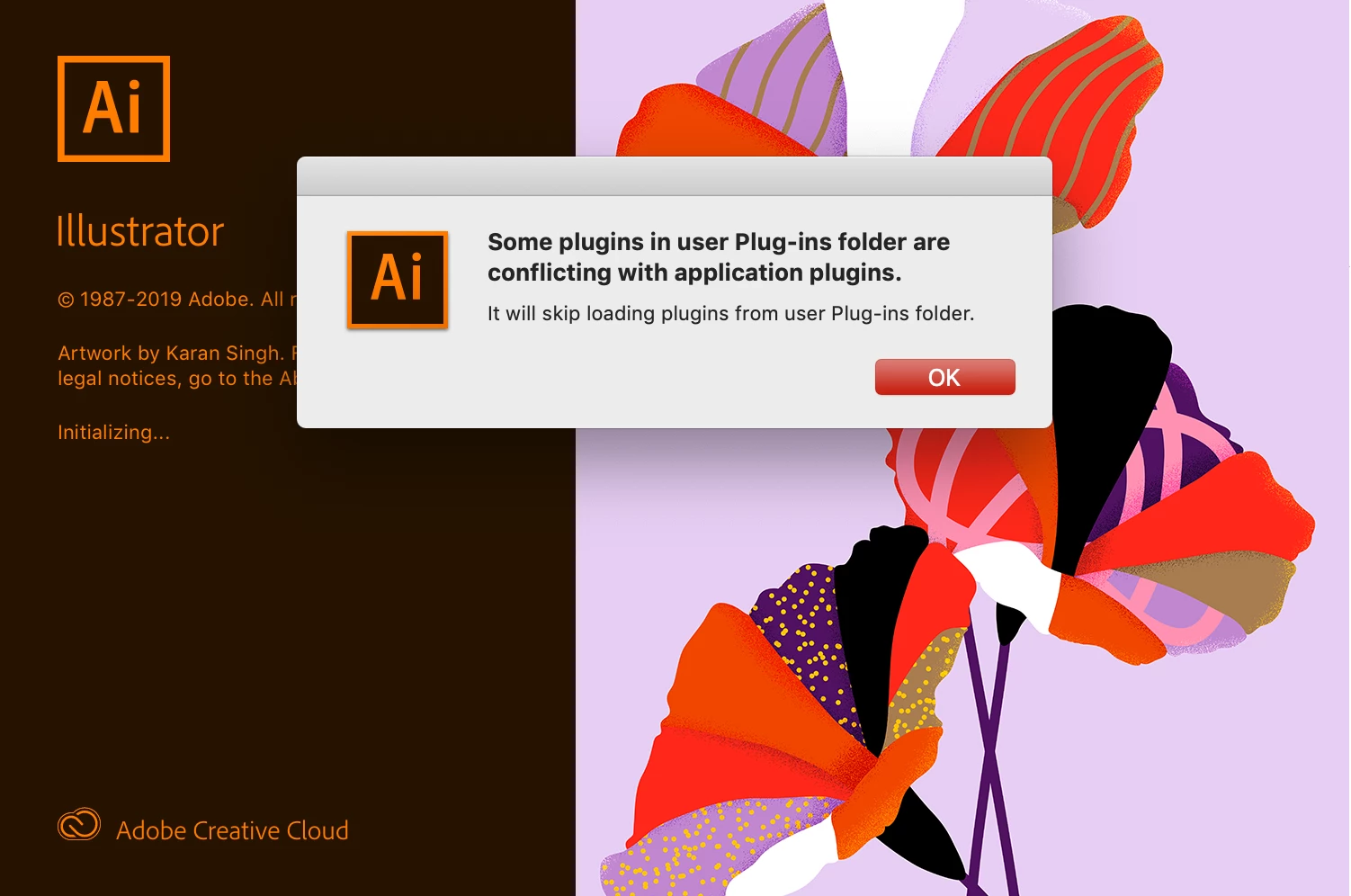
If we put aip file at boh the locations than Adobe Illustrator provide a pop up messgae for conflicting plugins and it will skip loading plugins from user Plug-ins folder.(Refer Attached Image#1)

So what should be correct path for plug-ins aip file and what should have been followed industry wise ?
Need to know path prefrence for above menitoned issue in windows as well ?

Note:This have been observed been multiple version of Illustrator.


Image #1
Correct answer Thorsten_dev

I know this is 3 years old, but I just stumbled over it: When trying to add plugins to Illustrator 2023, I had to put the additonal plugin into /Applications/Adobe Illustrator 2023/Plug-ins.localized

A normal Plug-ins Folder was not there and when I made it, it was not detected by Illustrator.

The good point is that it detects symbolic links, so I do not have to copy the plugins to that folder.


However, is there a way to make the path Version-Independent, like it is in Photoshop (where the folder is /Library/Application Support/Adobe/Plug-Ins)? Otherwise, the user has to do the reinstallion every year.


Using the "Additional plugin-folder" in "Settings" is not an option, because there it is only possible to set 1(!) additional folder an I do not want ot mess up with other 3rd-Party plugins

1 reply

Ashutosh_Mishra
Inspiring
February 11, 2020

Hi Mukesh,


Thanks for reaching out. Any 3rd party plugin should be placed in the following locations:
1. Windows : C: \ Program files \ Adobe Illustrator (your version number) \ Plug-ins \ Extensions.

2. macOS: Applications\ Adobe Illustrator 2020\Plug-ins

Hope it helps.


Regards,

Ashutosh


Participant
February 13, 2020

Hi Ashutosh:

Thanks for update.
This will surely help.

--
Mukesh Bishnoi