



Scott Falkner
Community Expert
Community Expert
February 15, 2022
Answered

What the heck does this mean? (Preferences: Show/Hide Ruler)

  • February 15, 2022
  • 3 replies
  • 1101 views

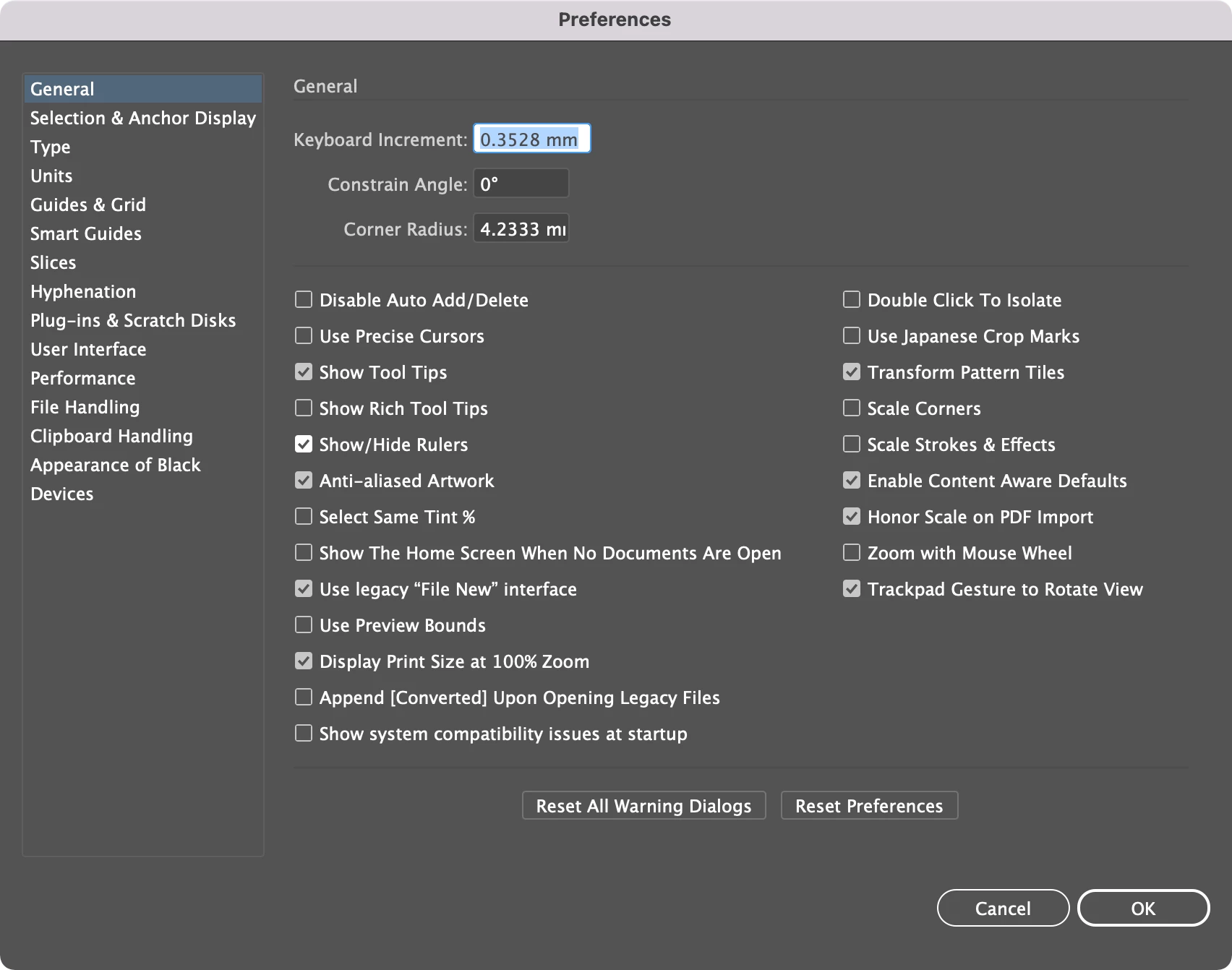
In Preferences > General there is an option for Show/Hide Ruler. What does it mean? Does it mean to show the ruler or to hide the ruler? I see no effect on new documents. Whether the option is checked or not new documents do not show the ruler.

This topic has been closed for replies.
Correct answer Ton Frederiks

If you turn that option On and you show the ruler in your document, all other documents that you create or open will have the ruler on.

If you turn that option On and you hide the ruler in your document, all other documents that you create or open will have the ruler hidden.

3 replies

Met1
Legend
February 15, 2022

Everyone not at Adobe Community Professional level are feeling a lot better about themselves today, so thanks for the warm fuzzies Scott... :-}

Ton Frederiks
Community Expert
Community Expert
February 15, 2022

Glad I could help 🙂


Met1
Legend
February 15, 2022

I do appreciate all your help Ton, but I think my attempt at a joke at Scott's expense failed miserably... oh well, back to lurking...

Ton Frederiks
Community Expert
Community Expert
February 15, 2022

If you turn that option Off it depends on the New Document Profile and for existing documents, if saved with or without Ruler if the ruler is shown or not.

Ton Frederiks
Community Expert
Ton FrederiksCommunity ExpertCorrect answer
Community Expert
February 15, 2022

If you turn that option On and you show the ruler in your document, all other documents that you create or open will have the ruler on.

If you turn that option On and you hide the ruler in your document, all other documents that you create or open will have the ruler hidden.

Scott Falkner
Community Expert
Community Expert
February 15, 2022

I see. It is very poorly named, which is a theme with a lot of Adobe features. Looking at you, Allow Document Pages to Shuffle.


Turn the option on and ruler visability is sticky. New documents will adopt the ruler visibility of the current document. Also ⌘-R will afect all documents with the option on.


I don’t know what it should be called, but I know what it shouldn’t be called.

Ton Frederiks
Community Expert
Community Expert
February 15, 2022

It is an option to Show/Hide Rulers by default. It could have been named better.

What is really wrong is that you cannot find what it does in the Help file. There is no documentation that describes every item in the Preferences.

You need to Google Illustrator Show/Hide Rulers to find a Uservoice topic that explains it.