
Participant
April 10, 2026
Question

when exporting for screen, Illustrator doesn't go to the path where the file is saved, but to whatever path was last used

  • April 10, 2026
  • 1 reply
  • 13 views

AI 30.3, recently updated. 
When i open a file and then go to ‘export for screen’, in the first window the path to export is correct (path where the file is located):
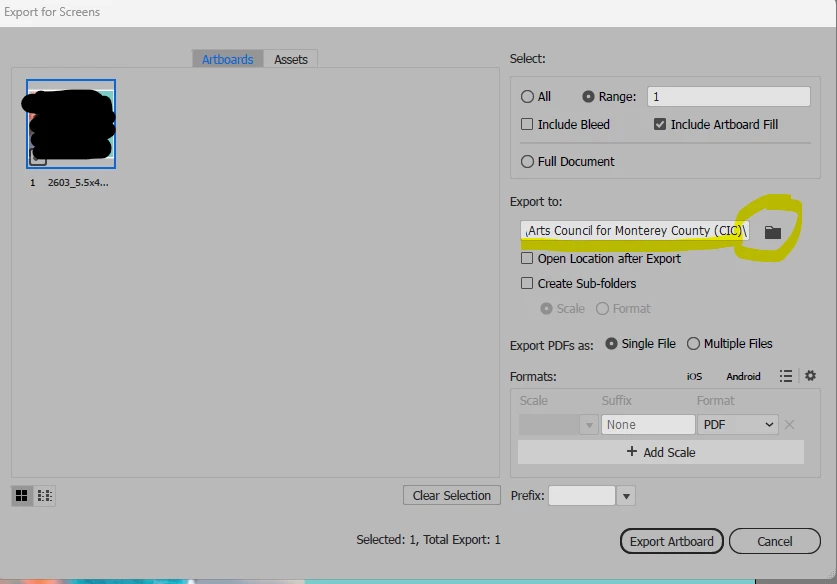
but if i need to put the exported file in a sub folder, for example, and open the folder icon, then the path is whatever path i last used:

 

Do other have had this issue? I tried resetting preferences.

    1 reply

    Anubhav M
    Community Manager
    Community Manager
    April 10, 2026

    Hello @GenieInABottle


    This does seem strange. Could you check if this happens with older versions of Illustrator as well? Also, check whether you encounter similar behavior in other apps on your device and share your observations.


    I look forward to your response.
    Anubhav

    Participant
    April 13, 2026

    Hi,

    thanks for looking into it.
    I’ve just installed the version 29.8.6 (i can’t remember what i had right before the latest 30.3 that is giving me issue. I’ve tried download the 30.2 but i would have to uninstall 30.3 to do so. This way i could have both at the same time).

    I’m quite sure that this issue came up very recently. Not sure if with the latest update or the whole 30 series.

    Anyway, version 29.8.6 works well, without hiccups. I opened a file, checked the export as: the folder shows correctly in file OG path, and when i open the folder to create a sub folder it also keeps the correct path.

    I’ve saved a sample there, then opened a different file (in a different path) and tried again, and it had no issues in giving me (and opening) the correct path for the newly opened file.

    I also tried Photoshop (27.5.0), and the save as opens the correct path. The Export As, when i select export, the panel for name and destination path was an old one i had used. BUT, i honestly don’t think photoshop has ever worked the same as Illustrator, in regards to the “export as”… illustrator export as has so many different features compared to Photoshop. I can’t say i ever noticed if it would give me the current file OG path or not. I also use it way less…

    My laptop has Windows 11 Enterprise.

    thank you

    Thanks for the help!