

cyBartek
Inspiring
February 4, 2025
Question

When exporting to PDF, Illustrator exports second artboard as a blank page.

  • February 4, 2025
  • 1 reply
  • 355 views

Hi,
I created a long vertical file (resume) 210 mm x 580 mm. I thought it would be possible to split it automatically into two files when exporting to PDF, but it wasn't possible. So I decided to rearrange the design and changed the size to 210 x 294 and created a second artboard the same size to which I moved the elements that did not fit the first one.

Now when I try to export it as a PDF the second artboard is exported as a blank page. All the elements are in the artboard and in the preview export window they are visible also. When I exported it as PNG it was visible. 
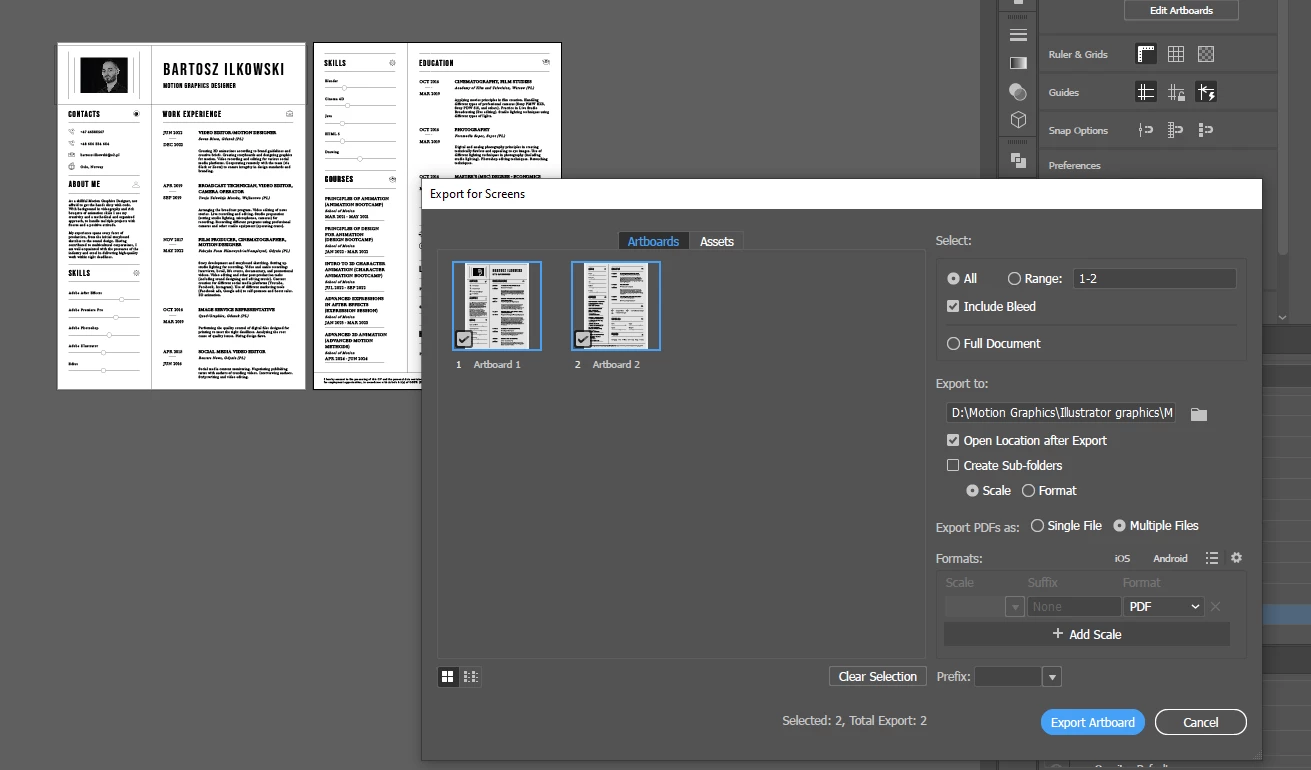
I would appreciate your help in resolving this issue. 

1 reply

cyBartek
cyBartekAuthor
Inspiring
February 6, 2025

OK. I figured it out. The description of one of the sections (LINKS) was not showing up because of the different name of the font (Bebas Nueve changed the name to Bebas Nueve Regular after the update?). Once I changed the name of the font section description appeared and I was able to export the artboard. So it looks like some kind of software bug. 

Anubhav M
Community Manager
Community Manager
February 11, 2025

Hello @cyBartek,

Thanks for sharing the details. I tried replicating this behavior on my end but could not. Would you mind sharing a link to a sample AI and PDF file along with a small screen recording of the exact workflow and the problem so I can check this with the team?

Looking forward to hearing from you.


Anubhav

cyBartek
cyBartekAuthor
Inspiring
February 12, 2025

Hi, I sent it to you in a private message.