Participant
March 14, 2022
Question

When I bring images to illustrator, it get a bit pixelated

  • March 14, 2022
  • 2 replies
  • 1022 views

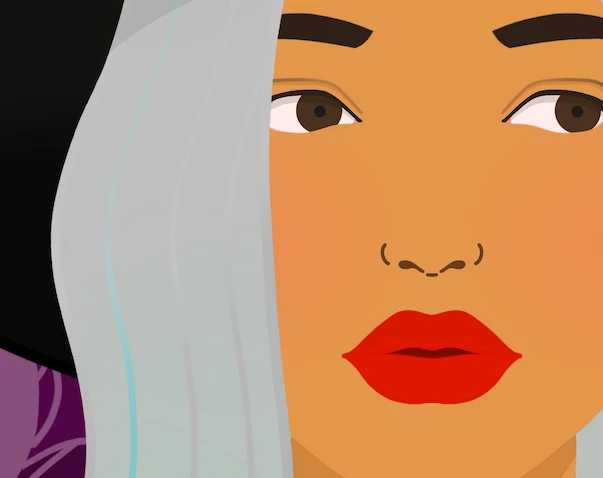
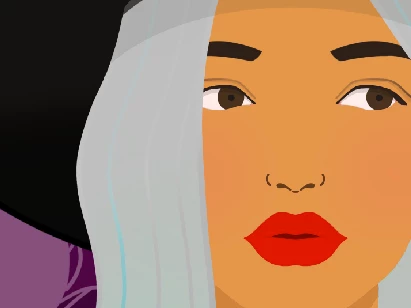
Hi, I just installed illustrator and photoshop in my laptop and everytime I bring image(Good high quality) I see much low quality image than I see outside of the program.


First picture is what I see in the programs and second picture is what I see outside of the program. The image is png file but samething happens to all other file types. 


Any ieas to fix this or why this is happening?

This topic has been closed for replies.

2 replies

Jacob Bugge
Community Expert
Community Expert
March 14, 2022

Grace,


In addition to what Marlon said, at least in AI you get the original image, whether linked or embedded, and you can just scale up and down without its having any influence on the image size in pixels x pixels; the same applies to PS (until/unless you change the resolution).


Apart from that, as I see it if I may, her eyes seem to be focused on a spot in right in front of the viewer (a bit closer to herself), in other words basically directed at the viewer, inconsistent with much more of the eyeball showing on the right side of her eyes (even more so on her left eye) corresponding to her looking past the viewer, to the left as seen by her.


I hope this was only moderatley woolly.


marliton
Community Expert
Community Expert
March 14, 2022

Hi. Please check if View > Pixel preview is activated.


Marlon Ceballos