



E-w
Participant
May 14, 2026
Question

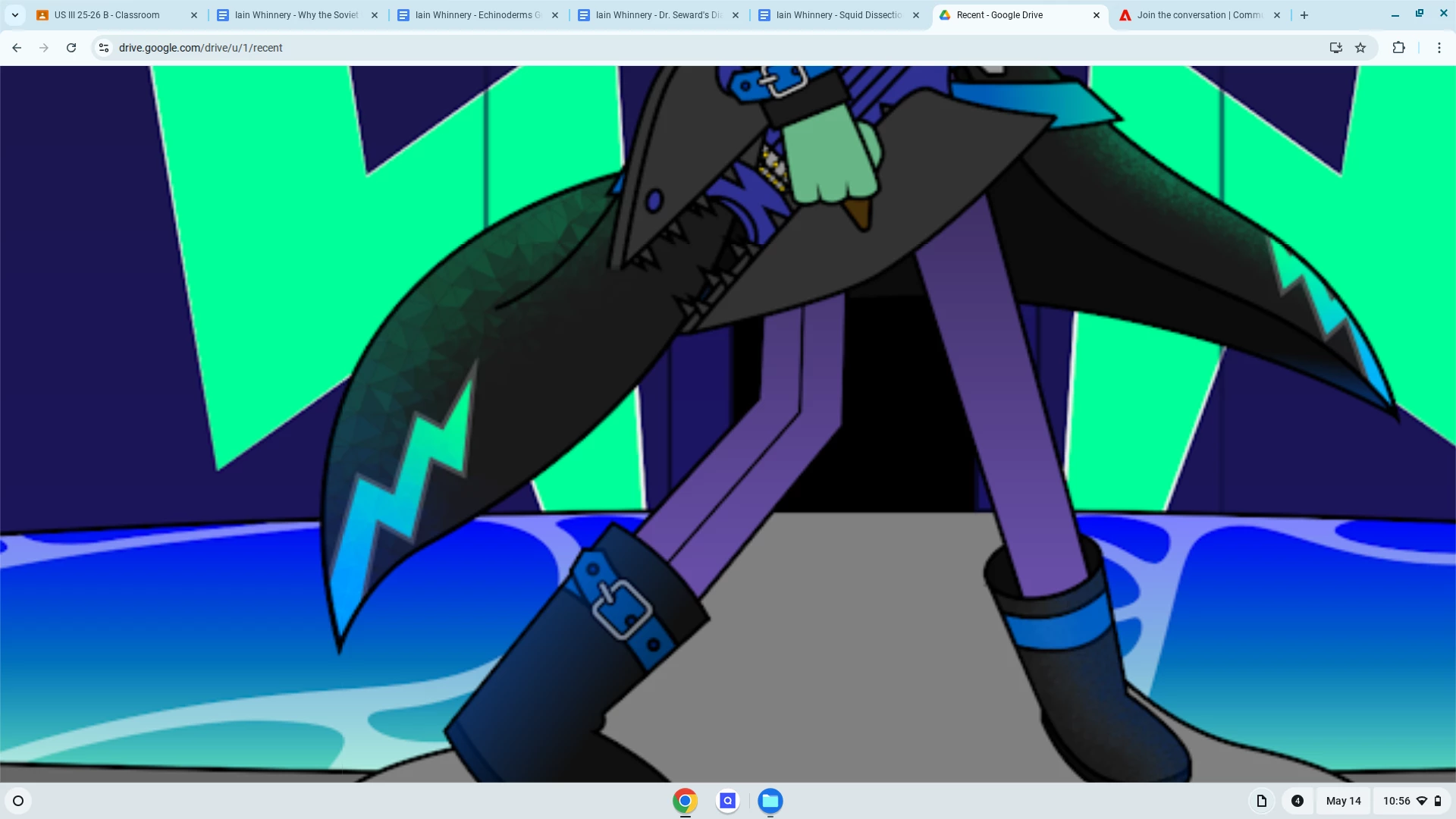
When I convert my ai file to a png, the polygons and egdes of the freefrom gradient show. Does anyone know how to fix this?

  • May 14, 2026
  • 2 replies
  • 40 views

when I convert my Ai file to a png, the polygons and edges of freeform gradient becom visable, does anyone know how to fix this?!
 

    2 replies

    jane-e
    Community Expert
    Community Expert
    May 14, 2026

    @E-w 

    This is the Photoshop forum. Illustrator has their own forum. Please ask here:

    https://community.adobe.com/p/illustrator


    Jane

    J E L
    Community Expert
    Community Expert
    May 14, 2026

    Hi ​@E-w, Can you explain your workflow? Are you creating the file in Illustrator first and converting to PNG there? Or are you opening the AI file from Photoshop and then exporting to PNG? Are you using the Freefrom Gradient Tool in Illustrator? Keep in mind that when it comes to gradients, Photoshop supports 16-bit and dithering, and Illustrator is for vector artwork. The best method to preserve gradient smoothness is to create the gradient in 16-bit mode with dithering enabled. There are some other quick fixes that you can try out, such as adding subtle noise to the gradient, rasterizing, and then saving the PNG file in Illustrator by selecting PNG with transparency. I haven't used this exact workflow, but others here can probably walk you through it. Also, your question might be better answered in the Illustrator forum.

    E-w
    E-wAuthor
    Participant
    May 14, 2026

    I’m creating a file on Illustrator and converting to PNG on https://cloudconvert.com/ai-to-png

    I’m also using freeform gradient


    Thanks for the advice

    J E L
    Community Expert
    Community Expert
    May 14, 2026

    You’re welcome—yes, it’s probably best to do your PNG exports directly instead of through CloudConvert.